العودة إلى جميع الأدلة
2026-01-12
كيفية إنشاء فيديوهات AI من الصور
صورة إلى فيديو هو أسرع مسار عندما يكون لديك صورة. استخدم صورة واضحة، حافظ على الحركة بسيطة، وتطابق نسبة العرض إلى الارتفاع مع منصتك المستهدفة.
خطوات سريعة
قائمة سريعة يمكنك اتباعها في أقل من دقيقة.
- 1افتح أداة الصورة إلى فيديو.
- 2ارفع صورة واضحة (وجه واحد، إضاءة جيدة، خلفية بسيطة).
- 3أضف موجه حركة قصير (رمش، ابتسامة، دوران رأس صغير).
- 4اختر نسبة العرض إلى الارتفاع (9:16 لـ Shorts) ومدة قصيرة (ابدأ بـ 5 ثوانٍ).
- 5أنشئ، ثم حسّن القص/الإضاءة إذا اهتزت النتائج.
خيارات الأداة المتاحة
الأوضاع:قياسياحترافي
نسبة العرض:16:99:16
المدة:5s10s4s / 6s / 8s (Audio mode)
الدقة:720p1080p
- النسخة الصامتة تركز على حركة الصورة. النسخة الصوتية تضيف صوتاً (خيارات مختلفة).
أمثلة تعليمية (مع موجهات وإعدادات)
كل مثال أدناه تم اختياره مسبقاً لهذا الدليل (ليس عشوائياً).
مثال 1
حركة قصصية (صورة → فيديو + موجه)
Image-to-Videoimage-to-video
كيفية استخدام هذا المثال
- 1.افتح الأداة.
- 2.اختر الوضع: Image-to-Video.
- 3.ارفع المدخل المعروض أدناه.
- 4.استخدم الكلمات المفتاحية (أو الموجه الكامل) واختر الإعدادات.
- 5.أنشئ وكرر (قص/إضاءة/موجه) إذا لزم الأمر.
المدخلات
.webp)
Image
كلمات مفتاحية للموجه
In the picturea child and a bird are playing happilyThe bird flies onto the child's handand the child reaches out to catch itlaughing joyfully
عرض الموجه الكامل (نسخ)
In the picture, a child and a bird are playing happily. The bird flies onto the child's hand, and the child reaches out to catch it, laughing joyfully.
الإعدادات (المستخدمة في هذا المثال)
مثال 2
تحريك صورة واحدة (صورة → فيديو)
Image-to-Videoimage-to-video
كيفية استخدام هذا المثال
- 1.افتح الأداة.
- 2.اختر الوضع: Image-to-Video.
- 3.ارفع المدخل المعروض أدناه.
- 4.استخدم الكلمات المفتاحية (أو الموجه الكامل) واختر الإعدادات.
- 5.أنشئ وكرر (قص/إضاءة/موجه) إذا لزم الأمر.
المدخلات
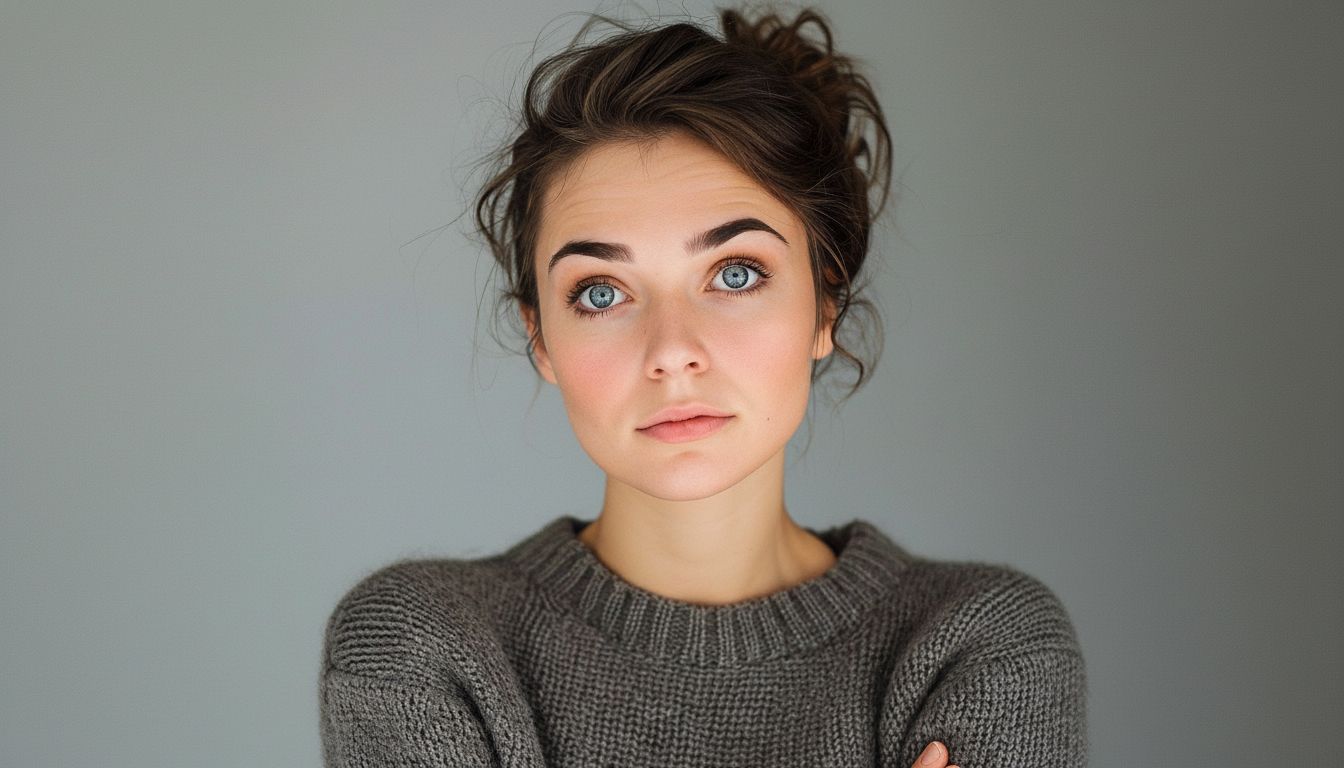
Image
الإعدادات (المستخدمة في هذا المثال)
نصائح
- اشمل الكتفين في الإطار لتقليل الاهتزاز.
- تجنب الأيدي التي تغطي الوجه والخلفيات المشغولة.
- استخدم موجهات حركة بسيطة—التصميم المعقد يزيد العيوب.
الأسئلة الشائعة
هل أحتاج كتابة موجه لصورة إلى فيديو؟▼
غالباً موجه حركة قصير يساعد، لكن حتى بدونه يمكنك إنشاء حركة بسيطة من صورة قوية.
لماذا يبدو المخرج متذبذباً؟▼
عادةً يأتي من مدخلات منخفضة الجودة أو قص ضيق. استخدم صورة أوضح واشمل الكتفين.
ما نسبة العرض إلى الارتفاع التي يجب أن أستخدمها؟▼
Use 9:16 for Shorts/TikTok. Match your target platform to avoid re-cropping later.
هل أنت مستعد للتوليد؟
افتح الأداة وأعد استخدام الموجهات/الإعدادات أعلاه.