Kembali ke semua panduan
2026-01-12
Cara Membuat Video AI dari Foto
Gambar ke video adalah jalur tercepat ketika Anda sudah punya foto. Gunakan gambar yang jelas, jaga gerakan sederhana, dan sesuaikan rasio aspek dengan platform target Anda.
Langkah Cepat
Daftar cepat yang dapat Anda ikuti dalam waktu kurang dari satu menit.
- 1Buka alat Gambar ke Video.
- 2Unggah foto yang jelas (satu wajah, pencahayaan baik, latar belakang sederhana).
- 3Tambahkan prompt gerakan pendek (kedip, senyum, gerakan kepala kecil).
- 4Pilih rasio aspek (9:16 untuk Shorts) dan durasi pendek (mulai dengan 5d).
- 5Hasilkan, lalu tingkatkan pemotongan/pencahayaan jika hasil bergoyang.
Opsi alat yang dapat dipilih
Mode:StandarPro
Rasio aspek:16:99:16
Durasi:5s10s4s / 6s / 8s (Audio mode)
Resolusi:720p1080p
- Versi tanpa suara fokus pada gerakan gambar. Versi audio menambahkan suara (opsi berbeda).
Contoh Tutorial (dengan prompt & pengaturan)
Setiap contoh di bawah ini dipilih sebelumnya untuk panduan ini (tidak acak).
Contoh 1
Gerakan cerita (foto → video + prompt)
Image-to-Videoimage-to-video
Cara menggunakan contoh ini
- 1.Buka alat.
- 2.Pilih mode: Image-to-Video.
- 3.Unggah input yang ditampilkan di bawah.
- 4.Gunakan kata kunci (atau prompt lengkap) dan pilih pengaturan.
- 5.Hasilkan dan ulangi (potong/pencahayaan/prompt) jika perlu.
Input
.webp)
Image
Kata kunci prompt
In the picturea child and a bird are playing happilyThe bird flies onto the child's handand the child reaches out to catch itlaughing joyfully
Tampilkan prompt lengkap (salin)
In the picture, a child and a bird are playing happily. The bird flies onto the child's hand, and the child reaches out to catch it, laughing joyfully.
Pengaturan (digunakan dalam contoh ini)
Contoh 2
Animasi gambar tunggal (foto → video)
Image-to-Videoimage-to-video
Cara menggunakan contoh ini
- 1.Buka alat.
- 2.Pilih mode: Image-to-Video.
- 3.Unggah input yang ditampilkan di bawah.
- 4.Gunakan kata kunci (atau prompt lengkap) dan pilih pengaturan.
- 5.Hasilkan dan ulangi (potong/pencahayaan/prompt) jika perlu.
Input
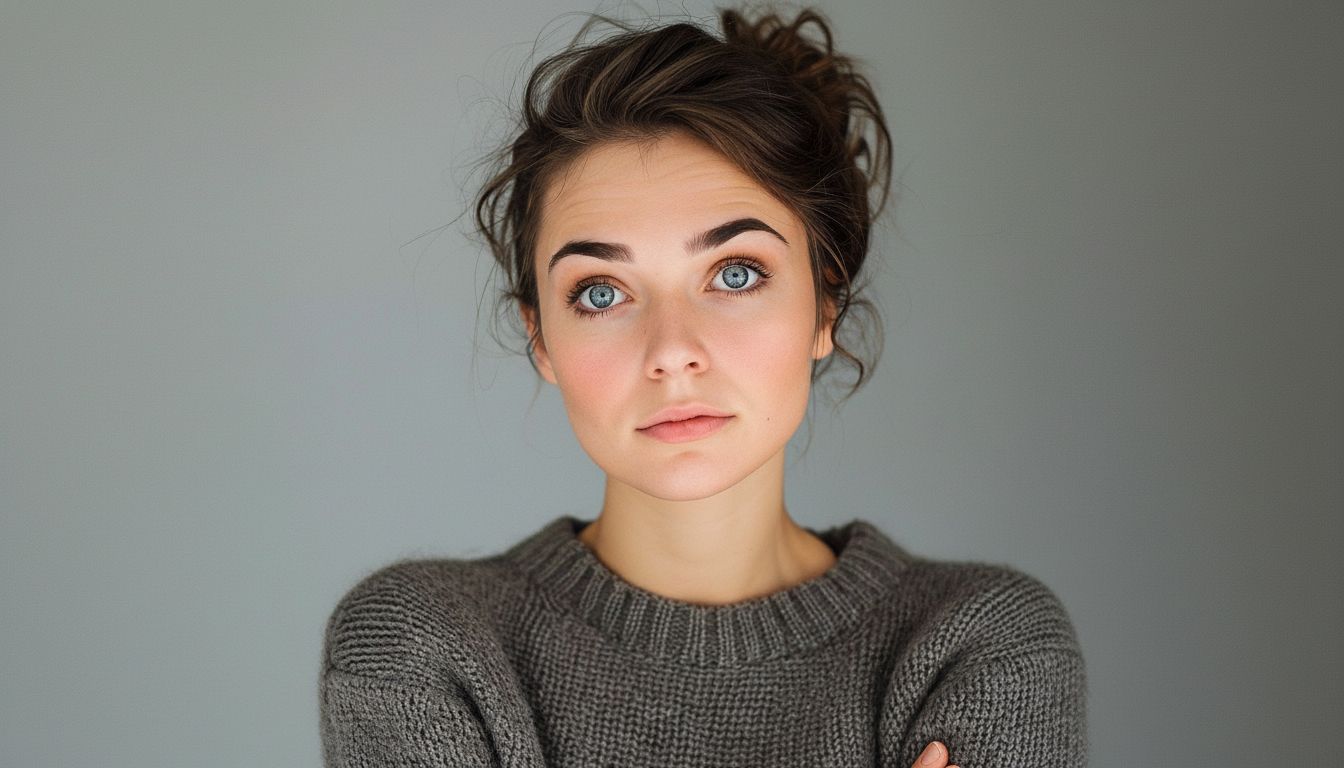
Image
Pengaturan (digunakan dalam contoh ini)
Tips
- Sertakan bahu dalam frame untuk mengurangi goyangan.
- Hindari tangan menutupi wajah dan latar belakang yang ramai.
- Gunakan prompt gerakan sederhana—koreografi kompleks meningkatkan artefak.
FAQ
Apakah saya perlu menulis prompt untuk gambar ke video?▼
Sering prompt gerakan pendek membantu, tapi bahkan tanpanya Anda bisa menghasilkan gerakan sederhana dari foto yang kuat.
Mengapa output terlihat bergetar?▼
Biasanya berasal dari input berkualitas rendah atau pemotongan yang ketat. Gunakan foto yang lebih jelas dan sertakan bahu.
Rasio aspek apa yang harus saya gunakan?▼
Use 9:16 for Shorts/TikTok. Match your target platform to avoid re-cropping later.
Siap untuk menghasilkan?
Buka alat dan gunakan kembali prompt/pengaturan di atas.