Torna a tutte le guide
2026-01-12
Come Creare Video IA dalle Foto
Immagine a video è il percorso più veloce quando hai già una foto. Usa un'immagine chiara, mantieni il movimento semplice e abbina il rapporto d'aspetto alla tua piattaforma target.
Passaggi rapidi
Una lista rapida che puoi seguire in meno di un minuto.
- 1Apri lo strumento Immagine a Video.
- 2Carica una foto chiara (un viso, buona illuminazione, sfondo semplice).
- 3Aggiungi un prompt di movimento breve (sbattere le palpebre, sorridere, piccola rotazione della testa).
- 4Scegli il rapporto d'aspetto (9:16 per Shorts) e durata breve (inizia con 5s).
- 5Genera, poi migliora ritaglio/illuminazione se i risultati oscillano.
Opzioni dello strumento disponibili
Modalità:StandardPro
Rapporto d'aspetto:16:99:16
Durata:5s10s4s / 6s / 8s (Audio mode)
Risoluzione:720p1080p
- La versione silenziosa si concentra sul movimento dell'immagine. La versione audio aggiunge il suono (opzioni diverse).
Esempi del tutorial (con prompt e impostazioni)
Ogni esempio qui sotto è preselezionato per questa guida (non casuale).
Esempio 1
Movimento narrativo (foto → video + prompt)
Image-to-Videoimage-to-video
Come usare questo esempio
- 1.Apri lo strumento.
- 2.Scegli la modalità: Image-to-Video.
- 3.Carica l'input mostrato qui sotto.
- 4.Usa le parole chiave (o il prompt completo) e scegli le impostazioni.
- 5.Genera e itera (ritaglio/illuminazione/prompt) se necessario.
Input
.webp)
Image
Parole chiave del prompt
In the picturea child and a bird are playing happilyThe bird flies onto the child's handand the child reaches out to catch itlaughing joyfully
Mostra prompt completo (copia)
In the picture, a child and a bird are playing happily. The bird flies onto the child's hand, and the child reaches out to catch it, laughing joyfully.
Impostazioni (usate in questo esempio)
Esempio 2
Animazione singola immagine (foto → video)
Image-to-Videoimage-to-video
Come usare questo esempio
- 1.Apri lo strumento.
- 2.Scegli la modalità: Image-to-Video.
- 3.Carica l'input mostrato qui sotto.
- 4.Usa le parole chiave (o il prompt completo) e scegli le impostazioni.
- 5.Genera e itera (ritaglio/illuminazione/prompt) se necessario.
Input
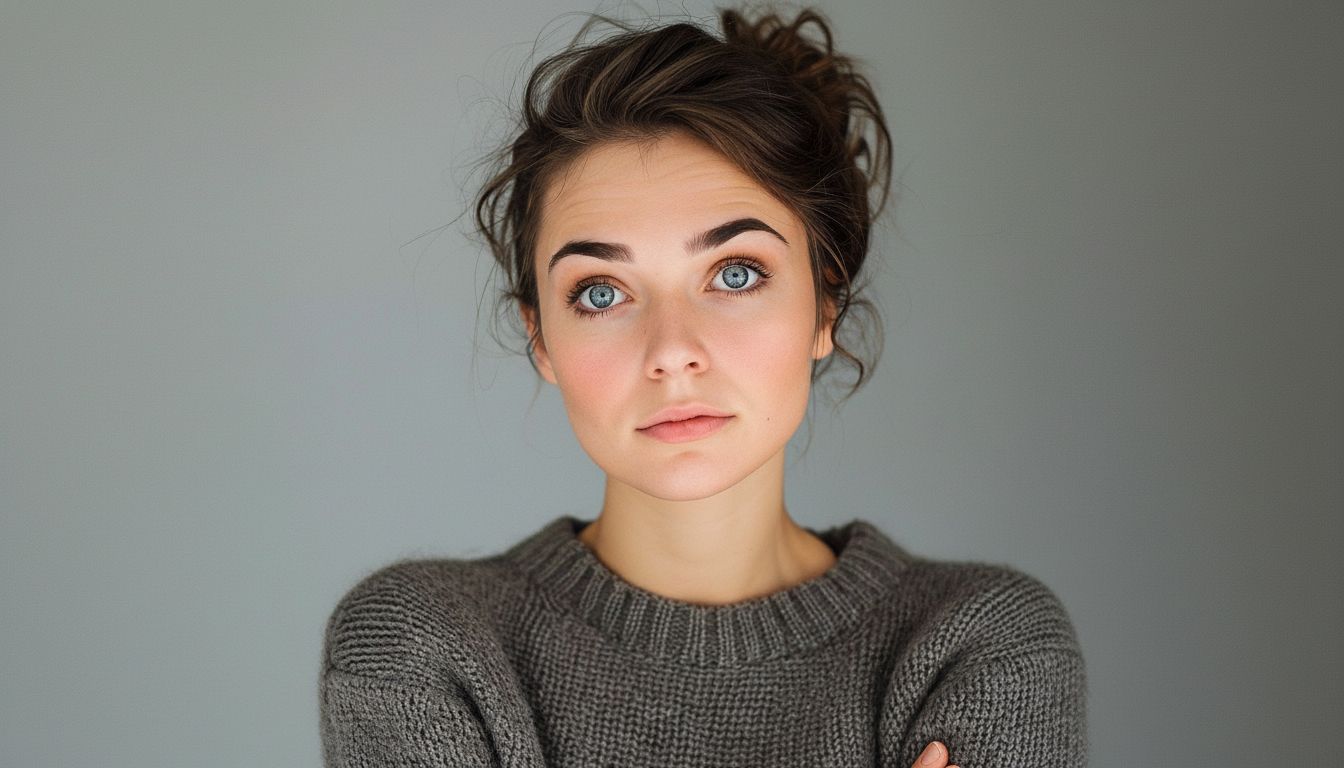
Image
Impostazioni (usate in questo esempio)
Suggerimenti
- Includi le spalle nel frame per ridurre l'oscillazione.
- Evita mani che coprono il viso e sfondi movimentati.
- Usa prompt di movimento semplici—coreografie complesse aumentano gli artefatti.
Domande frequenti
Devo scrivere un prompt per immagine a video?▼
Spesso un prompt di movimento breve aiuta, ma anche senza puoi generare movimento semplice da una foto forte.
Perché l'output sembra tremolante?▼
Solitamente deriva da input di bassa qualità o ritagli stretti. Usa una foto più chiara e includi le spalle.
Quale rapporto d'aspetto dovrei usare?▼
Use 9:16 for Shorts/TikTok. Match your target platform to avoid re-cropping later.
Pronto per generare?
Apri lo strumento e riutilizza i prompt/impostazioni sopra.