Torna a tutte le guide
2026-01-12
Generatore Bambino Cartoon
Cartoon styles are more forgiving than photoreal. Start with a clear photo and try 2–3 styles to find the best fit for your baby’s face.
Passaggi rapidi
Una lista rapida che puoi seguire in meno di un minuto.
- 1Apri lo strumento Bambino Cartoon.
- 2Carica una foto chiara del bambino (un viso, buona illuminazione).
- 3Scegli uno stile (anime/chibi/3D/ecc.).
- 4Genera 2-3 variazioni.
- 5Salva il risultato migliore e riutilizzalo come avatar o miniatura.
Opzioni dello strumento disponibili
Rapporto d'aspetto:1:12:33:24:33:44:55:49:1616:9
- Scegli un preset di stile o scrivi un prompt di stile personalizzato.
Esempi del tutorial (con prompt e impostazioni)
Ogni esempio qui sotto è preselezionato per questa guida (non casuale).
Esempio 1
Stile bebè cartoon (esempio 1)
cartoon-baby
Come usare questo esempio
- 1.Apri lo strumento.
- 2.Segui gli input e le impostazioni qui sotto.
- 3.Carica l'input mostrato qui sotto.
- 4.Usa le parole chiave (o il prompt completo) e scegli le impostazioni.
- 5.Genera e itera (ritaglio/illuminazione/prompt) se necessario.
Input
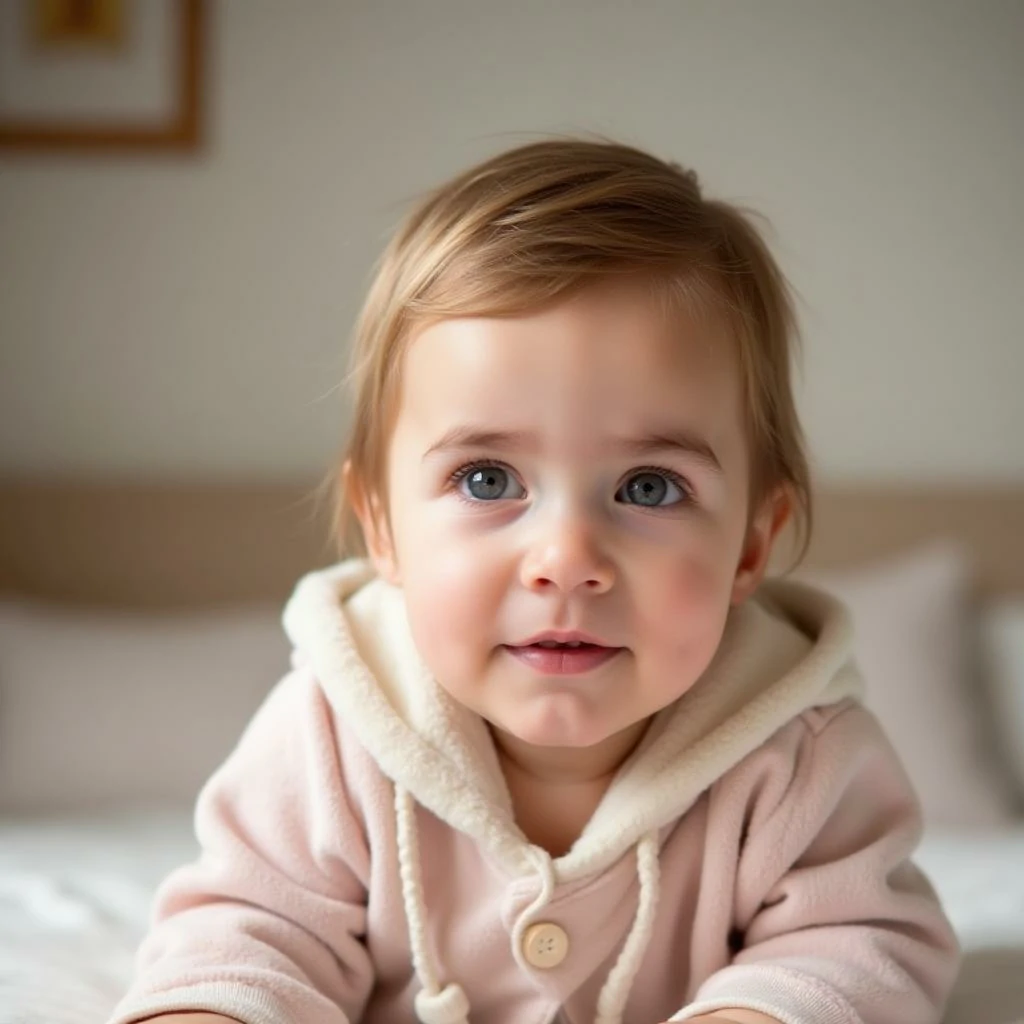
Input
Impostazioni (usate in questo esempio)
Esempio 2
Stile bebè cartoon (esempio 2)
cartoon-baby
Come usare questo esempio
- 1.Apri lo strumento.
- 2.Segui gli input e le impostazioni qui sotto.
- 3.Carica l'input mostrato qui sotto.
- 4.Usa le parole chiave (o il prompt completo) e scegli le impostazioni.
- 5.Genera e itera (ritaglio/illuminazione/prompt) se necessario.
Input
Input
Impostazioni (usate in questo esempio)
Esempio 3
Stile bebè cartoon (esempio 3)
cartoon-baby
Come usare questo esempio
- 1.Apri lo strumento.
- 2.Segui gli input e le impostazioni qui sotto.
- 3.Carica l'input mostrato qui sotto.
- 4.Usa le parole chiave (o il prompt completo) e scegli le impostazioni.
- 5.Genera e itera (ritaglio/illuminazione/prompt) se necessario.
Input
Input
Impostazioni (usate in questo esempio)
Suggerimenti
- Sfondi semplici solitamente producono bordi cartoon più puliti.
- Prova più stili—alcuni visi sembrano migliori in certe estetiche.
- Se i risultati sembrano disordinati, stringi il ritaglio per concentrarti sul viso.
Domande frequenti
Posso usare l'output come immagine del profilo?▼
Sì—esporta l'immagine e usala per avatar, miniature o poster.
Quale foto funziona meglio?▼
Use a sharp, front-facing photo with one clear face and minimal occlusion.
Come ottengo uno stile più coerente?▼
Mantieni un preset di stile e mantieni illuminazione/sfondo simili tra gli input.
Pronto per generare?
Apri lo strumento e riutilizza i prompt/impostazioni sopra.