Voltar para todos os guias
2026-01-12
Gerador de Bebê Cartoon
Os estilos de desenho toleram melhor pequenas imperfeições do que o fotorrealismo. Comece com uma foto nítida e teste dois ou três estilos para encontrar o que combina melhor com o rosto do bebê.
Passos rápidos
Uma lista rápida que você pode seguir em menos de um minuto.
- 1Abra a ferramenta Bebê Cartoon.
- 2Carregue uma foto clara do bebê (um rosto, boa iluminação).
- 3Escolha um estilo (anime/chibi/3D/etc.).
- 4Gere 2-3 variações.
- 5Salve o melhor resultado e reutilize como avatar ou miniatura.
Opções de ferramenta disponíveis
Proporção:1:12:33:24:33:44:55:49:1616:9
- Escolha um estilo predefinido ou escreva um prompt de estilo personalizado.
Exemplos do tutorial (com prompts e configurações)
Cada exemplo abaixo é pré-selecionado para este guia (não aleatório).
Exemplo 1
Estilo bebê cartoon (exemplo 1)
Como usar este exemplo
- 1.Abra a ferramenta.
- 2.Siga as entradas e configurações abaixo.
- 3.Envie a entrada mostrada abaixo.
- 4.Confira as entradas e escolha as configurações mostradas abaixo.
- 5.Gere e itere (corte/iluminação/prompt) se necessário.
Entradas
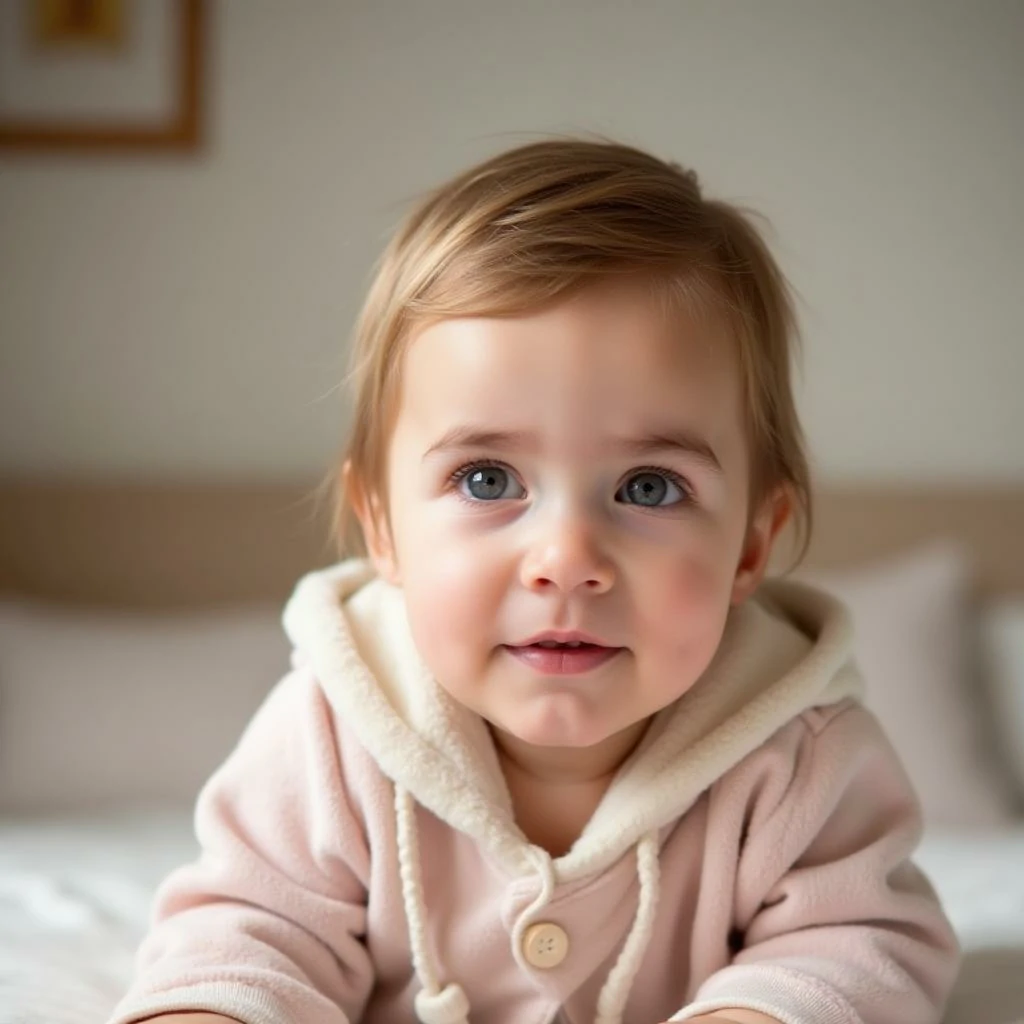
Entradas 1
Configurações (usadas neste exemplo)
Exemplo 2
Estilo bebê cartoon (exemplo 2)
Como usar este exemplo
- 1.Abra a ferramenta.
- 2.Siga as entradas e configurações abaixo.
- 3.Envie a entrada mostrada abaixo.
- 4.Confira as entradas e escolha as configurações mostradas abaixo.
- 5.Gere e itere (corte/iluminação/prompt) se necessário.
Entradas
Entradas 1
Configurações (usadas neste exemplo)
Exemplo 3
Estilo bebê cartoon (exemplo 3)
Como usar este exemplo
- 1.Abra a ferramenta.
- 2.Siga as entradas e configurações abaixo.
- 3.Envie a entrada mostrada abaixo.
- 4.Confira as entradas e escolha as configurações mostradas abaixo.
- 5.Gere e itere (corte/iluminação/prompt) se necessário.
Entradas
Entradas 1
Configurações (usadas neste exemplo)
Dicas
- Fundos simples geralmente produzem bordas de cartoon mais limpas.
- Tente múltiplos estilos—alguns rostos ficam melhores em certas estéticas.
- Se os resultados parecerem bagunçados, ajuste o corte para focar no rosto.
Perguntas frequentes
Posso usar a saída como foto de perfil?▼
Sim—exporte a imagem e use para avatares, miniaturas ou pôsteres.
Qual foto funciona melhor?▼
Use uma foto nítida e de frente, com um único rosto bem visível e quase nada cobrindo-o.
Como obtenho um estilo mais consistente?▼
Mantenha um preset de estilo e mantenha iluminação/fundo semelhantes entre as entradas.
Pronto para gerar?
Abra a ferramenta e reutilize os prompts/configurações acima.