กลับไปยังคู่มือทั้งหมด
2026-01-12
วิธีทำวิดีโอเด็กทารก AI
คู่มือนี้จะพาคุณผ่านเวิร์กโฟลว์ที่ง่ายที่สุด: เลือกวิธีที่ถูกต้อง ใช้อินพุตที่ชัดเจน (รูปถ่ายหรือพรอมต์) ตั้งอัตราส่วนที่ถูกต้อง แล้วสร้าง ทำตามขั้นตอนก่อน จากนั้นใช้ตัวอย่างด้านล่าง
ขั้นตอนด่วน
รายการตรวจสอบอย่างรวดเร็วที่คุณสามารถทำตามได้ในเวลาไม่ถึงหนึ่งนาที
- 1เปิดเครื่องมือ Baby Video
- 2เลือกวิธี: รูปถ่าย→วิดีโอ (สม่ำเสมอกว่า) หรือ พรอมต์→วิดีโอ (สร้างสรรค์กว่า)
- 3ใช้รูปถ่ายหน้าตรงที่ชัดเจน หรือ เขียนพรอมต์สั้นๆ ที่เน้นการเคลื่อนไหว
- 4ตั้งอัตราส่วน (9:16 สำหรับ TikTok/Shorts) และรักษาความยาวสั้น (เริ่มที่ 5 วินาที)
- 5สร้าง จากนั้นทำซ้ำ: ปรับปรุงการครอป/แสง และลดความซับซ้อนของการเคลื่อนไหวถ้าจำเป็น
- 6ส่งออกและโพสต์ (เพิ่มคำบรรยายเพื่อการรักษาที่ดีขึ้น)
ตัวเลือกเครื่องมือที่เลือกได้
โหมด:ข้อความเป็นวิดีโอรูปภาพเป็นวิดีโอ
อัตราส่วน:9:1616:9
ระยะเวลา:5s10s
ความละเอียด:480p720p1080p
- ความละเอียดจะแสดงเมื่อคุณเปิดเสียงในโหมดรูปภาพเป็นวิดีโอ
ตัวอย่างบทช่วยสอน (พร้อมพรอมต์และการตั้งค่า)
แต่ละตัวอย่างด้านล่างได้รับการคัดเลือกล่วงหน้าสำหรับคู่มือนี้ (ไม่สุ่ม)
ตัวอย่าง 1
วิดีโอทารกสมจริง (พรอมต์ → วิดีโอ)
Text-to-Videobaby-video
วิธีใช้ตัวอย่างนี้
- 1.เปิดเครื่องมือ
- 2.เลือกโหมด: Text-to-Video.
- 3.ไม่ต้องใช้ไฟล์นำเข้า (พรอมต์เท่านั้น)
- 4.ใช้คำหลัก (หรือพรอมต์เต็ม) และเลือกการตั้งค่า
- 5.สร้างและปรับปรุง (ครอป/แสง/พรอมต์) หากจำเป็น
คำหลักพรอมต์
A warm morning in a cozy nurserya 9-month-old baby sitting on a soft bednatural smileblinking and gently waving at the camerasun rays filtering through sheer curtainsdreamy bokehshallow depth of fieldhandheld slow push-in shot
แสดงพรอมต์เต็ม (คัดลอก)
A warm morning in a cozy nursery, a 9-month-old baby sitting on a soft bed, natural smile, blinking and gently waving at the camera, sun rays filtering through sheer curtains, dreamy bokeh, shallow depth of field, handheld slow push-in shot, soft pastel colors, cinematic, ultra-realistic, 4K resolution, 24 frames per second, 5-second clip.
การตั้งค่า (ที่ใช้ในตัวอย่างนี้)
ตัวอย่าง 2
ทำให้ภาพทารกเคลื่อนไหว (ภาพ → วิดีโอ)
Image-to-Videobaby-video
วิธีใช้ตัวอย่างนี้
- 1.เปิดเครื่องมือ
- 2.เลือกโหมด: Image-to-Video.
- 3.อัปโหลดข้อมูลนำเข้าที่แสดงด้านล่าง
- 4.ใช้คำหลัก (หรือพรอมต์เต็ม) และเลือกการตั้งค่า
- 5.สร้างและปรับปรุง (ครอป/แสง/พรอมต์) หากจำเป็น
ข้อมูลนำเข้า
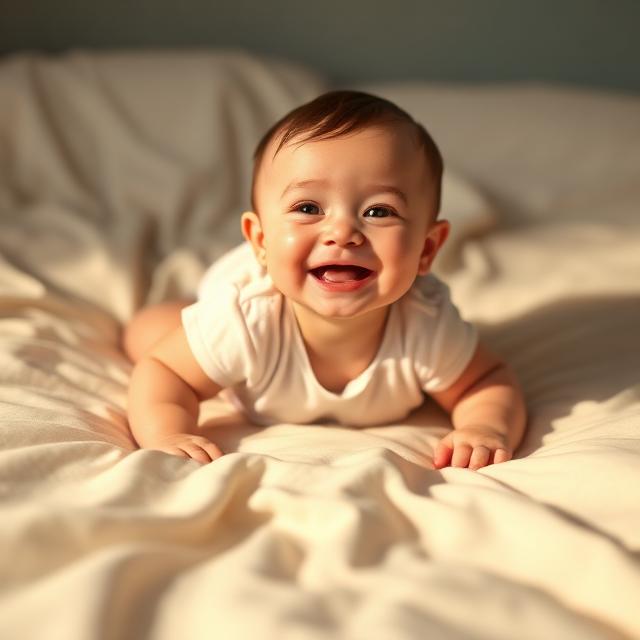
Image
การตั้งค่า (ที่ใช้ในตัวอย่างนี้)
ตัวอย่าง 3
การเคลื่อนไหวแบบเทมเพลต (ภาพ → วิดีโอ)
Image-to-Videobaby-video
วิธีใช้ตัวอย่างนี้
- 1.เปิดเครื่องมือ
- 2.เลือกโหมด: Image-to-Video.
- 3.อัปโหลดข้อมูลนำเข้าที่แสดงด้านล่าง
- 4.ใช้คำหลัก (หรือพรอมต์เต็ม) และเลือกการตั้งค่า
- 5.สร้างและปรับปรุง (ครอป/แสง/พรอมต์) หากจำเป็น
ข้อมูลนำเข้า
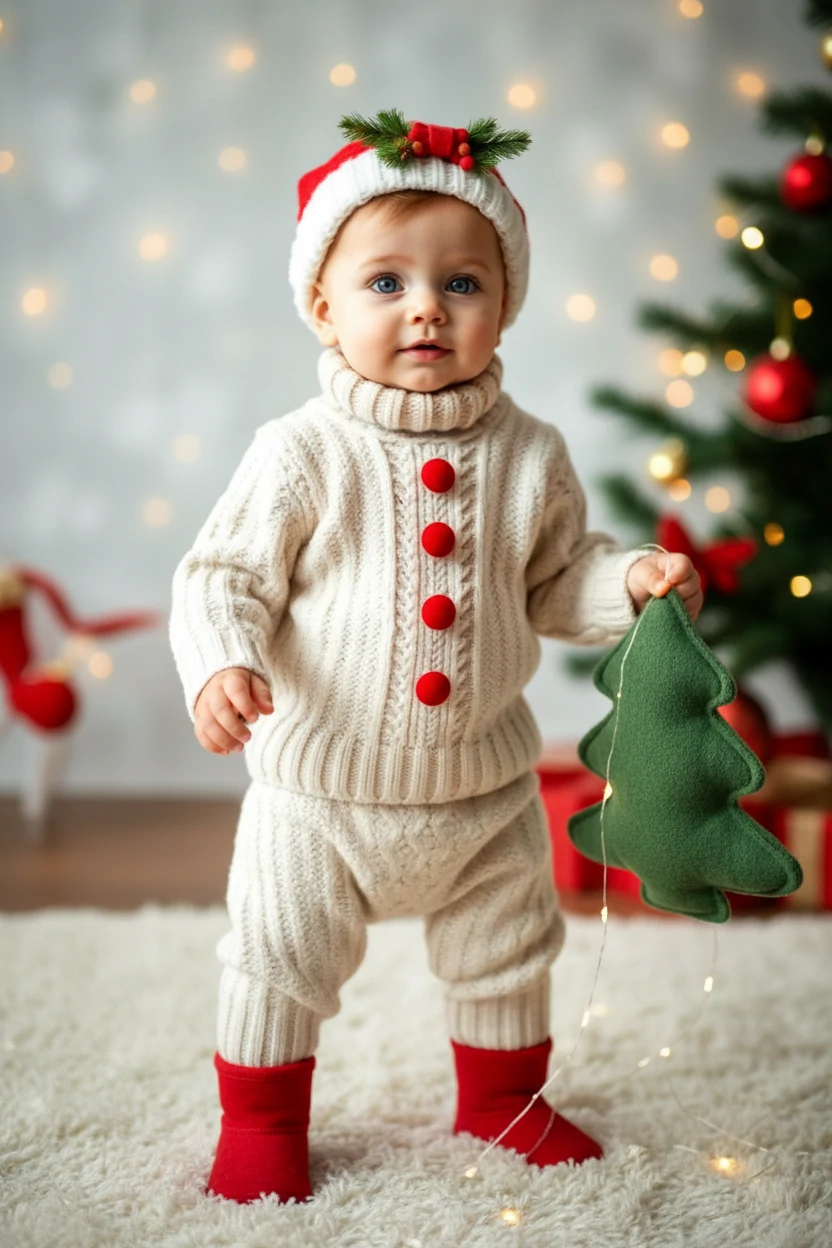
Template
คำหลักพรอมต์
The person in the picture exhibits an unsteady gait as they awkwardly approach the camerareminiscent of a novice walker
แสดงพรอมต์เต็ม (คัดลอก)
The person in the picture exhibits an unsteady gait as they awkwardly approach the camera, reminiscent of a novice walker.
การตั้งค่า (ที่ใช้ในตัวอย่างนี้)
เคล็ดลับ
- รักษาการเคลื่อนไหวให้เรียบง่าย (กระพริบตา, ยิ้ม, โบกมือ) การกระทำที่ซับซ้อนเพิ่มอาร์ติแฟกต์
- ทำให้การครอปแน่นขึ้นเพื่อให้ใบหน้าใหญ่ขึ้น แต่รวมไหล่เพื่อลดการสั่น
- ใช้พื้นหลังที่สะอาดและแสงที่ดีเพื่อให้ใบหน้าสมจริงยิ่งขึ้น
- เปลี่ยนตัวแปรหนึ่งตัวต่อรอบ (พรอมต์ หรือ ครอป หรือ อัตราส่วน) เพื่อเรียนรู้เร็วขึ้น
คำถามที่พบบ่อย
วิธีไหนดีที่สุดสำหรับผลลัพธ์ที่สมจริง?▼
รูปถ่าย→วิดีโอมักจะสม่ำเสมอกว่าสำหรับใบหน้าที่สมจริง โดยเฉพาะเมื่อเริ่มจากรูปถ่ายเด็กทารกที่คมชัด
ฉันควรใช้อัตราส่วนใด?▼
ใช้ 9:16 สำหรับ TikTok/Shorts ใช้ 16:9 สำหรับ YouTube จับคู่กับแพลตฟอร์มเป้าหมายตั้งแต่แรก
ทำไมใบหน้าดูไม่เสถียรหรือเบลอ?▼
ปัญหาส่วนใหญ่มาจากอินพุตคุณภาพต่ำหรือการครอปที่แน่นเกินไป/ไม่ถูกต้อง ใช้รูปถ่ายที่ชัดกว่า รักษาใบหน้าให้อยู่ตรงกลาง และลดความซับซ้อนของการเคลื่อนไหว
พร้อมสร้างแล้วหรือยัง?
เปิดเครื่องมือและใช้พรอมต์/การตั้งค่าข้างต้นอีกครั้ง