กลับไปยังคู่มือทั้งหมด
2026-01-12
เครื่องสร้างเด็กทารกการ์ตูน
Cartoon styles are more forgiving than photoreal. Start with a clear photo and try 2–3 styles to find the best fit for your baby’s face.
ขั้นตอนด่วน
รายการตรวจสอบอย่างรวดเร็วที่คุณสามารถทำตามได้ในเวลาไม่ถึงหนึ่งนาที
- 1เปิดเครื่องมือเด็กทารกการ์ตูน
- 2อัปโหลดรูปถ่ายเด็กทารกที่ชัดเจน (หนึ่งใบหน้า แสงดี)
- 3เลือกสไตล์ (อนิเมะ/ชิบิ/3D/ฯลฯ)
- 4สร้าง 2-3 รูปแบบ
- 5บันทึกผลลัพธ์ที่ดีที่สุดและใช้ซ้ำเป็นอวาตาร์หรือภาพขนาดย่อ
ตัวเลือกเครื่องมือที่เลือกได้
อัตราส่วน:1:12:33:24:33:44:55:49:1616:9
- เลือกพรีเซ็ตสไตล์หรือเขียนพรอมต์สไตล์กำหนดเอง
ตัวอย่างบทช่วยสอน (พร้อมพรอมต์และการตั้งค่า)
แต่ละตัวอย่างด้านล่างได้รับการคัดเลือกล่วงหน้าสำหรับคู่มือนี้ (ไม่สุ่ม)
ตัวอย่าง 1
สไตล์ทารกการ์ตูน (ตัวอย่าง 1)
cartoon-baby
วิธีใช้ตัวอย่างนี้
- 1.เปิดเครื่องมือ
- 2.ทำตามข้อมูลนำเข้าและการตั้งค่าด้านล่าง
- 3.อัปโหลดข้อมูลนำเข้าที่แสดงด้านล่าง
- 4.ใช้คำหลัก (หรือพรอมต์เต็ม) และเลือกการตั้งค่า
- 5.สร้างและปรับปรุง (ครอป/แสง/พรอมต์) หากจำเป็น
ข้อมูลนำเข้า
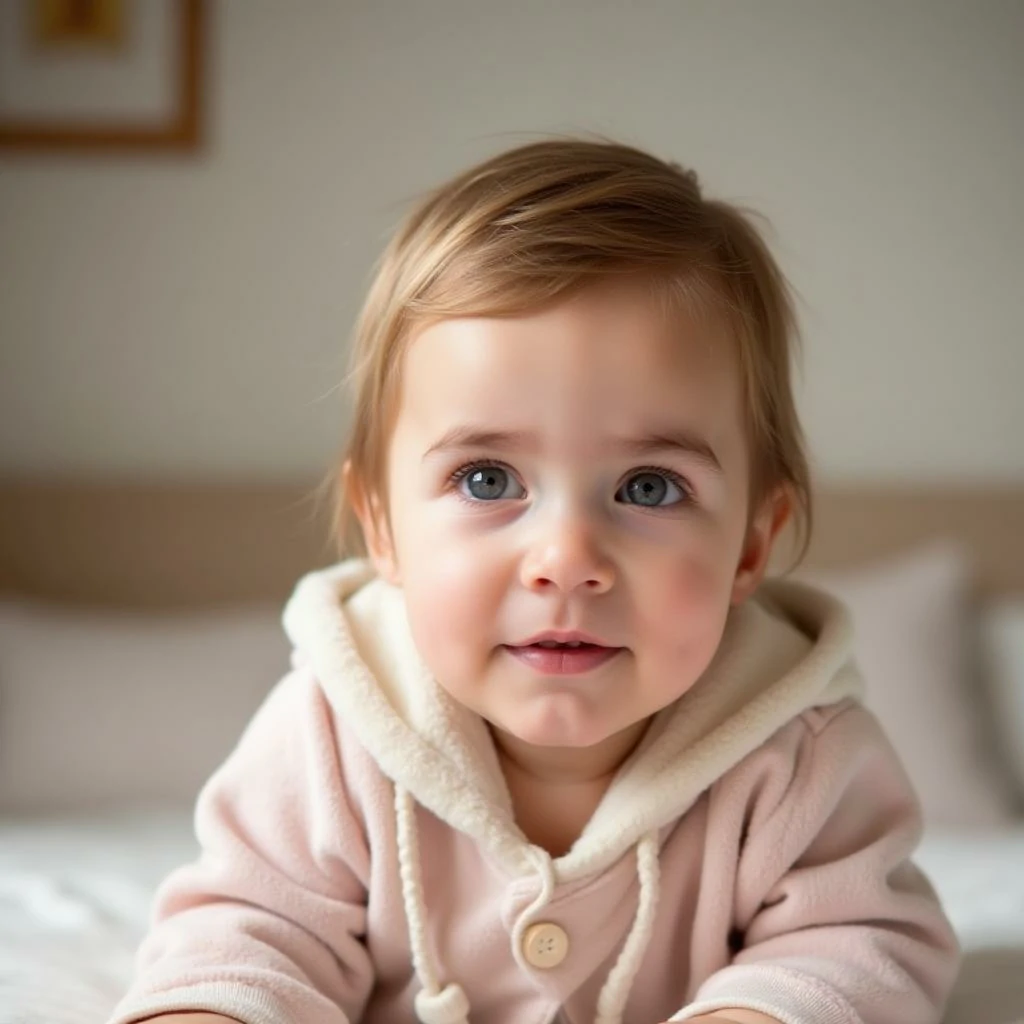
Input
การตั้งค่า (ที่ใช้ในตัวอย่างนี้)
ตัวอย่าง 2
สไตล์ทารกการ์ตูน (ตัวอย่าง 2)
cartoon-baby
วิธีใช้ตัวอย่างนี้
- 1.เปิดเครื่องมือ
- 2.ทำตามข้อมูลนำเข้าและการตั้งค่าด้านล่าง
- 3.อัปโหลดข้อมูลนำเข้าที่แสดงด้านล่าง
- 4.ใช้คำหลัก (หรือพรอมต์เต็ม) และเลือกการตั้งค่า
- 5.สร้างและปรับปรุง (ครอป/แสง/พรอมต์) หากจำเป็น
ข้อมูลนำเข้า
Input
การตั้งค่า (ที่ใช้ในตัวอย่างนี้)
ตัวอย่าง 3
สไตล์ทารกการ์ตูน (ตัวอย่าง 3)
cartoon-baby
วิธีใช้ตัวอย่างนี้
- 1.เปิดเครื่องมือ
- 2.ทำตามข้อมูลนำเข้าและการตั้งค่าด้านล่าง
- 3.อัปโหลดข้อมูลนำเข้าที่แสดงด้านล่าง
- 4.ใช้คำหลัก (หรือพรอมต์เต็ม) และเลือกการตั้งค่า
- 5.สร้างและปรับปรุง (ครอป/แสง/พรอมต์) หากจำเป็น
ข้อมูลนำเข้า
Input
การตั้งค่า (ที่ใช้ในตัวอย่างนี้)
เคล็ดลับ
- พื้นหลังที่เรียบง่ายมักจะสร้างขอบการ์ตูนที่สะอาดกว่า
- ลองหลายสไตล์—บางใบหน้าดูดีกว่าในสุนทรียศาสตร์บางอย่าง
- ถ้าผลลัพธ์ดูยุ่งเหยิง ทำให้การครอปแน่นขึ้นเพื่อเน้นที่ใบหน้า
คำถามที่พบบ่อย
ฉันสามารถใช้ผลลัพธ์เป็นรูปโปรไฟล์ได้ไหม?▼
ได้—ส่งออกรูปภาพและใช้สำหรับอวาตาร์ ภาพขนาดย่อ หรือโปสเตอร์
รูปถ่ายแบบไหนทำงานได้ดีที่สุด?▼
Use a sharp, front-facing photo with one clear face and minimal occlusion.
ฉันจะได้สไตล์ที่สม่ำเสมอมากขึ้นได้อย่างไร?▼
ยึดติดกับพรีเซ็ตสไตล์หนึ่งและรักษาแสง/พื้นหลังให้คล้ายกันในทุกอินพุต
พร้อมสร้างแล้วหรือยัง?
เปิดเครื่องมือและใช้พรอมต์/การตั้งค่าข้างต้นอีกครั้ง