


AI 图片生成器
用文字制作海报、商品图和插画,或给已有照片换一种效果。默认从 GPT Image 2.5 开始,也可在同一工作区选择 Nano Banana 和 FLUX。


为什么用 BabyVideo 制作图片?


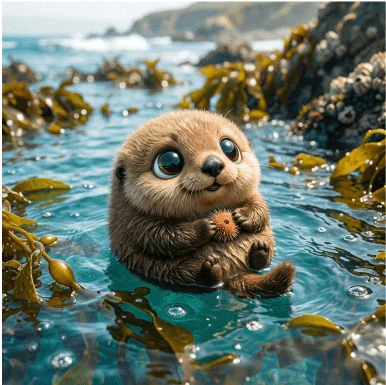
探索不同画风
从杂志风格人像到插画封面和商品创意,可通过案例为自己的项目寻找方向。

继续使用已有结果
下载图片用于配图或设计,作为下一次编辑的参考,或上传到视频生成器添加动作。
AI 文生图:制作海报与插画封面
把想法变成具体构图,例如插画封面、角色肖像或社交平台配图。说明希望的画面效果,以及图片将用在哪里。
为下一张图片找个创作方向
AI 照片编辑:换服装、背景与画风
用文字要求修改已有照片。案例展示宠物换上服装后的效果,同时保留可辨认的原场景。
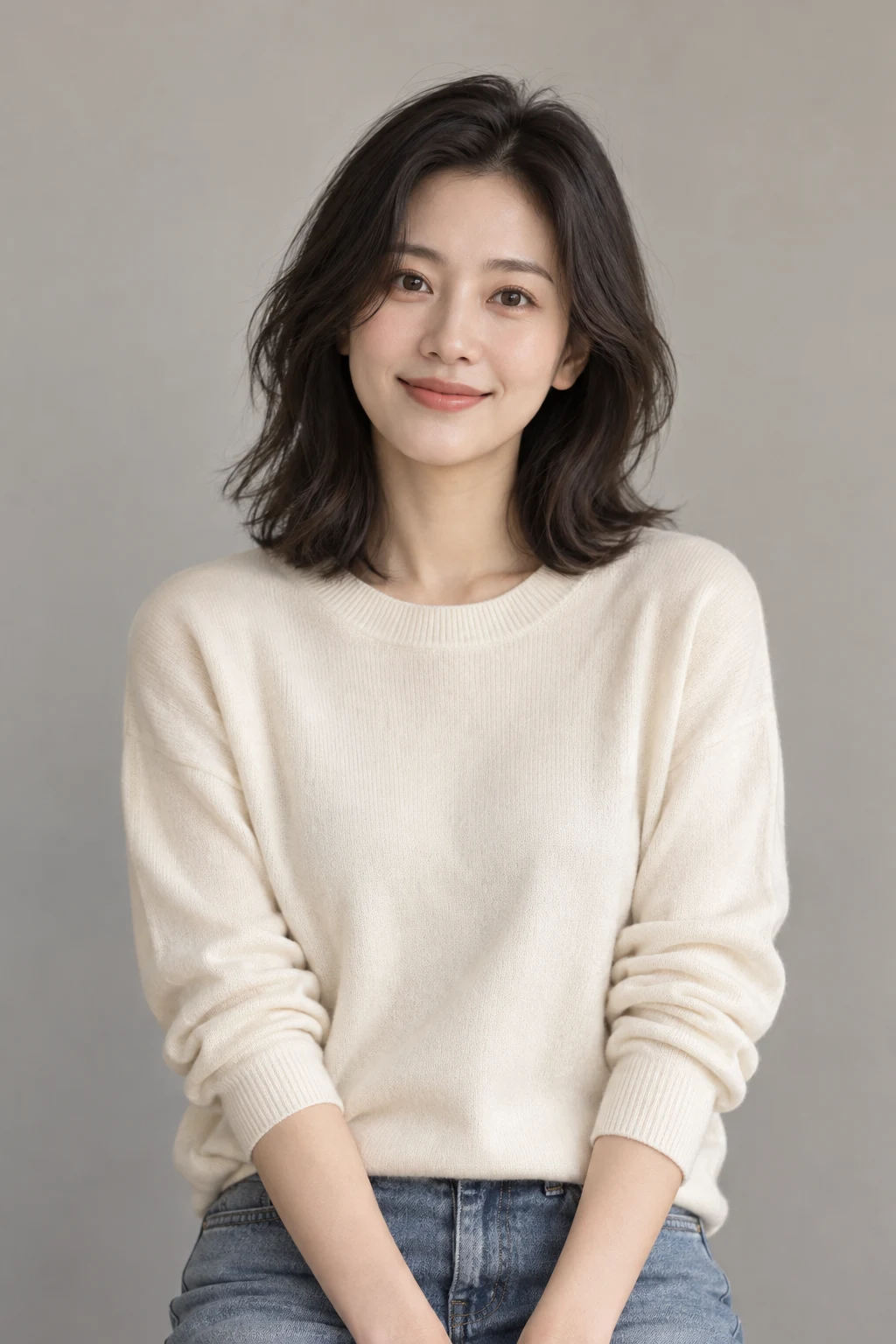
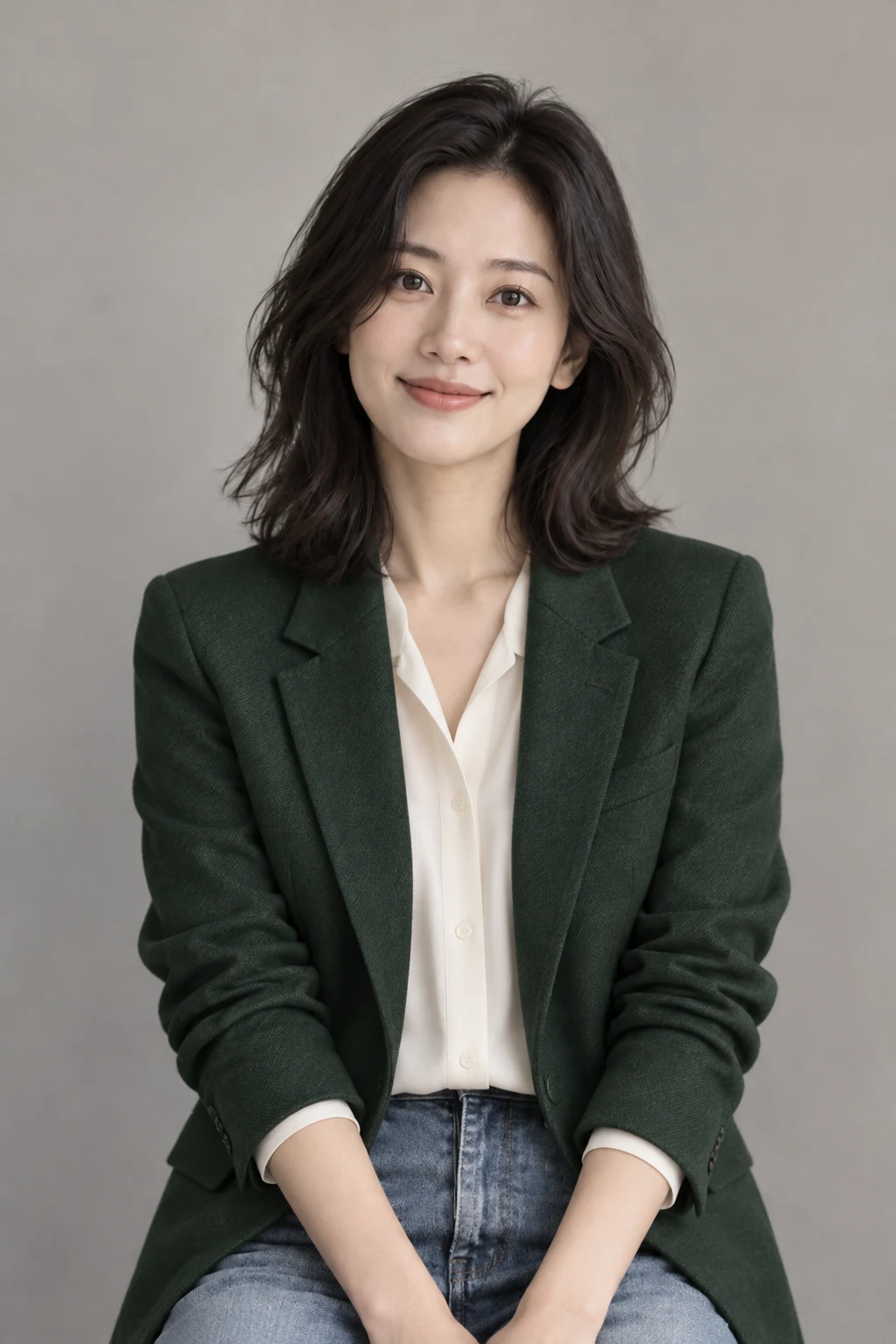
01 / 服装修改
在同一张人像上试换衣服
象牙白毛衣换成森林绿西装外套和奶油色衬衫。选择新造型前,对照原图检查脸部、姿势和影棚背景。
查看场景提示词的中文说明
完全保留同一位成年女性、脸部、年龄、头发、表情、双手、姿势、机位、取景和中性灰背景。只将象牙白毛衣改成剪裁合身的深森林绿羊毛西装外套,内搭浅奶油色衬衫。翻领、衣袖、织纹真实,穿着贴合自然,双肘仍可见。光线和皮肤纹理不变。不改变身份或身体,不增加配饰和物品,不要文字、标签、标志或拼贴。
查看原始提示词(英文)
Preserve the exact same adult woman, face, age, hair, expression, hands, pose, camera angle, framing and neutral gray background. Change ONLY her ivory sweater into a well-tailored dark forest-green wool blazer over a pale cream blouse. Realistic lapels, sleeves, fabric weave and a natural garment fit; both elbows remain visible. Keep the lighting and skin texture unchanged. No change to identity or body, no extra accessories or objects, no text, labels, logos or collage.
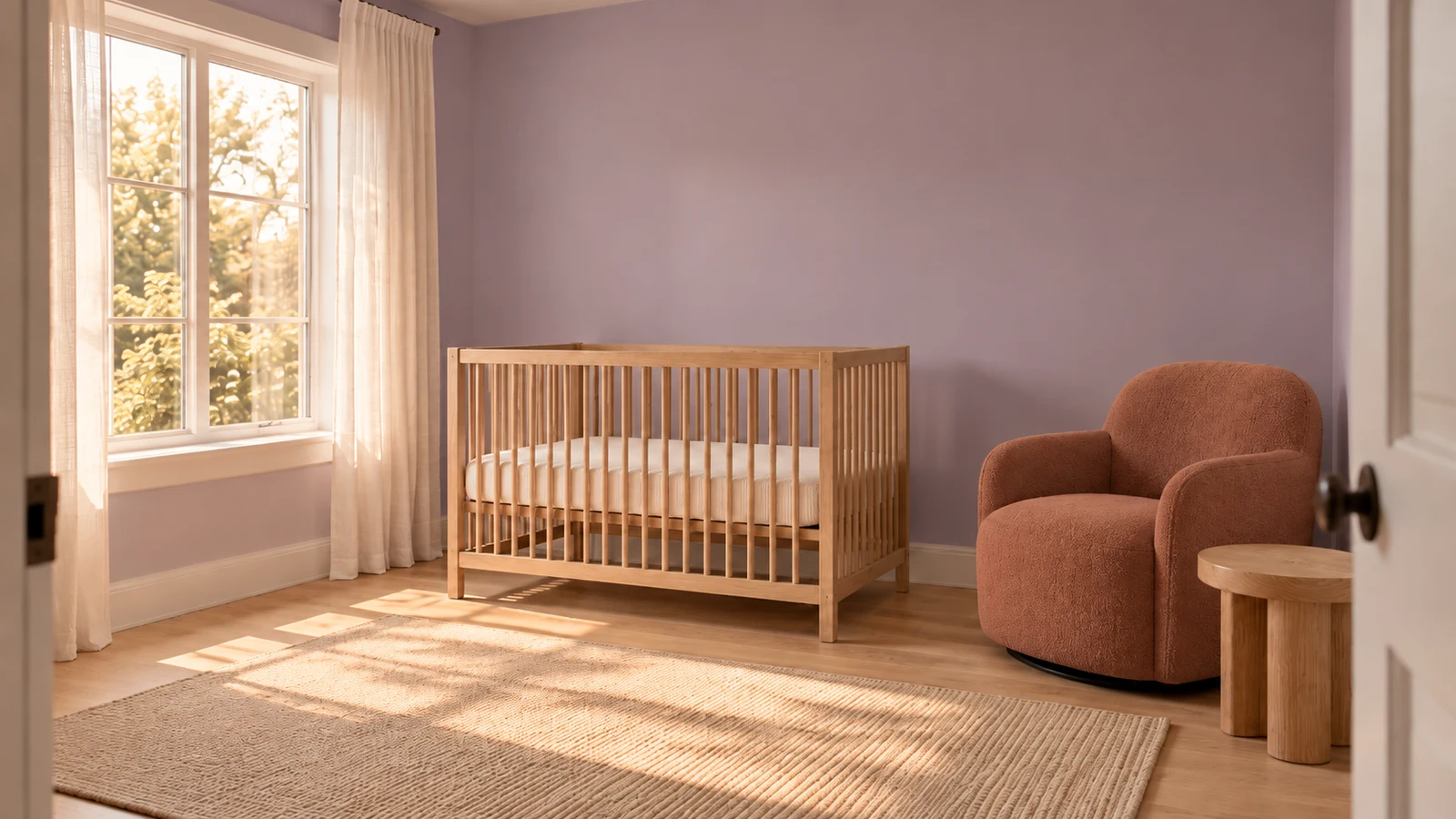
02 / 房间配色
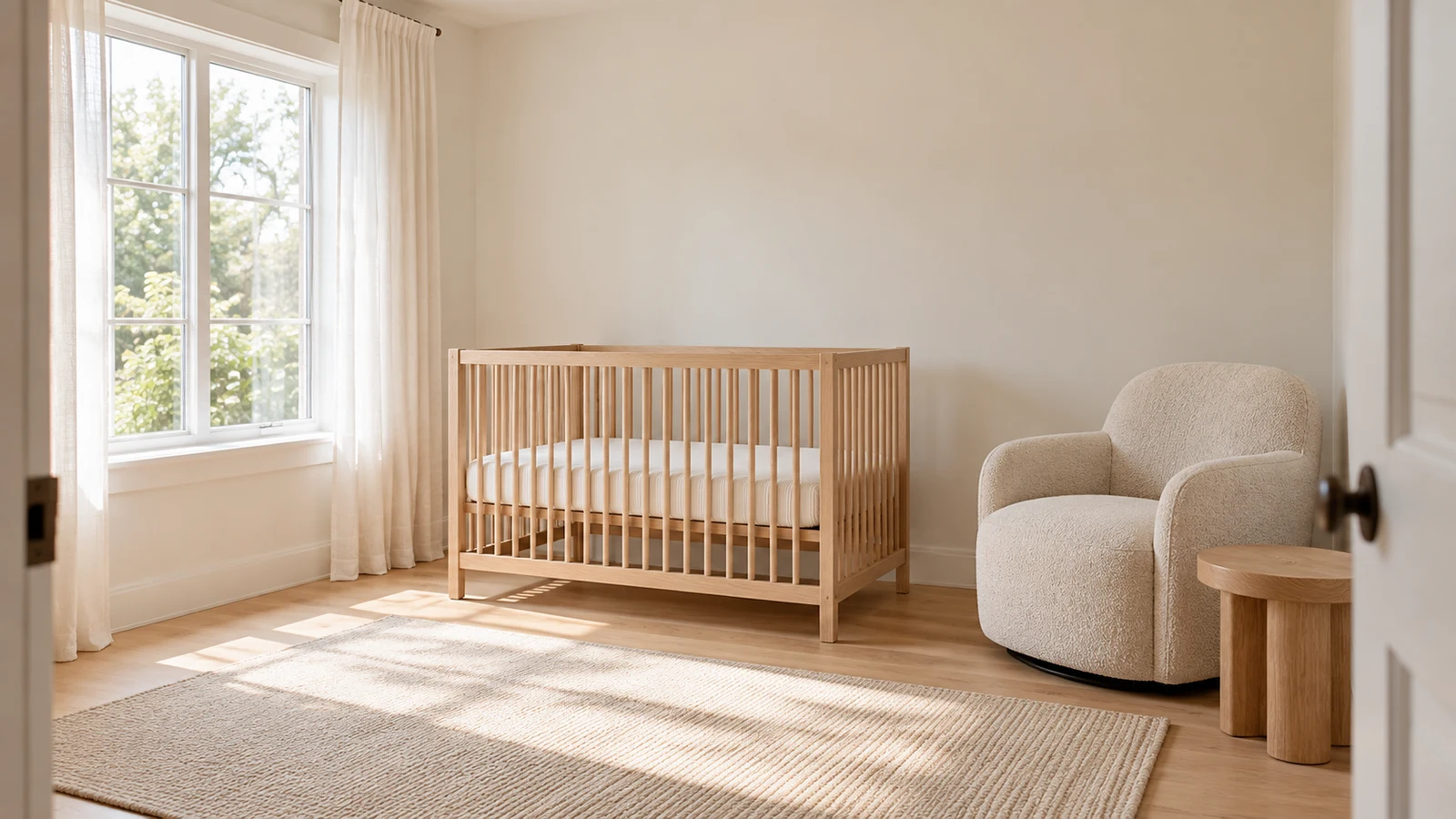
探索另一套婴儿房配色
看看薰衣草紫墙面和陶土色扶手椅怎样改变同一房间的氛围。对比两张图中的婴儿床、窗户和家具位置。
查看场景提示词的中文说明
完全保留相同房间、窗户、地板、相机透视、栏杆数量不变的橡木婴儿床、贴合床垫、扶手椅、边桌和窗帘,位置与尺寸一致。只将墙面改成低饱和灰调薰衣草紫,将现有扶手椅面料改成暖陶土色;日光略微变成温暖的傍晚光,阴影真实。协调精致的杂志风婴儿房。不增减或移动家具,不增加墙画、玩具、文字、装饰、靠垫、毯子、人物或宝宝。保持完整取景和真实结构,不重新设计或拼贴。
查看原始提示词(英文)
Keep exactly the same room, window, floor, camera perspective, oak crib with unchanged slat count, fitted mattress, armchair, side table and curtains in the same positions and dimensions. Change ONLY the wall finish to muted dusty lavender and the upholstery of the existing armchair to warm terracotta; shift the daylight softly toward a warmer late-afternoon glow while maintaining realistic shadows. Beautiful coordinated editorial nursery interior. Do not add, remove or move furniture, no wall art, toys, letters, decorations, cushions, blankets, people or baby. Same complete framing and realistic structure. Not a redesign or collage.
03 / 插画风格
把角色画成水彩风格
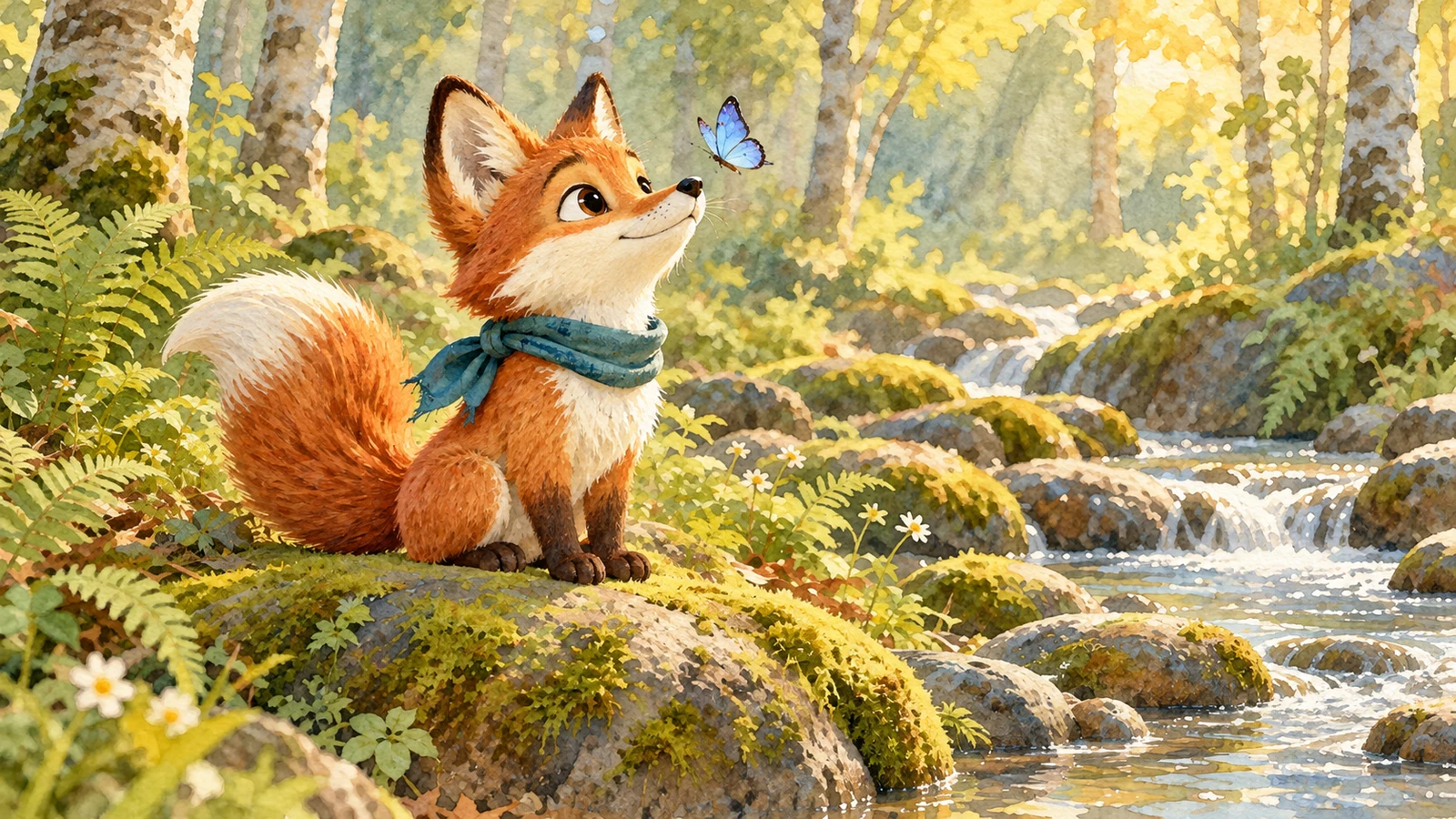
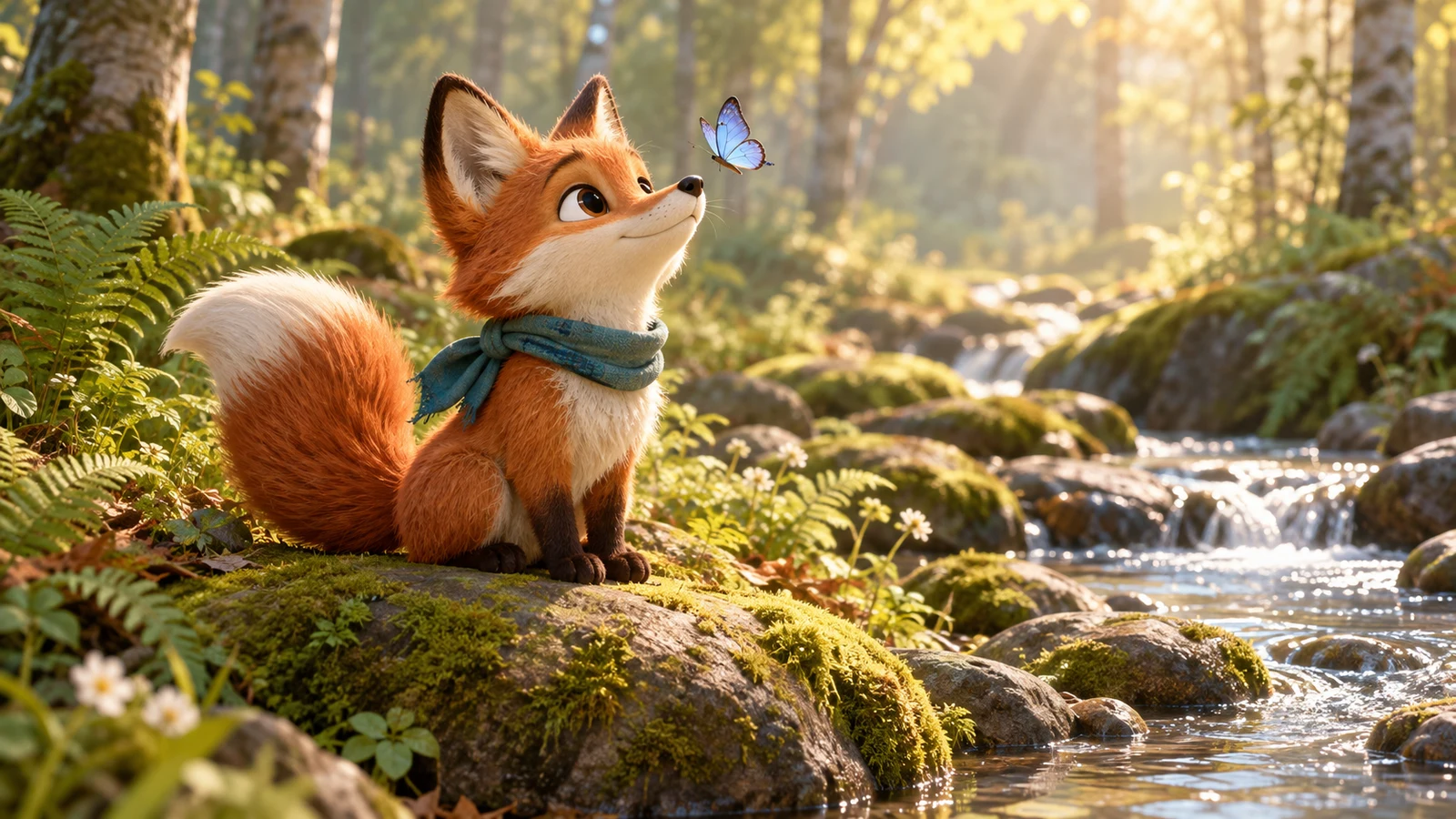
同一只狐狸、围巾和林间构图,从精细 3D 效果变成带纸纹的水彩。对照角色和场景,再选择新风格。
查看场景提示词的中文说明
保留同一只小红狐、蓝绿色围巾、准确坐姿、四只爪子、一条弯尾、蝴蝶位置、苔藓石头、溪流和镜头取景。只将视觉表现改为暖象牙白纸上的精致手绘水彩与水粉:半透明颜料层次、细腻可见纸纹、柔和蕨绿与赭色皮毛,狐狸脸周围部分边缘清晰,呈现细致绘本工艺。主体位置和身体结构一致。不增加物品或角色,不要文字、标签、标志、边框或拼贴。
查看原始提示词(英文)
Keep the same small red fox, teal scarf, exact seated pose, four paws, one curved tail, butterfly position, mossy stone, stream and camera framing. Convert the visual rendering ONLY into refined hand-painted watercolor and gouache on warm ivory paper: layered translucent pigments, delicate visible paper grain, soft fern greens and burnt-sienna fur, selective crisp edges around the fox face, gentle book-illustration craftsmanship. Keep subject positions and anatomy consistent. No new objects or extra characters, no text, labels, logos, borders or collage.
关于这些创意案例
这些 AI 概念素材为本展示专门制作,用来说明创作方向,并非编辑器所选模型的性能测试。可以用兼容模型试用图片与提示词,实际结果会有差异。
AI 商品图:探索广告场景创意
安排拍摄前,先尝试包装陈列、季节配色或新的广告场景。商品已经存在时,应使用真实商品图作为参考。


01 / 喂养餐具
给日常用品换一个温暖场景
尝试阳光洒进厨房的餐具场景。新的台面、光线和背景,让同一产品呈现另一种宣传风格。
查看场景提示词的中文说明
编辑这张产品照的背景。保留原来的鼠尾草绿硅胶碗、双柄杯和奶油色勺子,形状、颜色、数量、排列和拍摄角度完全一致。把它们放在暖奶油色石灰石台面上,后方是柔焦杏色厨房墙面和亚麻窗帘。加入柔和窗光和自然接触阴影。杯嘴、把手、碗底和整把勺子完整入镜,四周留足空白。不增加产品、人物、文字或标志。
查看原始提示词(英文)
Edit the background of this product photo. Keep the same sage-green silicone bowl, two-handled cup and cream spoon, with their exact shape, color, number, arrangement and camera angle. Place them on warm cream limestone with a softly blurred apricot kitchen wall and linen curtain behind them. Add gentle window light and natural contact shadows. Keep the entire cup spout, handles, bowl base and spoon in frame with generous margins. No added products, people, lettering or logos.


02 / 婴儿服装
为新系列换一块清新背景
尝试蜜桃色影棚平铺画面,用于系列上新或社交内容。对照原图检查印花、纽扣和衣服形状。
查看场景提示词的中文说明
只编辑这张俯拍婴儿服照片的背景。完全保留奶油色包脚连体衣、绿色叶片印花、纽扣、领口、衣袖和衣服位置。将亚麻、篮子和花换成柔和哑光蜜桃色影棚背景。在远处左下角和右上角加入小块奶油色弧形纸片,不接触或遮挡衣服。柔和侧光、真实阴影、细致棉布纹理。整件衣服完整入镜。不要人物、手、文字或标志。
查看原始提示词(英文)
Edit only the background of this overhead babywear photo. Preserve the exact cream footed onesie, green leaf print, buttons, neckline, sleeves and garment position. Replace the linen, basket and flower with a soft matte peach studio backdrop. Add small cream paper curves at the far bottom-left and top-right, without touching or covering the garment. Soft side light, realistic shadows and detailed cotton texture. Keep the complete garment inside the frame. No people, hands, text or logos.


03 / 木制玩具
给小玩具搭一个有趣舞台
用简单拱形和协调配色衬托木制玩具。产品始终是画面中心,四周留白,方便后续排版。
查看场景提示词的中文说明
编辑木制玩具火车照片的环境,完全保留火车、车厢、车轮、颜色、连接、比例和拍摄角度。使用哑光浅杏色桌面、柔和鼠尾草绿墙面,在火车远后方放一座奶油色拱形。加入柔和几何窗影和真实木纹。整件玩具完整可见。不增加玩具、轨道、人物、文字或标志。
查看原始提示词(英文)
Edit the setting of this wooden toy train photo while preserving the exact train, cars, wheels, colors, connections, proportions and camera angle. Use a matte pale-apricot tabletop, a soft sage-green wall and one cream arch far behind the train. Add soft geometric window shadows and realistic wood texture. Keep the whole toy visible. No new toys, tracks, people, lettering or logos.
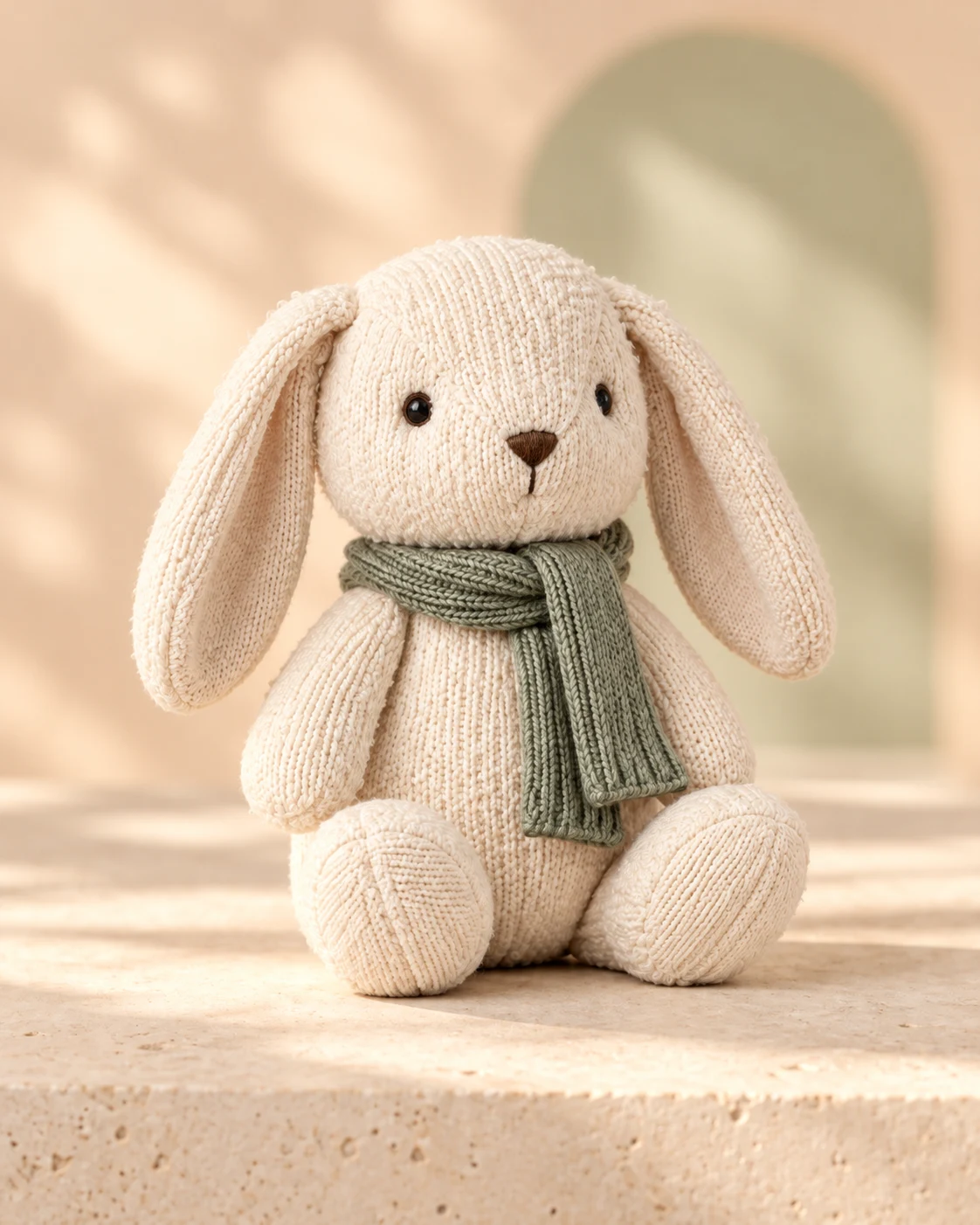
04 / 软体玩具
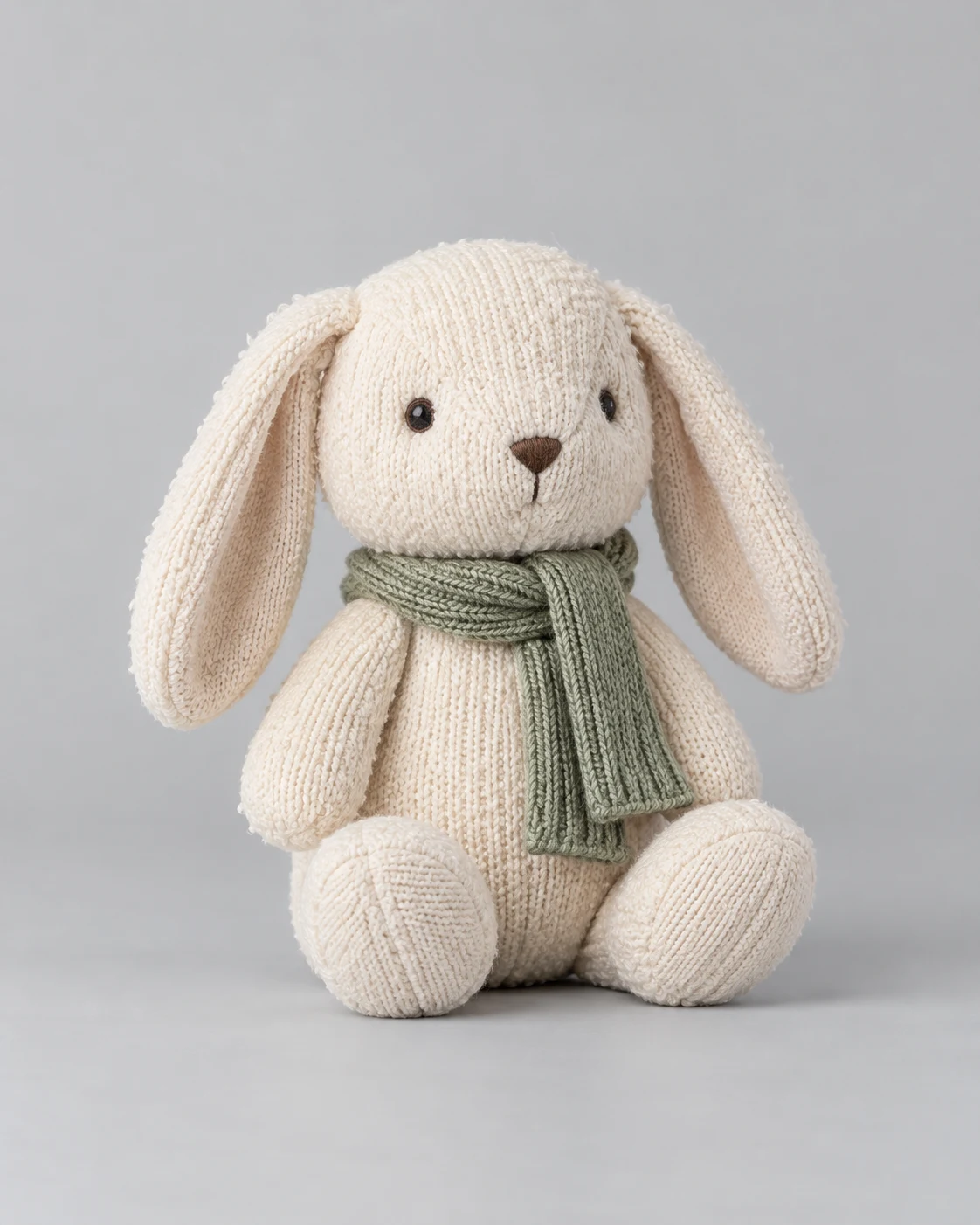
给毛绒玩具换一个温暖展示场景
对比同一只针织兔子在中性背景和暖色石灰石台上的效果。新光线和柔和拱形让产品呈现协调的宣传风格。
查看场景提示词的中文说明
完全保留同一只奶油色针织兔子玩偶,包括每只耳朵、胳膊、脚、面部缝线和鼠尾草绿围巾,产品比例、姿势、机位和位置一致。只改变台面、远背景和照明:暖象牙白石灰石台、柔和杏色至奶油色渐变影棚背景、轻柔斑驳窗光。在兔子远后方加入一个虚化浅鼠尾草绿纸拱,不能接触玩具。精致协调的宝宝品牌宣传照。兔子完整入镜,几何与针织纹理相同。不增加物品、人物、肢体、文字、标签或标志。
查看原始提示词(英文)
Keep exactly the same cream knitted rabbit plush toy, every ear, arm, foot, face stitch and the sage scarf, same product scale, pose, camera and location. Change only the tabletop, distant background and illumination: a warm ivory limestone plinth, a soft apricot-to-cream studio backdrop and gently dappled window light. Add one blurred pale-sage paper arch far behind the rabbit; it must not touch the toy. Premium coordinated baby-brand campaign photograph. Rabbit remains completely within frame with identical geometry and knit pattern. No new items, people, extra limbs, lettering, labels or logos.
关于这些创意案例
这些 AI 概念素材为本展示专门制作,用来说明创作方向,并非编辑器所选模型的性能测试。可以用兼容模型试用图片与提示词,实际结果会有差异。
更多商品广告创意
- 围绕商品创意设计背景和光线。
- 为社交平台配图与广告画面尝试统一配色。
- 发布前对照真实商品检查标签、颜色和比例。
产品照片准备好了?让画面动起来。
下载图片,再把它作为短片的起始画面。
如何生成 AI 图片
需要逐步操作说明?查看完整教程 →- 1
描述想要的结果
写下图片创意。编辑照片时,上传原图并说明希望的改动。
- 2
设置尺寸与构图
选择画面比例和分辨率,查看生成按钮旁的积分总额。
- 3
检查并下载
在“我的作品”中打开完成的图片,检查细节后下载。
常见问题
了解图片输入、模型选择和积分费用。
描述想要的画面,选择图片模型并设置可用参数。图像编辑需要上传参考图并说明修改内容,所选模型会生成新图片,供你检查和下载。