返回全部教程
2026-10-10
如何制作宝宝播客视频
宝宝播客工具会让照片中的宝宝随音频开口说话。添加照片,上传或录制一段简短语音,再选择分辨率并确认积分,即可开始生成。
围绕一个清楚的想法制作短节目。先准备声音,选择嘴部可见的肖像,再让照片跟随录音。照片里的麦克风用来营造场景,实际声音来自上传音频。
打开工具快速步骤
从准备素材到检查结果,按顺序完成。
- 1打开 AI 宝宝播客工具。
- 2上传一张清晰的宝宝照片,优先选择正面照片。
- 3上传音频文件,或直接在编辑器中录音。
- 4选择 720p 或 1080p,并查看按音频时长计算的预计积分。
- 5生成后播放结果,检查声音和口型。
- 6下载视频。如需字幕,可在视频编辑器中添加。
当前可选参数
模式:上传音频录制音频
- 需要照片和音频,时长由录音决定。生成前请确认预计积分。
把想法录成短音频
安排开场、一个观点和结束语。读出脚本并测量实际录音时长,不要只根据字数猜测。
小主播独白
欢迎收听宝宝播客。今天的问题是:袜子为什么会消失?早上我明明穿了两只,现在只剩一只,还有一只非常可疑的泰迪熊。
用一个人的声音录制,在提问后和最后一句前稍作停顿。这个示例是用来朗读录音的脚本,不能直接粘贴到只接受音频的编辑器里。
家庭成长小记录
这周我学会了爬过整个房间,大家都在鼓掌。其实,我只是想拿到最喜欢的玩具。
保持聊天一样的语速,录下完整收尾,不要最后一个字一结束就截断。其他成长里程碑也可以沿用这个结构。
准备主播照片和清晰语音
- 让嘴部保持可见
- 选择单张人脸、均匀光线和接近正面的角度。布景麦克风放在脸旁或下方,不要挡嘴。头部周围为小动作留空间,画面边缘也要留出后续字幕位置。
- 录音或上传语音
- 在安静房间,由一个人录音,并与麦克风保持稳定距离。生成前检查断字、房间回声、音乐和长静音。如果需要其他声音,先在外部准备录音;此编辑器没有文字转语音或音色选择器。
- 检查输入限制
- 当前宝宝播客使用 Kling Avatar,音频最长 60 秒、最大 20 MB。文件选择器支持 MP3、WAV、M4A、AAC、OGG 等音频。浏览器无法识别时长时,先重新导出标准音频文件再试。
- 选择分辨率与构图
- 选择 720p 或 1080p,在识别音频时长后查看积分。照片应提前准备为目标构图,这里没有单独的比例选项。需要更短测试时,请上传前剪短音频。
教程案例:素材、提示词与参数
对照案例、可用输入素材和已记录的设置。
案例 1
宝宝说话播客片段:案例 1
如何参考这个案例
对照人像照片和成片观察效果。这些历史案例没有附带原始音频;尝试制作时,请上传或录制自己的语音。
输入素材
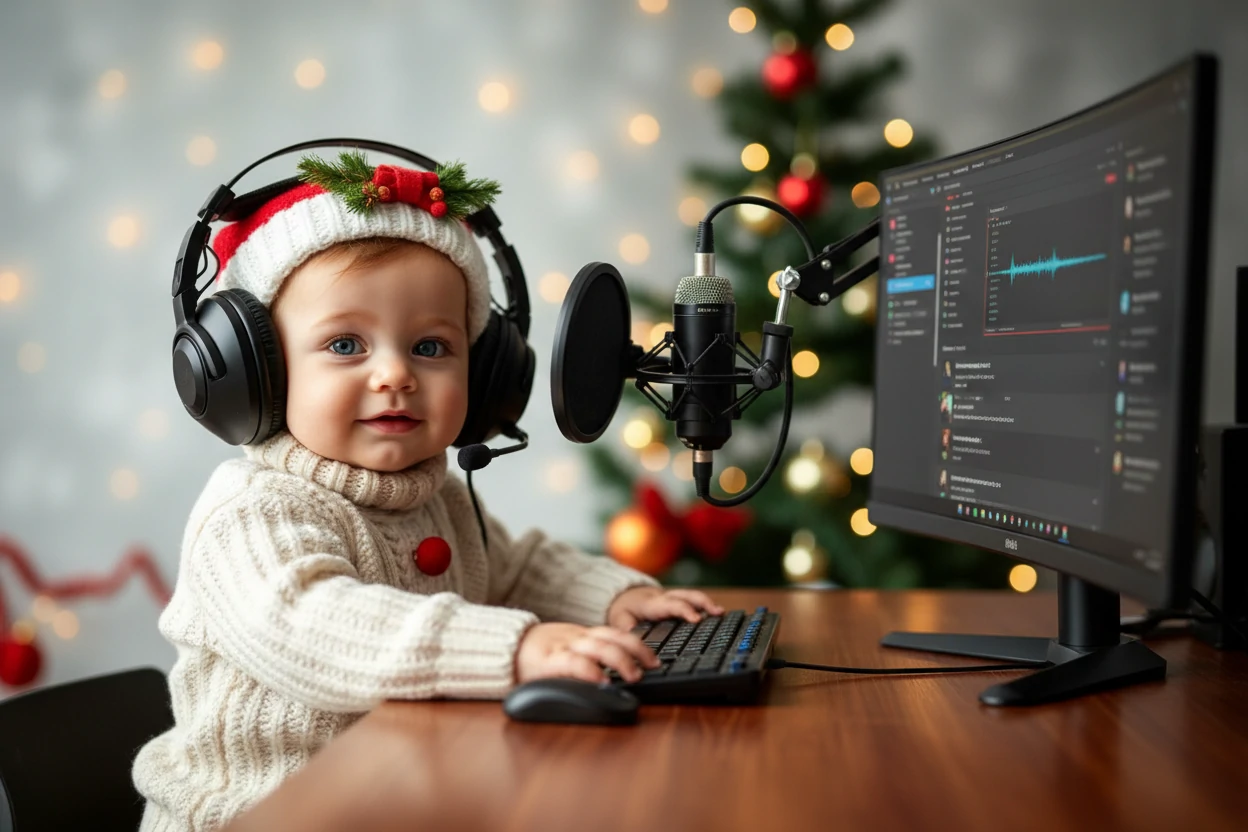
输入素材 1
- 观察主播场景
- 原图中的宝宝穿奶油色针织服,戴耳机坐在桌前,麦克风位于脸旁。对照静态图检查头部与嘴部动作,并留意耳机和麦克风是否稳定。
- 案例保留了哪些信息
- 输出为 720 × 480,约 27.6 秒。原始音频和模型设置未知,因此只能作为构图与动画示例,无法复现某种声音预设,也不能证明当前输出分辨率。
案例 2
宝宝说话播客片段:案例 2
如何参考这个案例
对照人像照片和成片观察效果。这些历史案例没有附带原始音频;尝试制作时,请上传或录制自己的语音。
输入素材
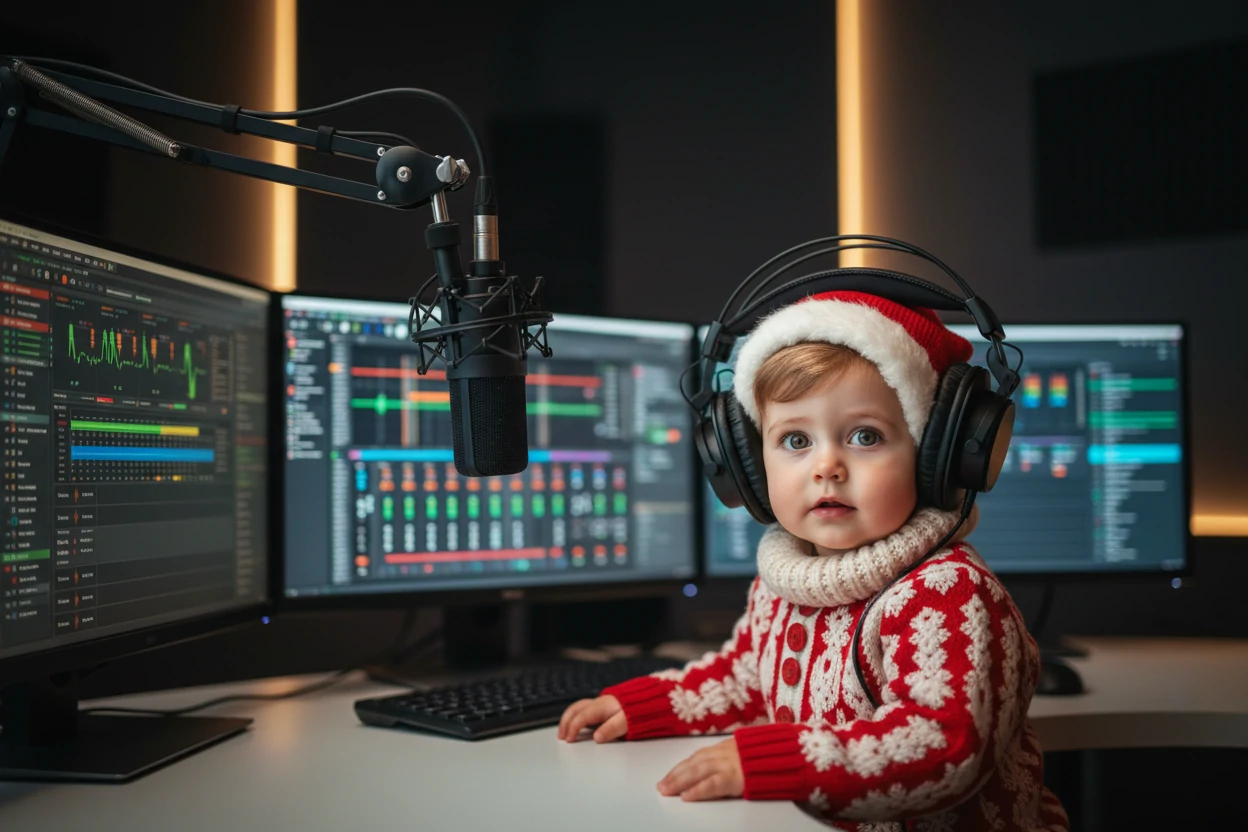
输入素材 1
- 更宽的演播室构图
- 这张原图中的红衣宝宝位于悬挂麦克风和多块屏幕旁,脸部占比更小。决定手机短片里保留多少场景时,可以与第一个案例比较。
- 检查完整表演
- 历史文件为 720 × 480,约 28.9 秒。从开始到结束都应检查嘴唇、耳机边缘和面部。没有原始音频,单靠照片不能重现相同声音和节奏。
用独立片段制作双人节目
当前工具每次用一张照片和一份音频制作动画,不会给合照里的两张脸分配不同声音。
- 把对话拆成轮流发言
- 每位主播准备独立肖像,每轮发言准备独立音频。尽量保持画面比例和视觉风格相近,让切换更连贯。
- 逐段生成并检查
- 只将当前说话人的音频配给对应肖像。每段都确认积分,先下载可用的一轮,再制作下一段。
- 在视频编辑器中拼成节目
- 按对话顺序排列片段,保留自然停顿,再添加字幕和背景音乐。若另外放了完整配音轨,应检查是否与原片声音重复播放。
核对声音、节奏和最终文件
- 嘴部动作似乎滞后
- 检查第一句和结尾附近。如果原音频有重叠说话或很响的音乐,换成更干净的单人录音。嘴部被遮挡时则应换肖像,一次只改变一项再比较。
- 片段显得拖沓
- 再次生成前,缩短录音开场或去掉过长停顿。录完之后只修改书面脚本,不会改变已经上传的音频。
- 开头或结尾被切断
- 单独试听原文件,先补录被截掉的字,再重试。结束语后留一点自然停顿,必要时在编辑器中裁剪成片。
- 在手机上检查导出
- 打开下载文件,以正常音量听完整片段。在编辑器里添加并校对字幕,逐一检查人名和标点,文字避开嘴部及平台按钮区域。
下一段视频可以继续做什么
- 制作简短宝宝语音留言
适合问候或一句台词。
- 为主播创建 AI 肖像
先准备虚构人像,再制作说话动画。
制作建议
- 在安静的环境录音,保持语速平稳。
- 先用一小段录音比较效果,再决定是否花更多积分制作长片。
- 准备好符合目标构图的照片;这个工具没有单独的画面比例选项。
- 生成前听一遍上传的录音,去掉过长的静音,确保单个说话人的声音清楚。视频会使用这段录音作为声音来源。
常见问题
可以直接在宝宝播客工具里输入台词吗?▼
当前编辑器需要音频,没有文字转语音输入。你可以在这里录音,也可以先在其他工具准备音频,再上传。
什么照片更合适?▼
选择只有一张清晰人脸、光线良好、背景简单的照片,避免手等物体遮住面部。
音频时长如何影响费用?▼
积分取决于音频时长和所选分辨率。生成前请查看实时估算;相同分辨率下,较短的录音消耗更少积分。
工具会把我的声音变成宝宝声音吗?▼
声音来自录音。宝宝肖像改变视觉角色,本身不会改变说话人的年龄或音色。上传前请先准备好想用的声音。
这里能自动添加字幕吗?▼
当前播客编辑器没有字幕控件。请下载视频后用剪辑软件添加字幕,并核对转写内容。
可以制作超过 60 秒的节目吗?▼
把音频拆成符合当前限制的短段,分别生成视频后在编辑器中拼接。每次生成都有独立的积分估算。
准备开始制作?
选择自己的素材,生成前检查当前可用设置。