返回全部教程
2026-10-10
未来宝宝长相生成器
上传两张父母照片,尽量保持相近角度、清楚光线。照片质量是影响生成效果的重要因素。
好奇宝宝可能长什么样,可以用父母照片生成想象中的肖像,再把不同结果作为图片比较。清晰输入有助于画面协调,但不会让它变成遗传学预测。
打开工具快速步骤
从准备素材到检查结果,按顺序完成。
- 1打开未来宝宝工具。
- 2上传清晰的父亲照片和母亲照片,优先选择正面照。
- 3两张照片尽量使用相近的光线和角度。
- 4生成后检查效果;如果面部变化不合预期,换更清晰的照片再尝试。
- 5保存满意的结果并分享。
当前可选参数
画面比例:1:1
准备便于对照的两张照片
- 每个文件中只有一张脸
- 选择正面肖像,双眼、鼻子、嘴唇和下颌都应可见。如果只有合照,可分别裁成两份单人照片。保留足够清晰度;从远距离合照中裁出很小的人脸,无法恢复缺失细节。
- 构图与光线尽量接近
- 两张照片都裁到头肩范围,并保持相近大小。柔和均匀的光线更容易看清五官。避免一张是重滤镜自拍、一张没有滤镜,或一张是暗色侧脸、一张是明亮正面照。
- 也支持一张父母照片
- 上方快速步骤介绍的是双照片方式,当前首页也接受一张父母照片,根据单一输入进行创意生成。另一栏可留空,不必把同一个人上传两次来模拟双人输入。
选择方向,生成静态肖像
比较时保持同一组原图,只修改男孩/女孩选项或一张照片的裁剪。请在本地保留文件,以便提交后上传栏重置时重新选择。第二次生成是独立尝试,可能继续消耗积分。
- 添加自己的文件
- 打开首页生成器,使用“父母照片 1”和“父母照片 2”。空栏最初展示的人脸是示意图,并非已经替你选好的文件。上传 JPG、PNG 或 WebP,继续前检查预览。
- 男孩、女孩或随机
- 选择希望生成的肖像类型。“随机”把创意选择交给生成器,不是在预测胎儿性别。当前首页没有双胞胎、年龄或父母相似度百分比选项。
- 确认积分费用
- 登录后检查显示的费用,再提交一次。当前首页流程以 1K 设置生成方形图片,没有模型或比例选择器。等结果状态更新后,再决定是否开始下一次。
教程案例:素材、提示词与参数
对照案例、可用输入素材和已记录的设置。
案例 1
未来宝宝:男孩案例
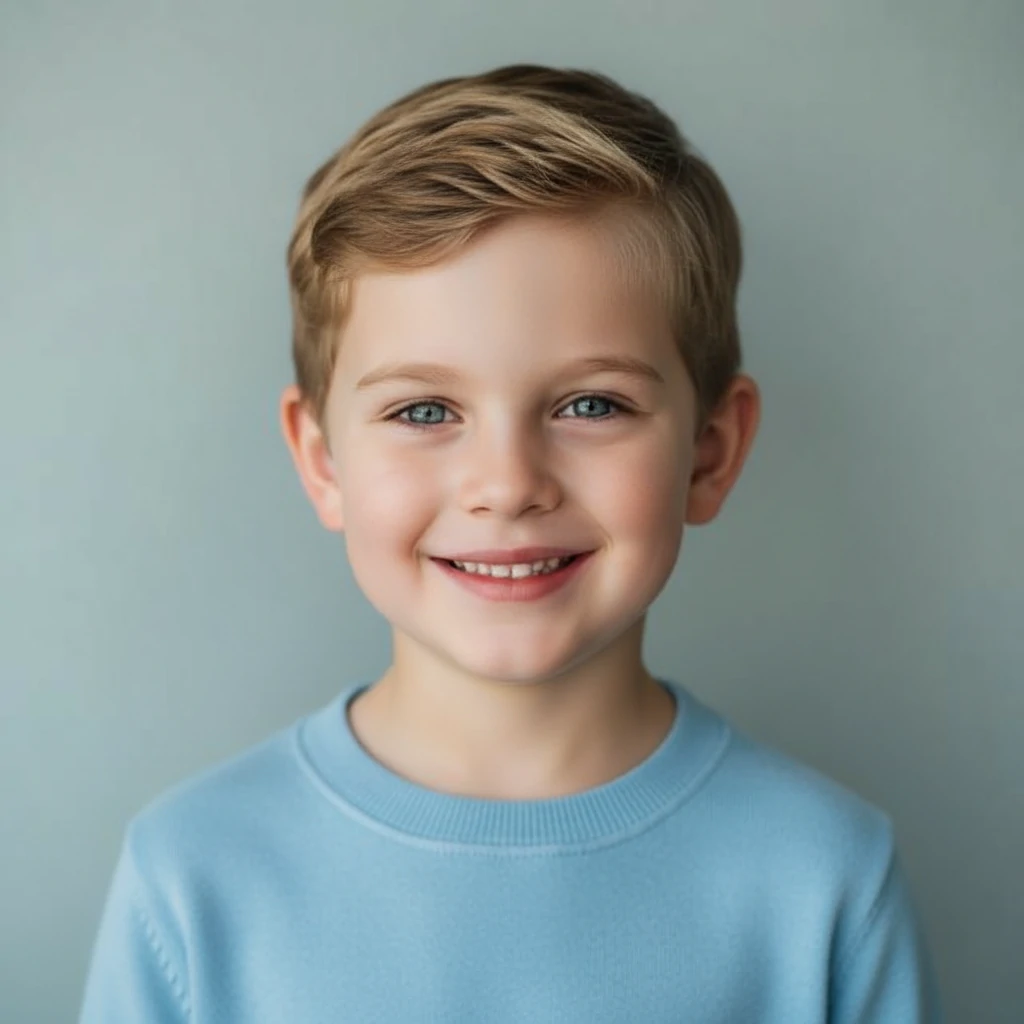
如何参考这个案例
将每个结果与两张父母照片一起对照。比较不同结果时保持同一组输入;变化只是另一种生成解释,并不代表预测更准确。
输入素材
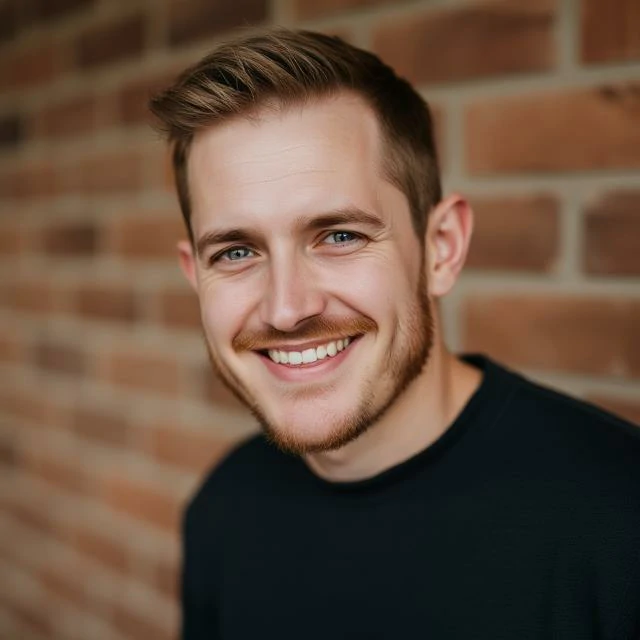
输入素材 1
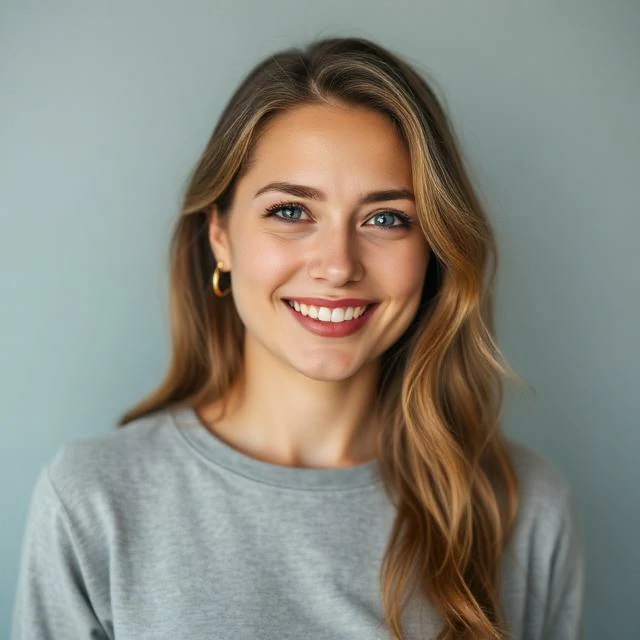
输入素材 2
该案例记录的设置
画面比例
1:1
- 把它看作想象中的男孩肖像
- 方形结果里是一位穿蓝色上衣、短发微笑的孩子,两张父母照片展示在旁边。可以比较整体脸型、光线和表情,不应据此给出相似度百分比,或认定某个特征遗传自哪位家长。
- 案例实际记录了什么
- 结果为 1024 × 1024,两张输入人像均为 640 × 640。原始模型和年龄设置未知。图中孩子看起来已不是新生儿,但这不能证明当前工具有新生儿/儿童年龄选项。
案例 2
未来宝宝:女孩案例

如何参考这个案例
将每个结果与两张父母照片一起对照。比较不同结果时保持同一组输入;变化只是另一种生成解释,并不代表预测更准确。
输入素材
输入素材 1
输入素材 2
该案例记录的设置
画面比例
1:1
- 同一组照片的另一种生成结果
- 女孩案例使用相同两张父母照片,生成 1024 × 1024 的长发、浅色毛衣肖像。可将其与男孩图作为两种创意结果比较,不能当作兄妹预测,也不能证明其中一张更准确。
再试一版之前,先检查画面
- 结果似乎更像其中一位家长
- 检查另一张照片是否更暗、更小或角度更偏。只替换较弱的输入后再比较。生成器不提供可测量的遗传比例,主观觉得“不均衡”不能换算成可验证的百分比。
- 眼睛、牙齿或头发不自然
- 按原尺寸打开结果,检查双眼位置、笑容和头发边缘。可尝试更清楚、遮挡更少的原图。放大模糊照片不能找回缺失的五官细节。
- 每次结果都不同
- 保持相同两份文件,并记住所选选项。根据面部和构图是否自然来选图,而不是认为尝试越多,生物学预测就越确定。
制作视频前,先保存肖像
打开完成的结果查看并下载。在其他工具添加边框、配文或卡片排版前,先保留原始方形图。分享时可标明是 AI 想象肖像,避免被误认为真实孩子的照片。
结果中的“让宝宝动起来”会带着图片打开照片转视频流程。这是另一次生成,有独立设置和预计积分。想探索更大年龄时,可把选定肖像用于年龄变化工具。
- 让保存的宝宝肖像动起来
先设计一个小动作,并检查全片中的面部。
- 用一张肖像探索不同年龄
使用独立的长大模拟工具;首页没有年龄滑块。
制作建议
- 避免墨镜、重阴影和极端角度。
- 每张照片只保留一张脸,不要使用合照。
- 裁剪时保留面部和肩部,便于统一构图。
常见问题
一定要高分辨率照片吗?▼
较高分辨率有帮助,但清楚的面部和一致的光线更重要。
为什么结果看起来不真实?▼
换成更清楚、角度和光线更接近的父母照片,避免明显滤镜和浓妆。
可以多次尝试吗?▼
可以。调整裁剪或光线后再比较,可能得到更满意的结果。
这是科学的长相预测吗?▼
不是。工具根据两张照片生成想象中的宝宝肖像,不分析 DNA,也不能预测未来孩子的真实长相。
可以只用一张情侣合照吗?▼
为了输入清楚,建议分别裁成两张单人照片后上传。如果其中一张脸太小或被遮挡,换更近的照片。首页也支持只上传一位家长的单人照。
可以选择双胞胎、准确年龄或各像父母一半吗?▼
当前首页没有这些控件,只提供男孩、女孩和随机。结果是创意肖像,并非可测量的遗传计算。年龄模拟在独立工具中进行。
写实结果能说明我的孩子真实长相吗?▼
不能。写实是一种图像风格,不是遗传准确性的证据。工具不分析 DNA、不判断亲子关系,也不能预测未来孩子的健康或外貌。
准备开始制作?
选择自己的素材,生成前检查当前可用设置。