AI 아기 댄스 영상
아기 사진과 동작을 참고할 댄스 영상이 필요합니다. 현재 출력은 세로형(9:16)이며 길이는 참고 영상에 따라 정해집니다.
아기 춤 영상을 만들려면 먼저 동작 하나와 그 동작에 맞는 사진을 고르세요. 참고 영상은 움직임을, 사진은 캐릭터의 모습을 제공합니다. 여기서는 참고 영상 자르기부터 완성된 춤 확인까지 설명합니다.
도구 열기빠른 단계
입력 준비부터 결과 확인까지 순서대로 진행하세요.
- 1춤추는 아기 도구를 엽니다.
- 2댄스 영상을 업로드하거나 샘플을 선택하세요. 이 영상이 동작을 제공하며 최대 30초까지 입력할 수 있습니다.
- 3선명한 아기 사진 업로드 (얼굴 중앙; 어깨 포함).
- 4모델과 지원되는 화질을 선택하세요. 감지된 영상 길이와 예상 크레딧을 확인하세요. 별도로 5초를 선택하는 길이 설정은 없습니다.
- 5생성된 영상을 끝까지 보며 참고 영상과 비교하세요. 손발, 몸을 돌리는 순간, 화면 밖으로 나가는 부분을 확인하세요.
- 6내보내기 및 게시 (자막 + 트렌딩 오디오 도움).
- 길이는 입력 비디오와 일치합니다 (최대 30초).
- 출력은 세로 (9:16)로 고정됩니다.
동작이 끝까지 보이는 구간을 잘라 주세요
- 한 사람과 안정적인 카메라
- 가볍게 흔들기, 몸을 튕기기, 짧은 스텝처럼 따라가기 쉬운 동작을 고르세요. 장면 전환, 앞을 가리는 사람, 화면 밖으로 나가는 움직임은 피하는 편이 좋습니다.
- 시작과 끝 정리
- 영상 편집기에서 동작 앞뒤에 약간의 여유를 남겨 자르세요. 처음에는 5~10초 정도가 확인하기 편하지만 필수 설정은 아닙니다. 업로드 한도는 30초, 50 MB입니다. 내보낸 파일을 한 번 재생한 뒤 올리세요.
- 동작에 맞는 사진
- 발을 움직이는 춤에는 발, 무릎, 팔이 보이고 몸 주변에 여유가 있는 사진이 필요합니다. 얼굴 위주의 사진에는 작은 상체 동작이 어울립니다. 앉아 있거나 담요에 싸인 모습은 서서 추는 춤과 잘 맞지 않습니다. 처음에는 인물이 한 명인 사진을 쓰세요.
참고 영상, 사진, 결과를 함께 비교하세요
사이트에 있는 이 예시는 두 입력을 모두 보여 줍니다. 두 영상을 재생하며 팔이 올라가는 시점과 발을 옮기는 순간을 비교하세요. 당시 모델 설정은 남아 있지 않아, 현재 모델의 성능 비교가 아닌 작업 흐름을 설명하는 자료입니다.
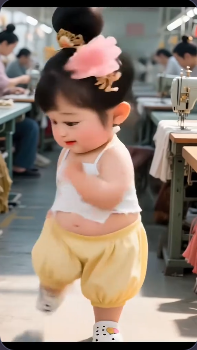
.webp)
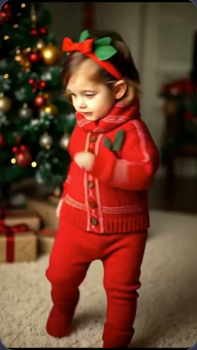
입력 파일을 확인한 뒤 설정을 고르세요
- Kling V2.6 및 V3 Motion Control
- Standard/Pro와 선택 사항인 영상 프롬프트를 제공합니다. 기본 모델과 짧은 참고 영상으로 시작하고, 다른 모델을 비교할 때는 같은 입력을 쓰세요. Pro를 선택해도 사진에 없는 발이나 가려진 동작이 정확하게 복원되는 것은 아닙니다.
- DreamActor
- 사진과 동작 영상을 사용하는 또 다른 모델입니다. Kling의 모드 및 프롬프트 항목은 표시되지 않습니다. 모델을 바꾸면 예상 크레딧도 다시 확인하세요. 비용이 같다고 가정하면 안 됩니다.
- 길이, 화면 비율, 파일 형식
- 길이는 참고 영상에서 감지하며, 예상 비용 계산에는 초 단위를 올림합니다. 길이나 화면 비율을 따로 고르는 설정은 없습니다. 세로 구도는 업로드 전에 준비하세요. MOV 미리보기가 안 되면 H.264 MP4로 내보내고 크기와 길이를 확인하세요.
Kling에 넣을 수 있는 장면 설명
빨간 옷과 배경의 크리스마스트리를 유지한다. 카메라는 고정하고 부드러운 실내 조명을 사용한다.
사진에 맞을 때만 사용하세요. 안무는 참고 영상에서 가져오므로, 긴 프롬프트로 동작 영상을 대신할 수 없습니다.
튜토리얼 예제(프롬프트 및 설정 포함)
예시와 함께 제공된 입력 자료, 기록된 설정을 비교하세요.
세로 댄스 클립 (9:16)
기존 예시는 아기 사진과 완성된 춤을 보여 주지만 원래 동작 참고 영상은 포함하지 않습니다. 직접 시도할 때는 사진과 댄스 영상을 모두 준비하세요.
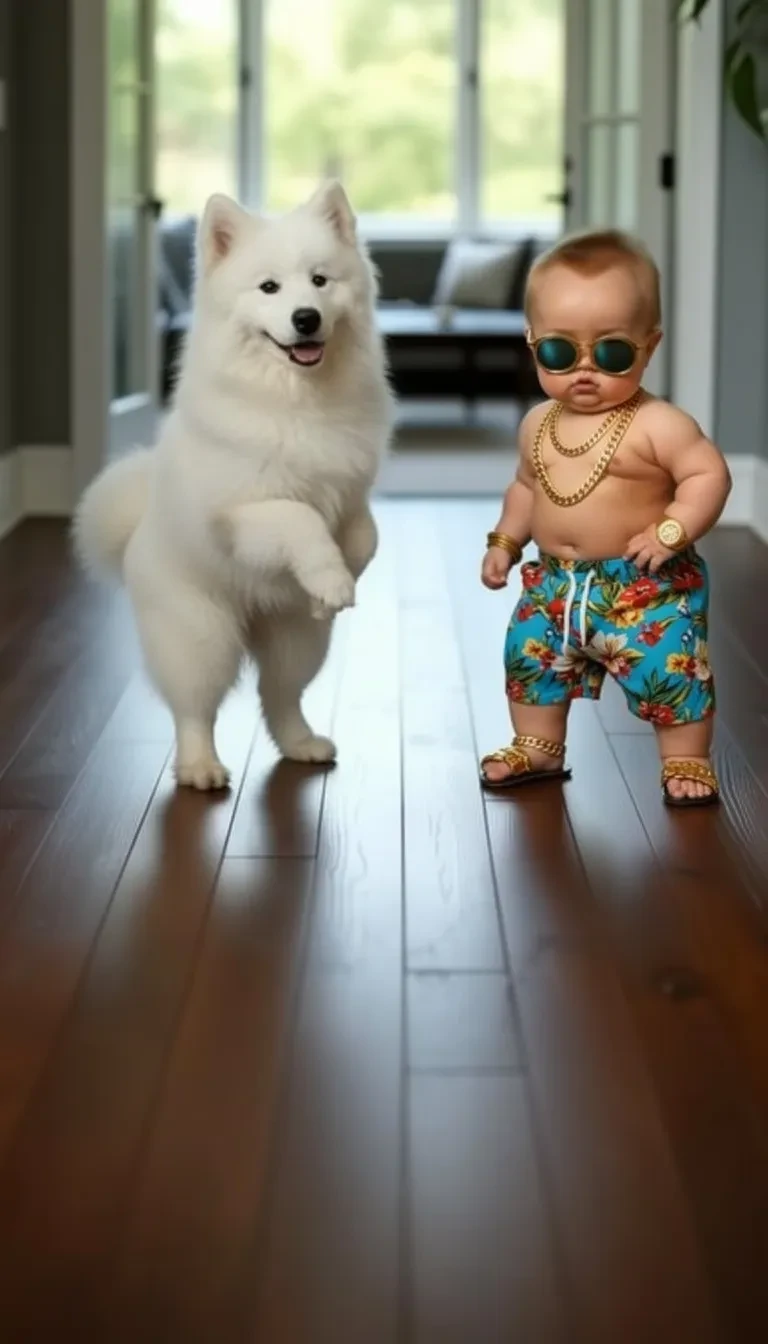
- 두 피사체가 있는 복잡한 장면
- 선글라스를 쓴 아기 옆에 흰 개가 있습니다. 약 10초 영상에서 두 몸이 분리되어 보이는지, 바닥에 닿는 부분이 자연스러운지 확인하세요. 첫 시도에는 한 명만 나온 사진이 더 간단합니다.
댄스 변형 (9:16)
기존 예시는 아기 사진과 완성된 춤을 보여 주지만 원래 동작 참고 영상은 포함하지 않습니다. 직접 시도할 때는 사진과 댄스 영상을 모두 준비하세요.
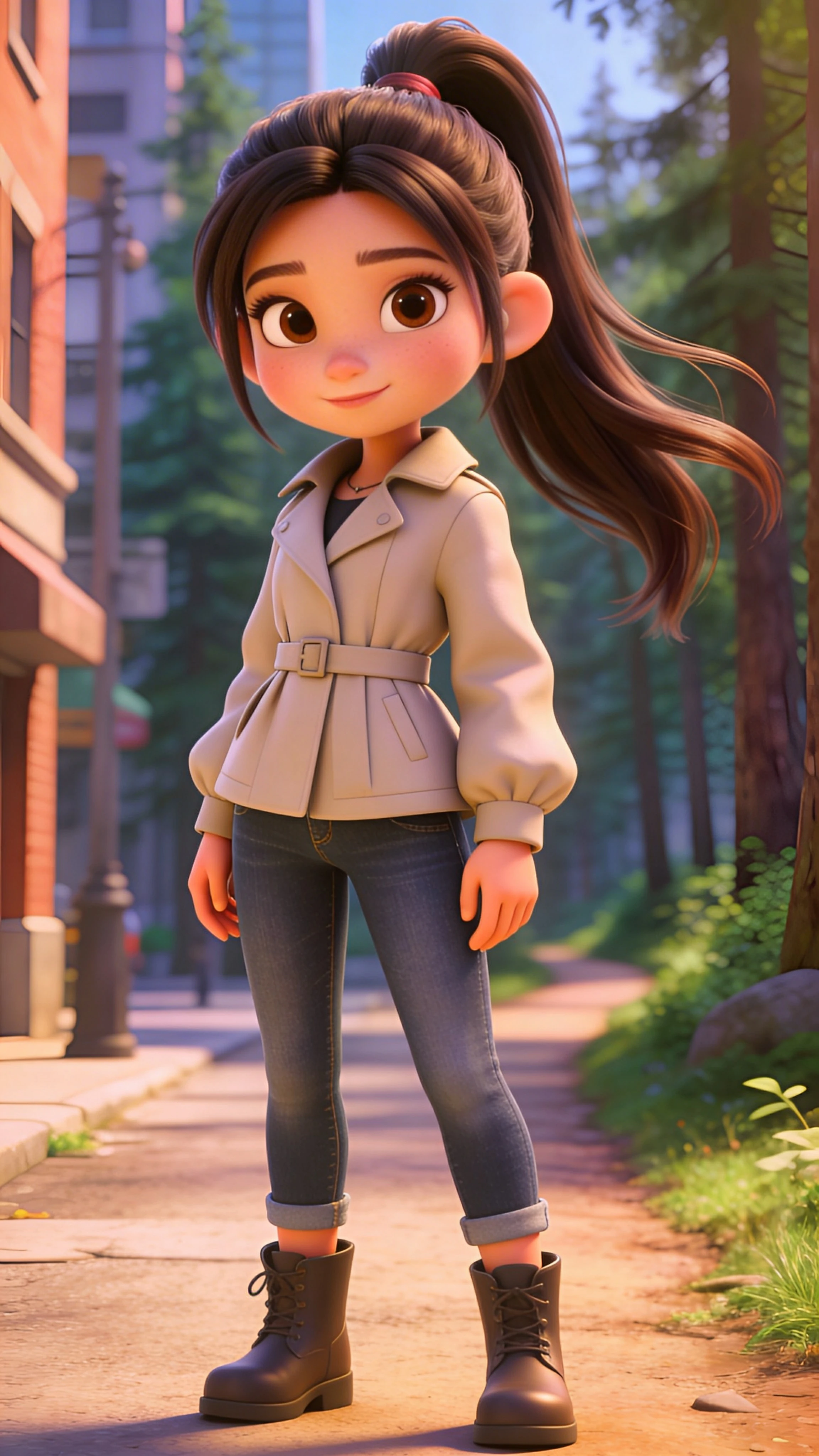
- 부츠와 긴 머리 관찰
- 베이지색 재킷 캐릭터는 약 17초 결과에서 팔과 다리를 따라 보기 좋습니다. 옆으로 움직일 때 부츠와 어깨 주변의 긴 머리를 살펴보세요. 실제 아기 사진이 아니라 만화풍 캐릭터를 움직인 예시입니다.
댄스 변형 (9:16)
기존 예시는 아기 사진과 완성된 춤을 보여 주지만 원래 동작 참고 영상은 포함하지 않습니다. 직접 시도할 때는 사진과 댄스 영상을 모두 준비하세요.
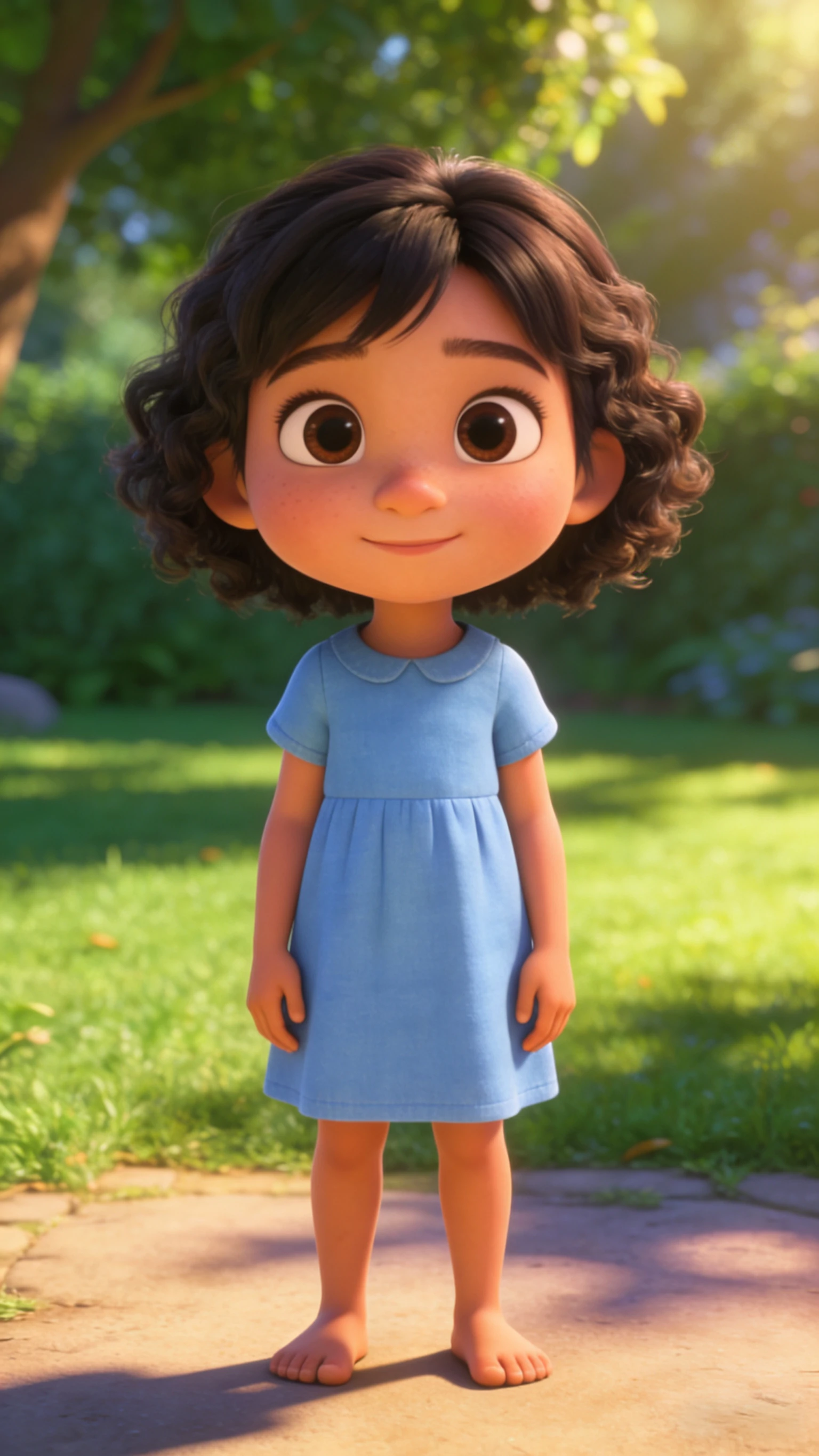
- 동작 외의 변화도 확인
- 파란 원피스의 원본 캐릭터는 맨발이지만, 약 16초 결과에는 흰 신발이 생기고 머리 모양도 바뀝니다. 춤이 자연스럽게 보여도 원본의 모든 세부 요소가 유지된 것은 아닙니다. 얼굴과 의상도 비교하세요.
전체를 재생한 뒤 어려운 장면에서 멈추세요
쓸 만한 결과는 다음 시도 전에 다운로드하세요. 반복 영상으로 만들려면 편집기에서 시작과 끝의 비슷한 자세를 찾아 연결 부분을 여러 번 재생하세요. 생성만으로 매끄러운 반복이 보장되지는 않습니다.
- 발이 미끄러질 때
- 발이 바닥에 고정되어야 하는 순간에 멈춰 보세요. 작은 스텝의 참고 영상과 양다리가 보이는 사진을 사용해 보세요. 동작을 바꿀 때 사진을 유지하면 무엇이 개선됐는지 비교하기 쉽습니다.
- 얼굴, 손, 옷이 달라질 때
- 돌아서는 순간과 손이 얼굴을 가리는 순간을 확인하세요. 가리지 않는 짧은 동작으로 다시 자르거나 더 선명한 정면 사진을 사용하세요. 썸네일만 보지 말고 시작, 중간, 끝을 확인하세요.
- 소리와 최종 구도
- Kling은 참고 영상의 원래 소리를 유지하도록 요청합니다. 다운로드한 파일을 먼저 듣고 편집기에서 음악을 추가하세요. 같은 음원이 두 번 겹치지 않도록 주의하고, 발과 올린 손이 잘리지 않는지 휴대폰에서도 확인하세요.
- 녹음에 맞춰 아기 노래 영상 만들기
몸의 춤보다 노래와 입 모양을 맞추고 싶을 때 사용하세요.
- 만화풍 아기 이미지 준비하기
움직이기 전에 캐릭터와 전신 구도를 확인하세요.
팁
- 동작이 이상해 보이면, 해결책은 일반적으로 더 긴 프롬프트가 아니라 더 나은 사진과 크롭입니다.
- 아티팩트를 줄이기 위해 프레임에서 얼굴을 중앙에 크게 유지합니다.
- 짧은 클립은 더 깔끔해 보이고 반복이 더 잘됩니다.
자주 묻는 질문
댄스 동작이 이상해 보이는 이유는?▼
9:16을 사용해야 하나요 아니면 1:1을 사용해야 하나요?▼
더 바이럴하게 만들려면 어떻게 하나요?▼
사진만으로 아기가 춤추게 할 수 있나요?▼
춤 영상을 더 짧게 만들려면 어떻게 하나요?▼
사진 속 아기의 모습이 모두 유지되나요?▼
생성할 준비가 되셨나요?
자신의 입력 자료를 선택하고 생성 전에 가능한 설정을 확인하세요.