미래 아기 생성기
두 부모 사진을 업로드하고, 각도를 일관되게 유지하며, 선명한 조명을 사용합니다. 부모 사진의 품질이 다른 무엇보다 중요합니다.
미래 아기 얼굴이 궁금하다면 부모 사진으로 상상 속 초상을 만들어 보세요. 아기 얼굴 예측 도구의 결과는 창작 이미지입니다. 선명한 사진은 자연스러운 그림을 만드는 데 도움이 되지만 유전적 예측의 정확도를 높이는 근거는 아닙니다.
도구 열기빠른 단계
입력 준비부터 결과 확인까지 순서대로 진행하세요.
- 1미래 아기 도구를 엽니다.
- 2선명한 아버지 사진과 어머니 사진 업로드 (정면 선호).
- 3두 사진 모두 비슷한 조명과 각도 사용.
- 4생성 후 결과가 벗어나면 더 선명한 사진으로 재시도.
- 5최고의 결과 저장 및 공유.
비교하기 쉬운 부모 사진을 준비하세요
- 파일마다 얼굴 한 명
- 두 눈, 코, 입술, 턱이 보이는 정면 사진을 고르세요. 커플 사진만 있다면 한 명씩 나오도록 따로 잘라 두 파일로 준비하세요. 멀리서 찍은 단체 사진의 작은 얼굴을 확대해도 원래 없던 세부 정보가 생기지는 않습니다.
- 비슷한 크기와 조명
- 머리부터 어깨까지 비슷한 크기로 맞추세요. 고르게 밝은 사진이면 얼굴을 비교하기 쉽습니다. 강한 필터를 쓴 셀카와 보정하지 않은 사진, 어두운 옆모습과 밝은 정면 사진을 함께 쓰는 것은 피하는 편이 좋습니다.
- 부모 사진 한 장도 가능
- 위의 빠른 단계는 두 장을 사용하는 방법입니다. 현재 홈페이지에서는 한 장으로도 만들 수 있습니다. 이때는 그 사진을 바탕으로 창작합니다. 같은 사람을 두 번 올려 두 명처럼 맞추지 말고 두 번째 칸을 비워 두세요.
원하는 초상을 고르고 이미지를 생성하세요
비교할 때는 같은 원본을 유지하고 남아·여아 선택이나 사진 한 장의 자르기만 바꾸세요. 제출 후 업로드 칸이 초기화될 수 있으므로 원본을 보관하세요. 다시 생성하면 별도 시도이며 추가 크레딧이 사용될 수 있습니다.
- 직접 파일 추가하기
- 홈페이지 생성기의 부모 사진 칸에 JPG, PNG, WebP를 넣고 미리보기를 확인하세요. 빈 칸에 처음 보이는 얼굴은 안내용 그림이며 이미 선택된 업로드 파일이 아닙니다.
- 남아, 여아 또는 랜덤
- 원하는 이미지 방향을 고르세요. Surprise Me는 선택을 생성기에 맡기는 옵션이며 임신 중인 아기의 성별을 예측하지 않습니다. 현재 홈페이지에는 쌍둥이, 나이, 부모별 닮은 비율을 정하는 설정이 없습니다.
- 크레딧 확인하기
- 로그인한 뒤 표시된 비용을 확인하고 한 번 제출하세요. 현재 흐름은 1K 설정의 정사각형 이미지를 만듭니다. 이 양식에는 모델이나 화면 비율 선택기가 없습니다. 다른 시도를 시작하기 전에 결과 상태를 확인하세요.
튜토리얼 예제(프롬프트 및 설정 포함)
예시와 함께 제공된 입력 자료, 기록된 설정을 비교하세요.
미래 아기 (아들) 예시
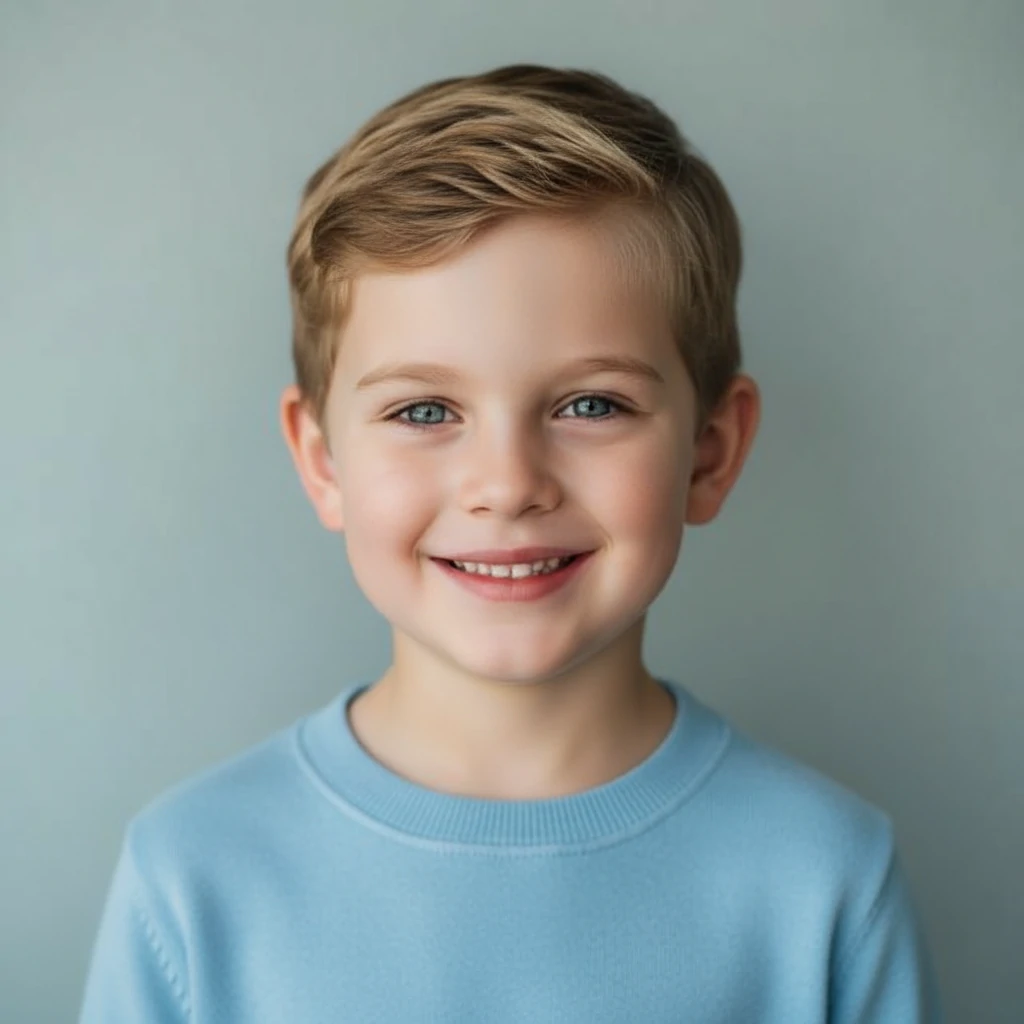
부모 사진 두 장과 결과를 함께 보세요. 비교할 때는 같은 입력 사진을 유지하세요. 다른 결과는 새로운 해석일 뿐 더 정확한 예측은 아닙니다.

- 상상 속 아들 초상으로 보기
- 파란 옷을 입은 짧은 머리 아이가 웃고 있는 정사각형 결과입니다. 두 부모 사진과 얼굴 윤곽, 조명, 표정을 비교하세요. 닮은 비율을 매기거나 특정 특징이 어느 부모에게서 유전되었다고 판단할 수는 없습니다.
- 확인할 수 있는 보관 자료
- 결과는 1024 × 1024, 두 입력 사진은 각각 640 × 640입니다. 당시의 정확한 모델과 나이 설정은 남아 있지 않습니다. 신생아보다 나이가 들어 보이는 예시이며 현재 도구에 나이 선택 기능이 있다는 뜻은 아닙니다.
미래 아기 (딸) 예시

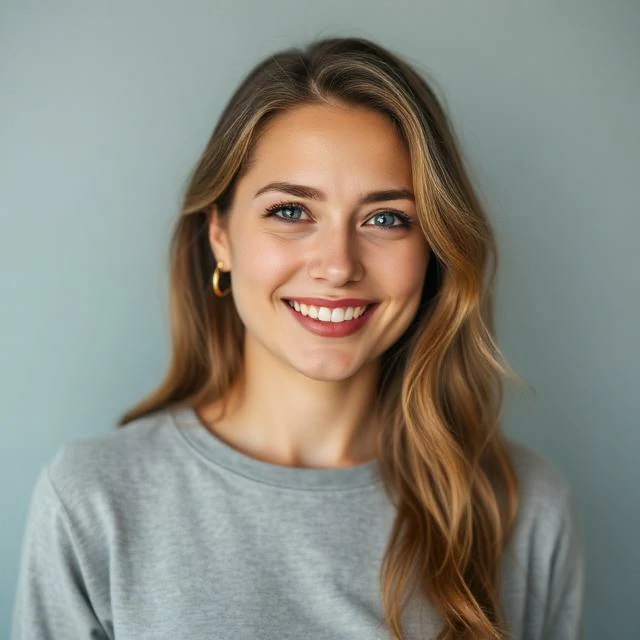
부모 사진 두 장과 결과를 함께 보세요. 비교할 때는 같은 입력 사진을 유지하세요. 다른 결과는 새로운 해석일 뿐 더 정확한 예측은 아닙니다.
- 같은 사진으로 만든 또 다른 해석
- 여아 예시는 같은 부모 사진 두 장으로 긴 머리와 연한 스웨터를 입은 1024 × 1024 초상을 만듭니다. 두 창작 결과를 비교하되 실제 남매를 예측했다거나 어느 쪽이 더 정확하다고 보지 마세요.
다시 만들기 전에 이미지부터 확인하세요
- 한쪽 사진만 강하게 반영된 듯할 때
- 다른 사진이 더 어둡거나 작거나 옆으로 기울어져 있는지 확인하세요. 약한 입력 하나만 바꾸어 비교하세요. 결과는 측정된 유전적 혼합이 아니므로 느낌상의 차이를 실제 비율로 확인할 수는 없습니다.
- 눈, 치아, 머리카락이 어색할 때
- 원본 크기로 열어 눈의 방향, 미소, 머리카락 경계를 살펴보세요. 얼굴을 가리지 않는 더 선명한 사진을 시도하세요. 흐린 원본을 확대하는 것만으로 얼굴의 세부 정보가 복원되지는 않습니다.
- 만들 때마다 얼굴이 다를 때
- 같은 파일을 쓰고 선택한 옵션을 기록하세요. 자연스러운 얼굴과 구도를 기준으로 마음에 드는 초상을 고르세요. 여러 번 시도한다고 실제 미래 얼굴에 대한 확신이 높아지는 것은 아닙니다.
영상으로 만들기 전에 초상을 저장하세요
완료된 결과를 열어 확인하고 다운로드하세요. 다른 편집기에서 테두리나 문구를 넣기 전에 정사각형 원본을 보관하세요. 공유할 때는 실제 아이의 사진으로 오해하지 않도록 AI로 상상한 초상이라고 설명하세요.
완료된 결과의 Animate Baby를 누르면 해당 이미지로 사진 영상화 작업을 시작할 수 있습니다. 설정과 예상 크레딧을 따로 확인하는 별도 생성입니다. 더 나이 든 모습을 보고 싶다면 선택한 초상으로 별도의 나이 변화 도구를 사용하세요.
- 저장한 아기 초상 움직이기
작은 동작으로 시작하고 영상 전체의 얼굴을 확인하세요.
- 사진 한 장으로 성장 모습 만들기
홈페이지의 설정이 아닌 별도의 나이 변화 도구입니다.
팁
- 선글라스, 강한 그림자 및 극단적인 각도를 피하세요.
- 사진당 하나의 얼굴 사용 (단체 사진 없음).
- 더 나은 일관성을 위해 얼굴 + 어깨를 포함하도록 크롭.
자주 묻는 질문
고해상도 사진이 필요한가요?▼
결과가 비현실적으로 보이는 이유는?▼
여러 번 시도할 수 있나요?▼
과학적인 예측인가요?▼
부모 사진 두 장 대신 커플 사진 한 장을 써도 되나요?▼
쌍둥이, 정확한 나이, 50 대 50의 닮은 비율을 정할 수 있나요?▼
사실적인 결과가 실제 미래 아이의 얼굴을 보여 주나요?▼
생성할 준비가 되셨나요?
자신의 입력 자료를 선택하고 생성 전에 가능한 설정을 확인하세요.