返回全部教程
2026-10-10
AI 宝宝跳舞视频
宝宝跳舞视频需要两份素材:宝宝照片决定角色,舞蹈参考视频提供动作。当前输出为 9:16 竖屏,时长跟随参考视频。
先选一个舞蹈动作,再为它准备角色。参考视频提供动作,照片提供宝宝外观。本教程会介绍如何剪好参考、匹配照片,并检查完成的舞蹈。
打开工具快速步骤
从准备素材到检查结果,按顺序完成。
- 1打开宝宝跳舞工具。
- 2上传舞蹈参考视频或选择示例。动作来自这段视频,输入时长上限为 30 秒。
- 3上传清晰的宝宝照片,让脸居中并保留肩部。
- 4选择模型及其支持的画质,查看识别到的视频时长和预计积分。这里没有单独的“5 秒”时长选项。
- 5生成后对照参考视频观看完整结果,特别检查手脚,以及人物转身或离开画面的时刻。
- 6导出后发布,可按需要添加字幕和合适的热门音频。
当前可选参数
画面比例:9:16
- 时长跟随输入视频,最长 30 秒。
- 当前输出为 9:16 竖屏。
上传前剪出一个完整动作
- 选择清楚连贯的片段
- 使用单个舞者、稳定镜头。简单摇摆、弹跳或一步移动,比混剪更容易比较。避免切镜、他人挡住舞者,以及人物离开画面。
- 确定开始与结束
- 在视频编辑器里剪出完整动作,前后留一点余量。初次可试 5–10 秒,这只是实用建议,不是固定工具设置。文件控制在 30 秒、50 MB 内,导出后完整看一遍。
- 让照片适应动作
- 涉及舞步时,照片应看见脚、膝盖、手臂及身体四周空间。近景肖像适合小幅上半身动作。坐着或紧裹襁褓的宝宝不适合站立舞蹈,第一次应使用单个清晰角色。
对照动作、照片和结果
这组站内已有案例包含两份输入。播放两段视频,比较抬手和迈步时机。原始模型设置未知,因此用于说明流程,不是当前模型的性能测试。
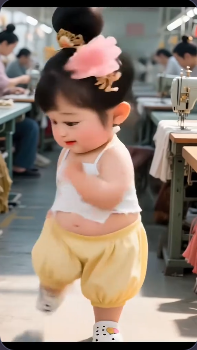
.webp)
检查素材后,再选择参数
- Kling V2.6 或 V3 动作控制
- 两者都有标准/专业模式和可选视频提示词。先用默认模型和短参考测试,再用相同输入比较其他模型。专业模式是画质选项,不能修复原图缺脚或舞者被遮挡的问题。
- DreamActor
- 这个模型同样使用照片与动作视频,但不显示 Kling 的模式及提示词控件。切换模型后检查当前积分估算,不要假设费用相同。
- 时长、构图和上传
- 编辑器从参考视频识别时长,并向上取整估算费用。没有独立的时长或比例选项,上传前请准备竖屏构图。MOV 无法预览时,可导出 H.264 编码的 MP4,再检查大小和时长。
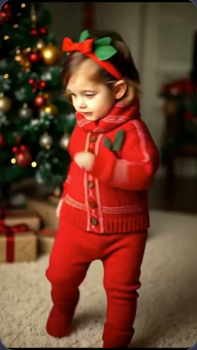
Kling 可选的场景要求
保持红色服装和圣诞树背景一致,镜头稳定,室内光线柔和。
只在这段描述符合自己照片时使用。舞步仍由参考视频控制,更长的提示词不能代替动作视频。
教程案例:素材、提示词与参数
对照案例、可用输入素材和已记录的设置。
案例 1
竖屏舞蹈片段(9:16)
如何参考这个案例
这些历史案例展示了宝宝照片和舞蹈成片,但没有附带原始动作参考。实际使用时,除了照片还需要提供舞蹈视频,单张照片不能决定舞步。
输入素材
输入素材 1
该案例记录的设置
画面比例
9:16
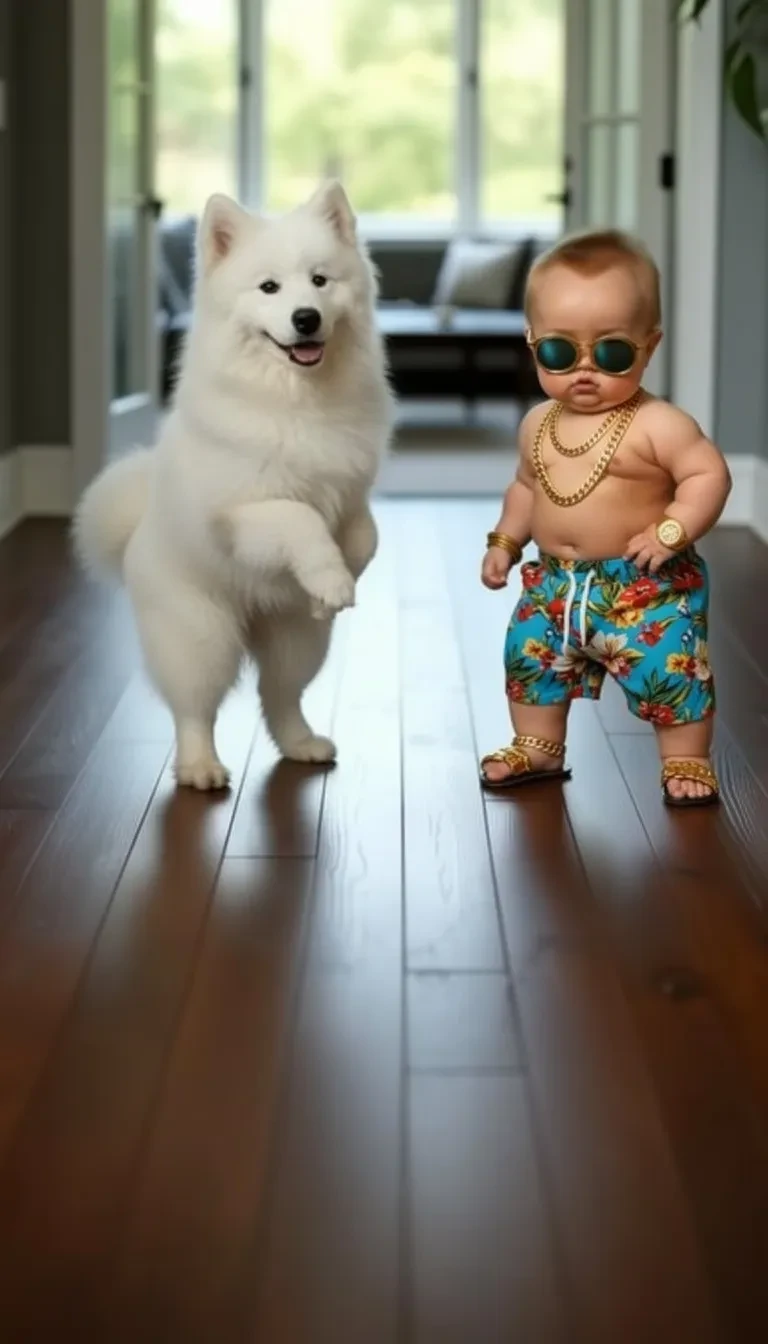
- 两个角色让测试更复杂
- 戴墨镜的宝宝站在白狗旁边。这段历史视频约 10 秒,应检查两者是否分开,以及与地面的接触。它比初次测试建议的单人照片更复杂。
案例 2
另一种舞蹈效果(9:16)
如何参考这个案例
这些历史案例展示了宝宝照片和舞蹈成片,但没有附带原始动作参考。实际使用时,除了照片还需要提供舞蹈视频,单张照片不能决定舞步。
输入素材
输入素材 1
该案例记录的设置
画面比例
9:16
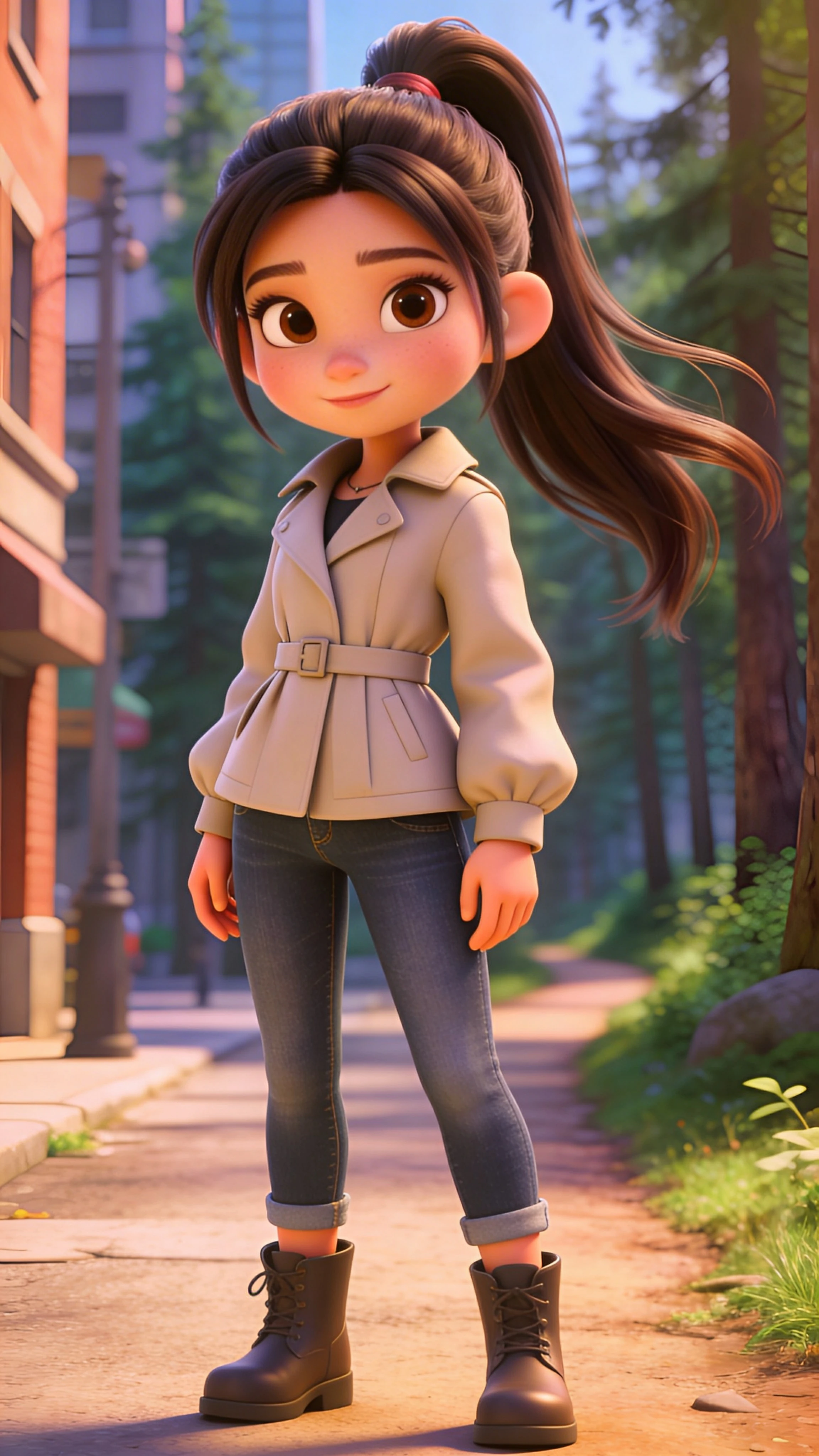
- 全身、靴子与摆动长发
- 穿米色外套的卡通角色,手臂和腿部都清楚可见,便于观察约 17 秒的结果。留意侧步时的靴子,以及肩部附近的长发。这是风格化角色,并非写实婴儿。
案例 3
另一种舞蹈效果(9:16)
如何参考这个案例
这些历史案例展示了宝宝照片和舞蹈成片,但没有附带原始动作参考。实际使用时,除了照片还需要提供舞蹈视频,单张照片不能决定舞步。
输入素材
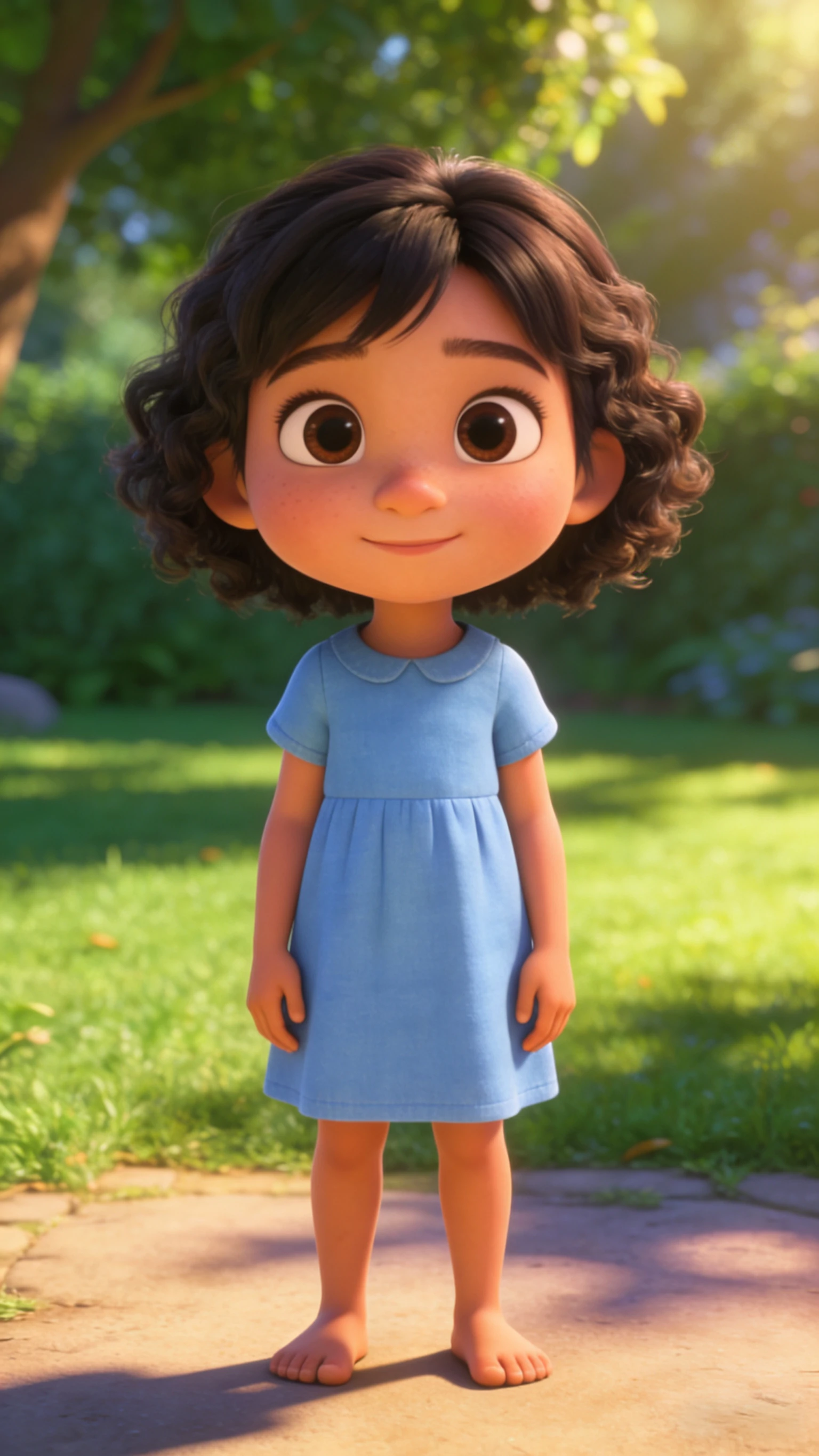
输入素材 1
该案例记录的设置
画面比例
9:16
- 留意改变了哪些细节
- 蓝裙原图中的角色赤脚,约 16 秒的结果却出现白鞋,头发也有变化。除了舞蹈,还要对照衣服和面部。动作合理,不代表原图每个细节都保留下来。
先正常播放舞蹈,再暂停检查
测试新版本前先下载可用结果。制作循环时,在编辑器里选择姿势相近的起止点,多看几次衔接;自动生成不保证无缝循环。
- 脚底打滑,或双腿不自然交叉
- 在脚应落地时暂停,尝试步幅更小的参考视频和双腿可见的照片。测试更简单动作时保持照片不变,便于看清变化。
- 面部、手或衣服发生变化
- 检查转身及手经过脸前的时刻。把参考剪到无遮挡的动作,或换成更清晰的正面照。开头、中间和结尾都要看,不只检查封面帧。
- 音乐与最终裁剪
- Kling 会请求使用参考视频原声,因此添加音乐前请先试听下载文件。在视频编辑器里裁剪和调整音频,避免叠加两份同样音轨。最终裁剪应保留脚和举起的手,并在手机上预览一次。
制作建议
- 动作不自然时,先检查照片和裁剪,增加提示词长度通常解决不了问题。
- 让脸居中,并在画面中保持足够大小,以减少变形。
- 较短的片段更便于检查,也更容易做成循环视频。
常见问题
为什么舞蹈动作很奇怪?▼
需要同时检查两份素材。参考视频中的切镜、快速转身或肢体遮挡都可能造成动作错误。可尝试更短的连续镜头,并使用能看清身体的照片。
应该选 9:16 还是 1:1?▼
当前宝宝跳舞工具输出 9:16 竖屏视频,没有 1:1 选项。如需方形视频,可在下载后使用其他编辑器裁剪。
怎样让视频更容易吸引注意?▼
让第一秒就出现清楚的面部和动作,并添加易读字幕、合适音频。这些做法有助于表达内容,但不保证传播效果。
只用照片就能让宝宝跳舞吗?▼
此工具还需要动作视频,可以选择示例或上传参考。仅用提示词描述舞蹈,无法提供这个流程需要的逐帧动作。
怎样制作更短的舞蹈视频?▼
上传前剪短动作参考,再核对识别时长和新的积分估算。编辑器没有单独的 5 秒开关。也可以把已完成的视频下载后裁短。
舞蹈模板会保留宝宝照片的每个细节吗?▼
不会保证。请全程检查面部、头发、衣服和身体。蓝裙案例说明,舞步清楚时鞋子和头发仍可能变化。更简单动作和清楚照片有帮助,但不保证精确保留。
准备开始制作?
选择自己的素材,生成前检查当前可用设置。