返回全部教程
2026-10-10
宝宝卡通头像生成器
卡通画风不必完全追求写实。先用一张清晰照片,比较 2–3 种风格,看看哪种更适合宝宝的面部特征。
先想好宝宝卡通图的用途:小头像、生日卡片,或之后要制作动画的角色。合适的裁剪与画风,比堆叠很多特效更重要。
打开工具快速步骤
从准备素材到检查结果,按顺序完成。
- 1打开宝宝卡通工具。
- 2上传清晰、光线良好且只有一张人脸的宝宝照片。
- 3选择动漫、Q 版、3D 等画风。
- 4生成 2–3 个版本进行比较。
- 5保存喜欢的结果,用作头像或缩略图。
当前可选参数
画面比例:1:12:33:24:33:44:55:49:1616:9
- 选择画风预设,或编写自定义风格描述。
先选布局,再选画风
- 易于辨认的头像
- 从清晰的头肩照和 1:1 方形构图开始,头发四周留出圆形头像裁剪空间。Q 版或柔和 3D 在小尺寸下通常比较清楚,仍需对照原图检查眼睛、发际线和笑容。
- 卡片或邀请函
- 可尝试 2:3 或 4:5 竖版比例,配简单背景。为名字和日期留白,生成后再用排版工具添加文字。水彩或淡彩风格有助于让插画与文字协调。
- 贴纸或之后要动起来的角色
- 贴纸风格适合紧凑姿势和清楚轮廓。如果后续要跳全身舞,原图应能看见手臂、腿和脚。本工具生成静态图,贴纸预设不保证透明背景,也不会自动生成动画文件。
一次比较一种画风
登录后上传一张不超过 10 MB 的 JPG、PNG 或 WebP,确保眼睛和嘴部无遮挡,上传前可裁掉多余背景。从可见预设中选择,或打开“查看全部风格”。当前模型为 GPT Image 2.5 Flare,每次生成前请检查积分费用。
- 比较不同预设
- 将“自定义风格”留空,保持同一张照片和画面比例,分别生成两三种风格。比较面部是否清楚;同时更换照片、风格和裁剪会难以判断是哪项带来改善。
- 编写自定义风格
- 自定义文字会替换预设描述。请写明绘画方式、配色和背景,不要假设所选预设会自动叠加。清空自定义字段后才能重新使用预设。
- 保留可比较的条件
- 希望使用原样文字时,关闭“优化提示词”;开启后可能改写自定义描述。请在表单外保存原图和文字,提交生成后两者会被清空。
柔和的卡片插画
将参考照片中的宝宝画成柔和水彩插画,使用温暖的奶油色和低饱和桃色,带轻微纸张纹理。浅色简单背景,头部上方留白,不要文字。
先选竖版布局,再在编辑器里添加真实姓名和日期,以便控制字形、字体和位置。
简洁头像
将参考照片中的宝宝画成柔和的 3D 卡通肖像,保留可辨认的发型和笑容。面部居中,浅蓝色干净背景,头部四周留白,不添加道具或文字。
先选 1:1。这些是建议提示词,不是下方历史案例记录的原始指令。
教程案例:素材、提示词与参数
对照案例、可用输入素材和已记录的设置。
案例 1
宝宝卡通风格:案例 1
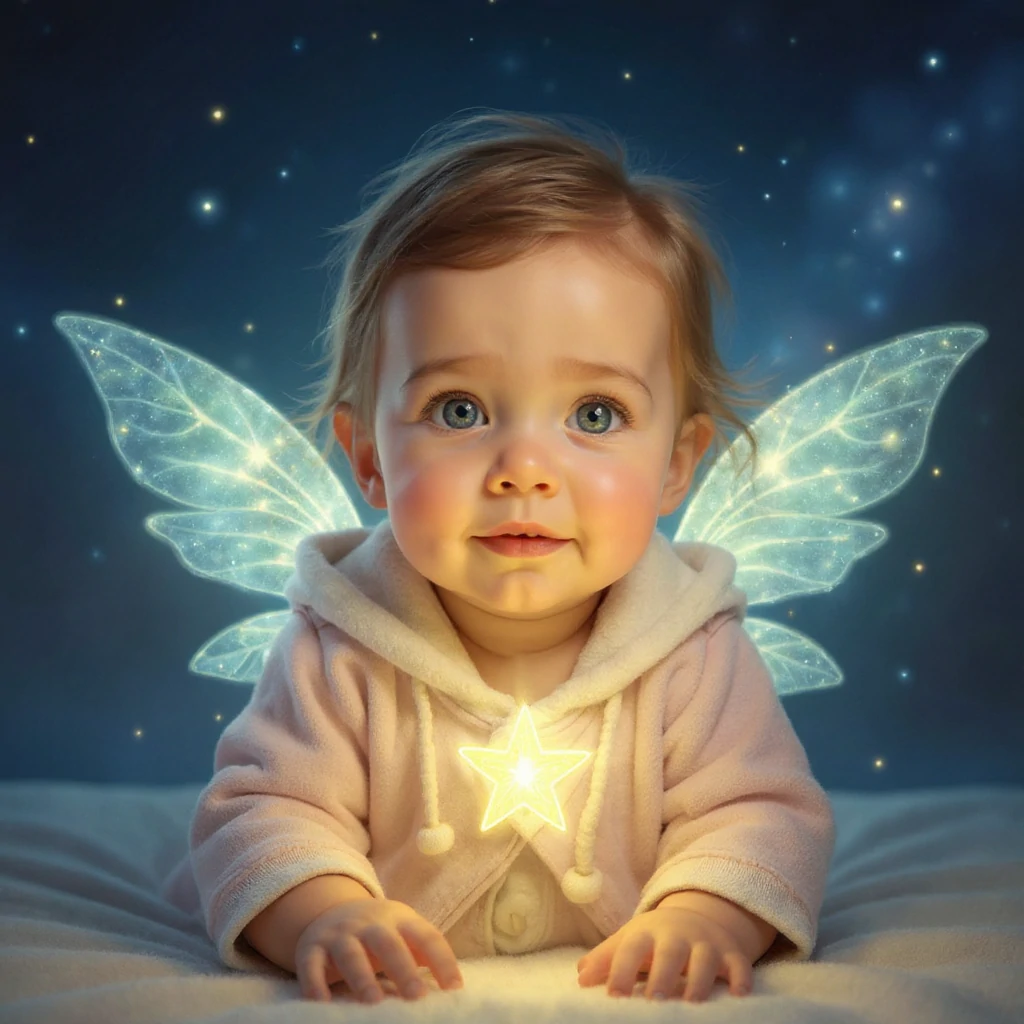
如何参考这个案例
对照原图与每张插画结果。画风会改变表现方式,也可能改变面部细节,请选择适合头像或作品用途的版本。
输入素材
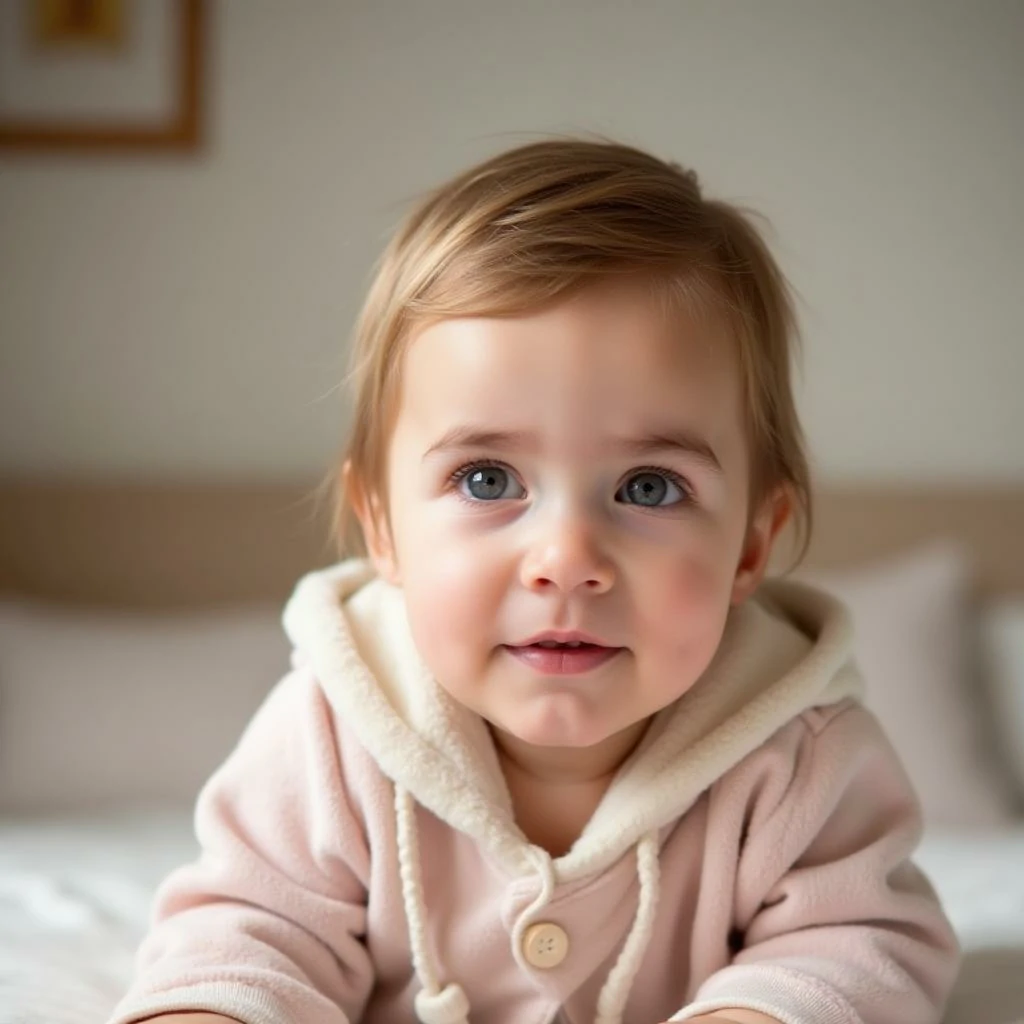
输入素材 1
- 星光精灵:光效与幻想细节
- 浅粉色连帽服仍可辨认,发光翅膀、星星和深蓝背景则改变了场景。先比较面部,再检查翅膀轮廓。过紧的圆形头像裁剪会隐藏大部分效果。
案例 2
宝宝卡通风格:案例 2
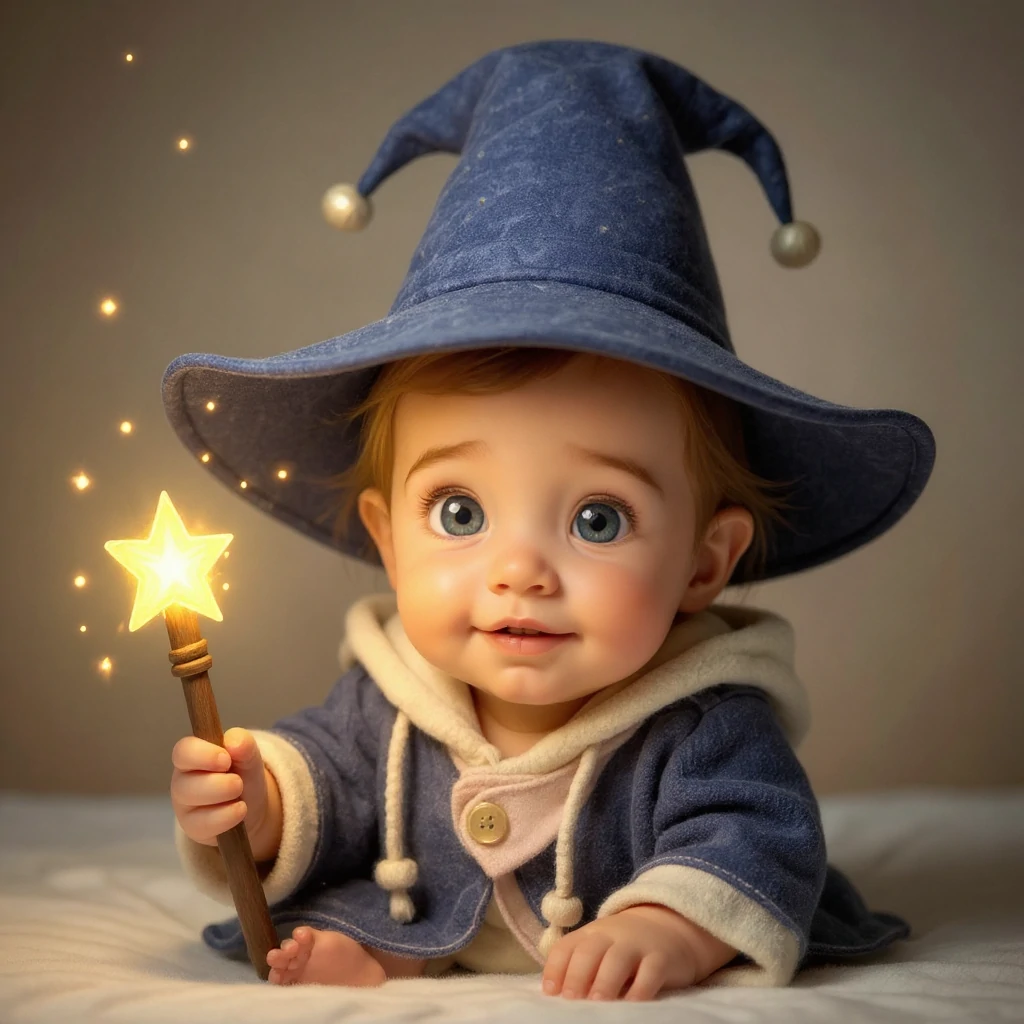
如何参考这个案例
对照原图与每张插画结果。画风会改变表现方式,也可能改变面部细节,请选择适合头像或作品用途的版本。
输入素材
输入素材 1
- 魔法学徒:新的服装与姿势
- 同一张原图通过大蓝帽子和星星魔杖增添故事感。除了眼睛,还要检查握杖的手、露出的脚趾及帽檐。裁剪时给帽子留空间,这种变化已经不只是颜色滤镜。
案例 3
宝宝卡通风格:案例 3
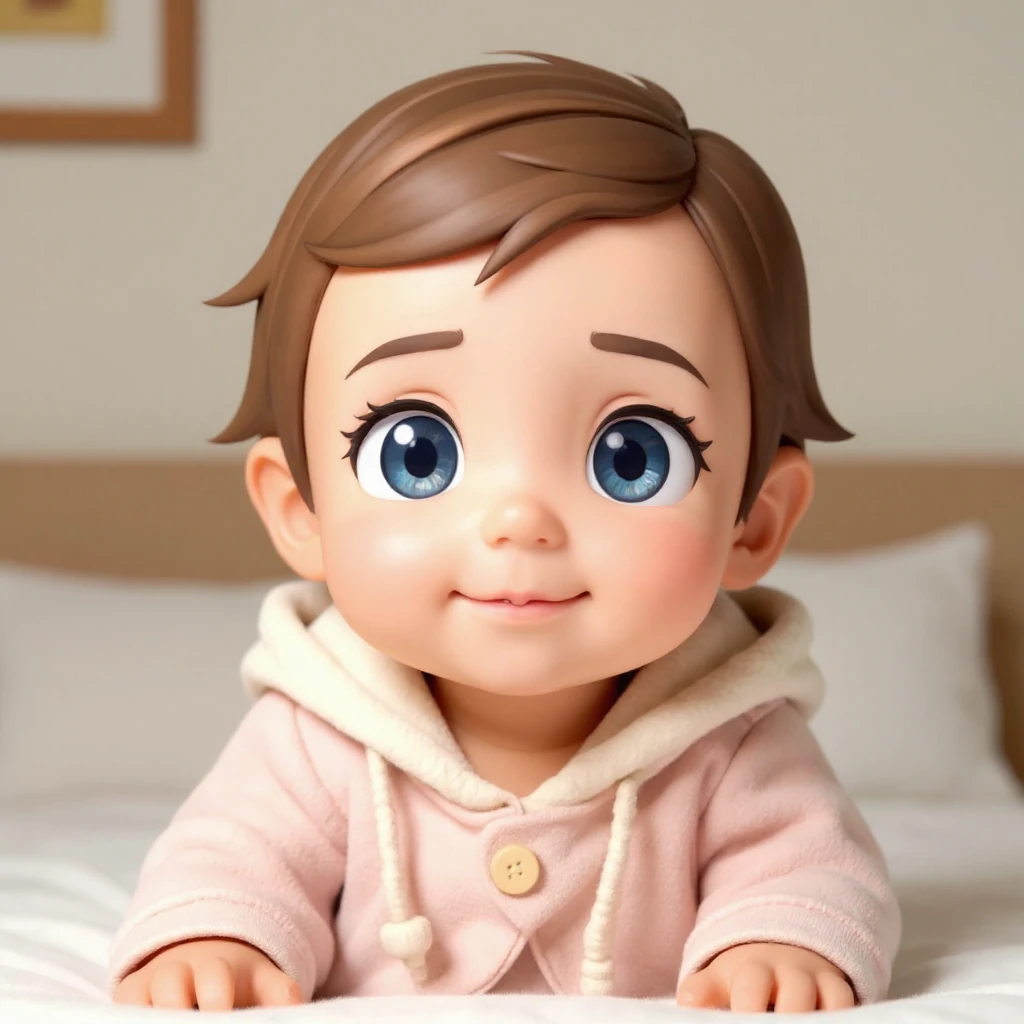
如何参考这个案例
对照原图与每张插画结果。画风会改变表现方式,也可能改变面部细节,请选择适合头像或作品用途的版本。
输入素材
输入素材 1
- Q 版 3D:更强风格化,更简单的场景
- 粉色服装和室内环境更接近原图,但眼睛明显变大,头发和皮肤也更光滑。可与两个幻想场景比较,判断紧凑头像的效果。卡通眼睛更大,不等于更像原来的宝宝。
同时检查原尺寸和实际使用尺寸
三个历史案例使用同一张原图,便于观察风格差异。原始提示词和模型设置没有记录,因此上面的建议是尝试起点,不是精确复现配方。
- 面部失去辨识度
- 回到原始照片,选择夸张程度较低的风格,要求保留可见发型和表情。需要与真实原图比较时,不要反复给已经生成的卡通图换风格。
- 手、配饰或边缘有问题
- 对照背景检查手指、帽子轮廓和头发。简化自定义描述,减少多余道具,或换更清楚的原图。如果原图藏住一只手,模型只能补充想象。
- 裁剪切掉关键细节
- 选择适合使用位置的比例,并在主体四周留白。头像要检查小尺寸圆形裁剪,卡片要检查完整矩形排版。在其他工具裁剪前,先保存完整结果。
按用途完成最后处理
打开完成的结果并下载。PNG 文件仍可能有不透明背景;需要透明贴纸时,可用图片编辑器去背,再检查头发和衣服边缘。制作印刷卡片时,应核对实际像素尺寸与印刷要求,不要认为标注“高清”就适合任意印刷尺寸。
添加字幕或边框前保留原始结果。想制作动画时,将选定图片上传到视频流程,从小动作开始。宝宝卡通工具本身不导出舞蹈、GIF 或视频。
制作建议
- 简单背景通常更容易得到清楚的卡通轮廓。
- 可以试几种风格,不同画风对同一张脸的表现会有差别。
- 如果结果显得杂乱,可适当裁剪,让面部成为画面重点。
- 使用自定义风格时,描述绘画方式、颜色和背景。比较画风时保持同一张照片,下载前检查面部和边缘。
常见问题
可以把结果用作头像吗?▼
可以。导出图片后,可用作头像、缩略图或海报。
什么照片更合适?▼
使用对焦清楚的正面照,画面中只有一张无遮挡的人脸。
怎样让画风更一致?▼
使用同一个风格预设,并尽量让不同输入照片的光线和背景接近。
自定义文字会与所选预设合并吗?▼
不会。非空的“自定义风格”会替换预设描述。请在文字中写全所需风格,或清空字段恢复预设。需要比较准确措辞时,关闭“优化提示词”。
贴纸风格会下载为透明背景吗?▼
不一定。“贴纸”描述的是画风。请检查下载文件,如果带有背景,需要在图片编辑器中去除,并检查边缘后再使用。
能制作画风一致的一组宝宝卡通图吗?▼
复用同一原图、比例和风格描述,每次只改一个细节。保存设置并对照各结果中的面部。编辑器没有角色锁定或随机种子控件,因此不能保证完全一致。
准备开始制作?
选择自己的素材,生成前检查当前可用设置。