Générateur de Bébé Cartoon
Les styles dessin animé tolèrent mieux les petites imperfections que le photoréalisme. Partez d'une photo nette et essayez deux ou trois styles pour trouver celui qui convient le mieux au visage du bébé.
Transformez la photo de bébé en illustration pour un usage précis : avatar, carte d’anniversaire ou personnage à animer ensuite. Choisissez le cadrage et le style en fonction de ce que vous voulez en faire.
Ouvrir l'outilÉtapes rapides
Suivez les étapes, de la préparation des entrées à la vérification du résultat.
- 1Ouvrez l'outil Bébé Cartoon.
- 2Téléchargez une photo de bébé claire (un visage, bon éclairage).
- 3Choisissez un style (anime/chibi/3D/etc.).
- 4Générez 2-3 variations.
- 5Sauvegardez le meilleur résultat et réutilisez-le comme avatar ou miniature.
- Choisissez un style prédéfini ou écrivez un prompt de style personnalisé.
Pensez à la destination de l’image
- Un avatar reconnaissable
- Partez d’un portrait tête et épaules au format 1:1, avec de la marge autour des cheveux pour un recadrage rond. Le chibi ou la 3D douce peuvent rester lisibles en petit. Comparez les yeux, la coiffure et le sourire avec la photo.
- Une carte ou une invitation
- Essayez le 2:3 ou le 4:5 avec un fond calme et de la place pour le prénom et la date. Ajoutez le texte ensuite dans un logiciel de mise en page. Une aquarelle ou des tons pastel peuvent accompagner les lettres sans les concurrencer.
- Un autocollant ou un personnage animé
- Pour un autocollant, privilégiez une pose compacte et une silhouette nette. Pour une danse ultérieure, la photo doit montrer bras, jambes et pieds. Cet outil crée une image fixe : le style autocollant ne garantit ni transparence ni animation.
Comparez un style à la fois
Connectez-vous et importez un JPG, PNG ou WebP de 10 Mo maximum. Gardez les yeux et la bouche dégagés et recadrez le fond inutile avant l’importation. Choisissez un style visible ou ouvrez Tous les styles. Le modèle actuel est GPT Image 2.5 Flare ; vérifiez les crédits avant chaque essai.
- Comparer les styles proposés
- Laissez le style personnalisé vide et gardez la même photo et le même format. Essayez deux ou trois styles lors de générations séparées. Changer aussi la photo et le cadrage rend la comparaison moins utile.
- Décrire votre propre style
- Le texte personnalisé remplace la description du style sélectionné. Précisez la technique, les couleurs et le fond : le style prédéfini ne sera pas ajouté automatiquement. Effacez le texte pour revenir au style proposé.
- Garder un essai comparable
- Désactivez Améliorer le prompt pour tester vos mots exacts. Activée, cette option peut reformuler la description. Gardez une copie de la photo et du texte : le formulaire les efface dès l’envoi de la génération.
Aquarelle pour une carte
Illustration douce à l’aquarelle du bébé de la photo, tons crème et pêche discrets, légère texture de papier, fond clair simple avec de l’espace au-dessus de la tête, sans lettres.
Commencez en portrait. Ajoutez le prénom et la date ensuite pour maîtriser orthographe, police et emplacement.
Portrait pour un avatar
Portrait du bébé de la photo en dessin 3D doux, coiffure et sourire reconnaissables, visage centré, fond bleu clair uni, marge autour de la tête, sans accessoires ni lettres.
Commencez en 1:1. Ce sont des suggestions à essayer, pas les prompts d’origine des exemples archivés.
Exemples du tutoriel (avec prompts et paramètres)
Comparez les exemples, leurs entrées disponibles et les réglages indiqués.
Style bébé dessin animé (exemple 1)
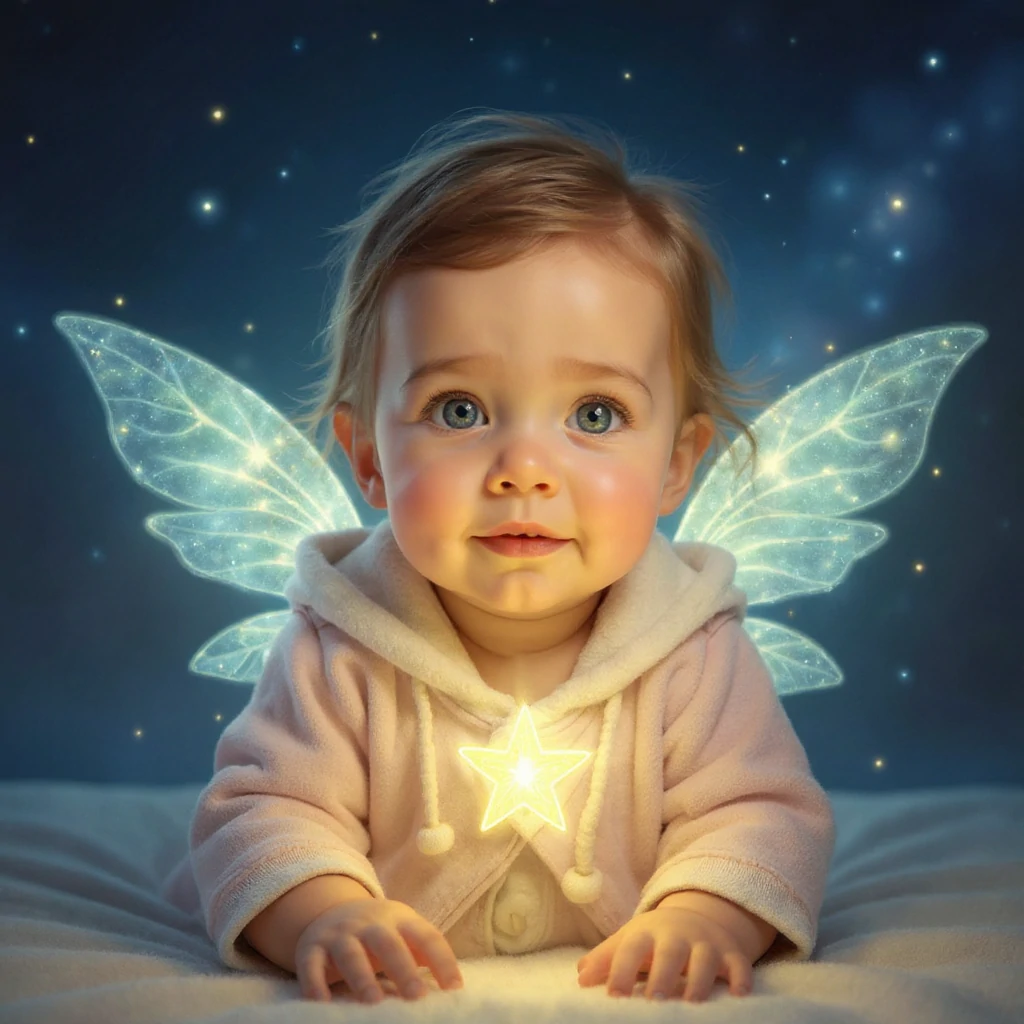
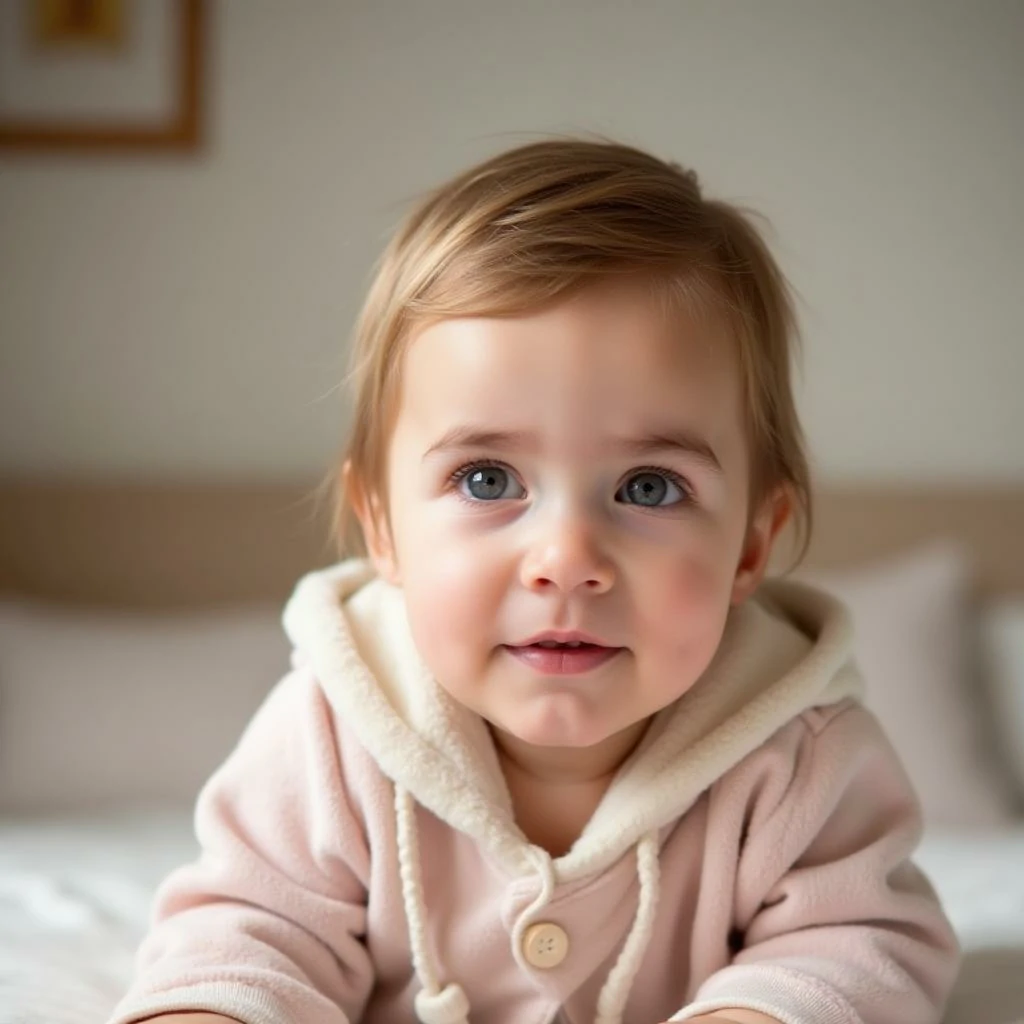
Comparez la photo d’origine à chaque illustration. Le style change le rendu et parfois les traits ; choisissez la version adaptée à votre avatar ou illustration.
- Esprit des étoiles : lumière et décor
- La tenue rose pâle à capuche reste reconnaissable, tandis que les ailes lumineuses, l’étoile et le fond bleu sombre transforment la scène. Comparez le visage puis le bord des ailes. Un avatar rond très serré masquerait une grande partie de cet effet.
Style bébé dessin animé (exemple 2)
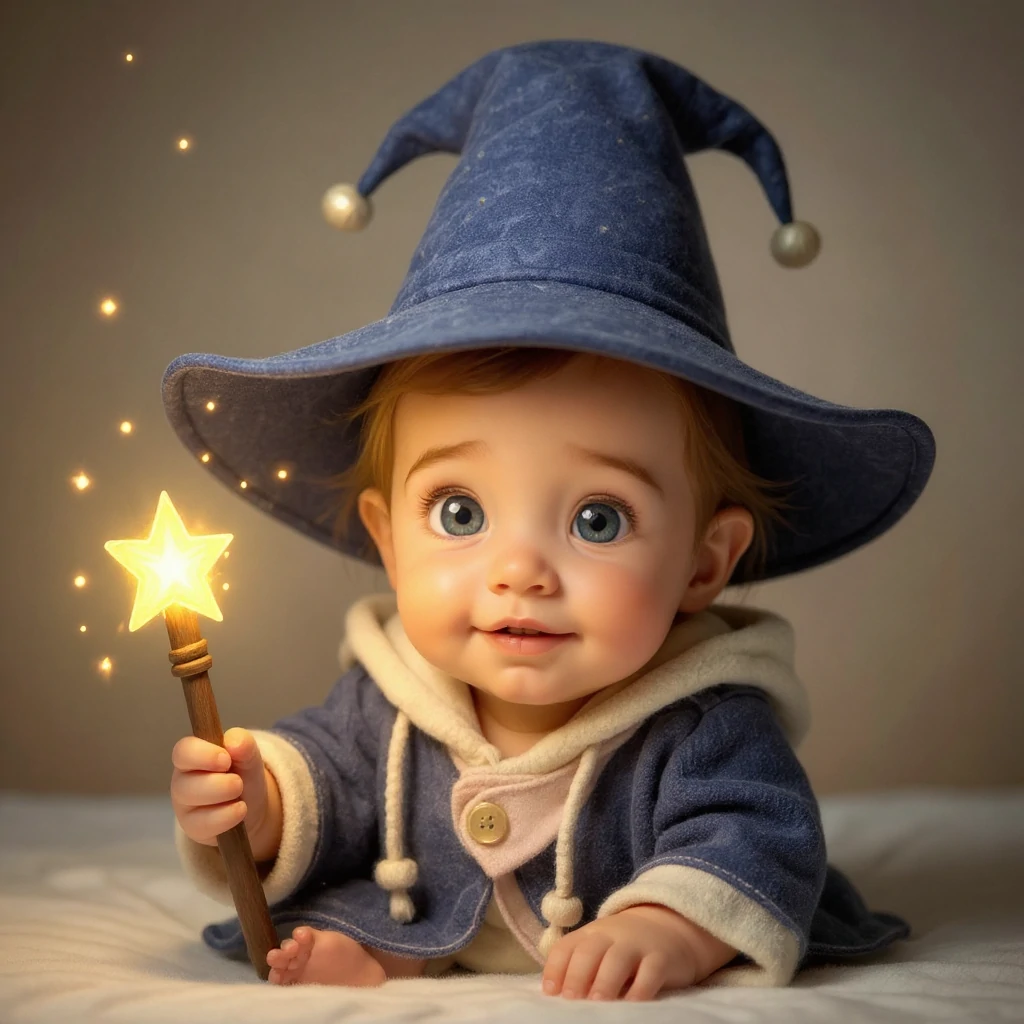
Comparez la photo d’origine à chaque illustration. Le style change le rendu et parfois les traits ; choisissez la version adaptée à votre avatar ou illustration.
- Apprenti magicien : costume et pose
- Le chapeau bleu et la baguette changent l’histoire de la même photo. Examinez la main sur la baguette, les orteils et les bords du chapeau. Gardez de la place pour celui-ci au recadrage : ce changement va au-delà d’un filtre de couleur.
Style bébé dessin animé (exemple 3)
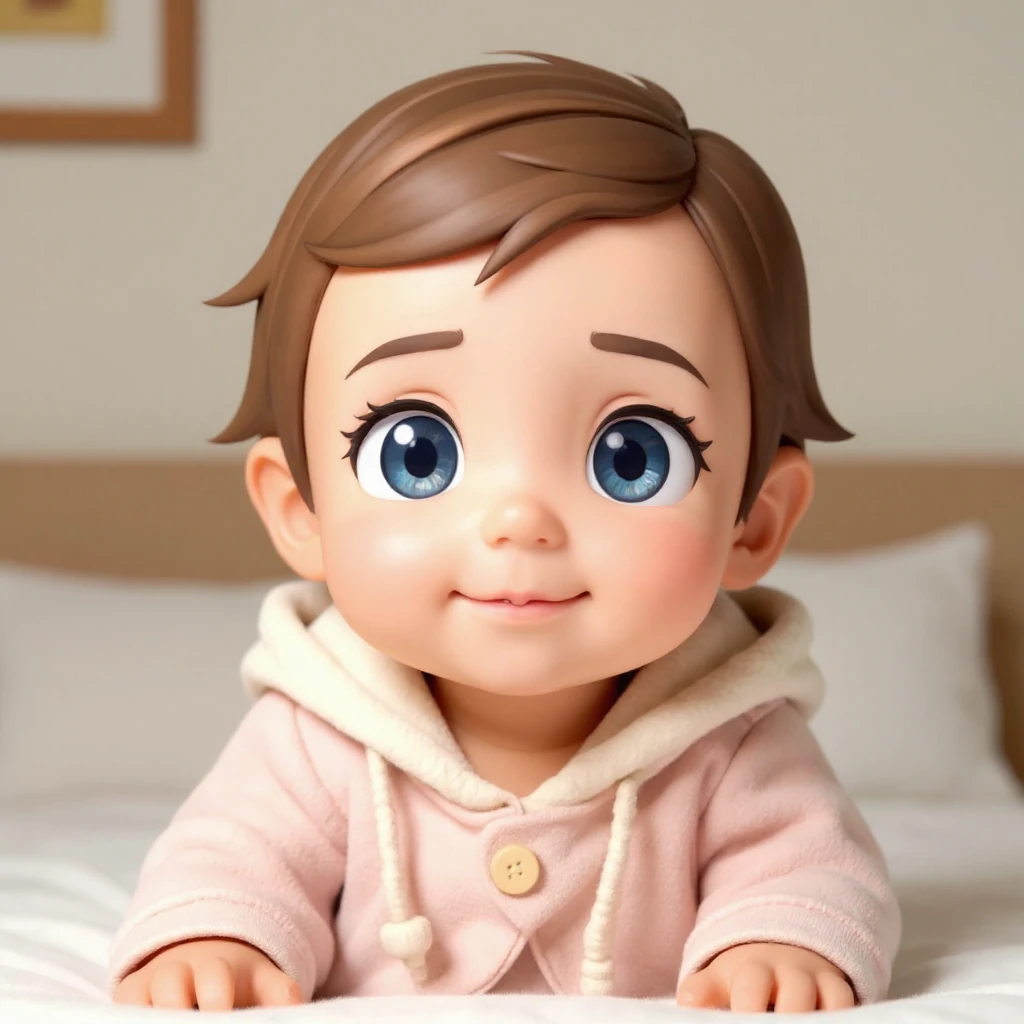
Comparez la photo d’origine à chaque illustration. Le style change le rendu et parfois les traits ; choisissez la version adaptée à votre avatar ou illustration.
- Chibi 3D : une scène plus simple
- La tenue rose et l’intérieur restent proches de la source, avec des yeux beaucoup plus grands et des cheveux et une peau lissés. Comparez cet avatar compact aux scènes fantastiques. Des yeux agrandis ne prouvent pas une meilleure ressemblance.
Regardez l’image en grand puis à sa taille finale
Les trois exemples partagent la même photo de départ. Leurs prompts et réglages d’origine ne sont pas enregistrés. Les suggestions ci-dessus servent de point de départ, sans promettre une reproduction exacte.
- Le visage devient générique
- Repartez de la photo originale, choisissez un style moins exagéré et demandez de garder la coiffure et l’expression visibles. Évitez de transformer plusieurs fois une illustration déjà générée pour comparer la ressemblance.
- Les mains ou les contours sont étranges
- Examinez les doigts, le chapeau et les cheveux sur le fond. Simplifiez la description, retirez des accessoires ou choisissez une photo plus nette. Une main cachée dans la source doit être inventée par le modèle.
- Le cadrage coupe des détails
- Choisissez le format adapté et laissez une marge. Testez un petit cercle pour l’avatar et le rectangle entier pour une carte. Sauvegardez l’image complète avant de la recadrer dans un autre éditeur.
Préparez le fichier pour son usage final
Ouvrez le résultat terminé et téléchargez-le. Un PNG peut contenir un fond opaque : supprimez-le dans un éditeur si vous avez besoin d’un autocollant transparent, puis vérifiez cheveux et vêtements. Pour imprimer une carte, comparez les dimensions en pixels aux exigences de l’imprimeur ; la mention HD ne garantit pas tous les formats.
Conservez l’original avant d’ajouter texte ou cadre. Pour l’animer, importez l’image choisie dans un outil vidéo et commencez par un petit mouvement. Cartoon Baby n’exporte ni danse, ni GIF, ni vidéo.
- Animer le portrait illustré
Utilisez l’image enregistrée comme apparence de départ.
- Faire danser un personnage entier
Préparez aussi une vidéo de référence pour le mouvement.
Conseils
- Les arrière-plans simples produisent généralement des bords cartoon plus propres.
- Essayez plusieurs styles—certains visages sont meilleurs dans certaines esthétiques.
- Si les résultats semblent désordonnés, resserrez le recadrage pour vous concentrer sur le visage.
- Pour un style personnalisé, décrivez la technique, les couleurs et le fond. Gardez la même photo pour comparer et vérifiez le visage et les contours avant de télécharger.
FAQ
Puis-je utiliser le résultat comme photo de profil ?▼
Quelle photo fonctionne le mieux ?▼
Comment obtenir un style plus cohérent ?▼
Le texte personnalisé se combine-t-il avec le style sélectionné ?▼
Le style autocollant donne-t-il un fond transparent ?▼
Puis-je créer une série cohérente du même bébé ?▼
Prêt à générer ?
Choisissez vos propres entrées et vérifiez les réglages disponibles avant de générer.