すべてのガイドに戻る
2026-10-10
AIベビーダンス動画
赤ちゃんの写真と、動きの見本となるダンス動画を用意します。現在の出力は縦型(9:16)で、長さは参照動画に応じて決まります。
赤ちゃんのダンス動画は、動きのお手本と、その動きに合う写真から作ります。参考動画が振り付けを、写真がキャラクターの見た目を決めます。ここでは素材の切り出しから完成動画の確認までを説明します。
ツールを開くクイックステップ
素材の準備から結果の確認まで、順番に進めます。
- 1ダンシングベビーツールを開く。
- 2ダンス動画をアップロードするか、サンプルを選びます。入力は最大30秒で、この動画の動きを使います。
- 3明確なベビー写真をアップロード(顔を中央に;肩を含める)。
- 4モデルと選択可能な画質を選びます。検出された長さと必要クレジットを確認してください。5秒などの長さを別に指定する欄はありません。
- 5生成した動画を最後まで再生し、参照動画と比べます。手足や、人物が回転する場面・画面外に出る場面を確認します。
- 6エクスポートして投稿(キャプション + トレンドオーディオが役立つ)。
選択可能なツールオプション
アスペクト比:9:16
- 長さは入力動画に合わせます(最大30秒)。
- 出力は縦型(9:16)に固定されます。
一つの動きを最後まで切り出す
- 一人が映る、カメラの安定した動画
- 小さなステップや左右の揺れなど、追いやすい動きから始めましょう。途中で場面が切り替わる動画、別の人が手前を横切る動画、踊る人が画面から出る動画は避けます。
- 開始と終了を整える
- 動画編集ソフトで、動きの前後に少し余裕を残して切り出します。最初は5〜10秒程度が確認しやすい目安ですが、必須の設定ではありません。上限は30秒・50 MBです。書き出したファイルを一度再生してからアップロードします。
- 動きに合う写真を選ぶ
- 足を動かすなら、足先・膝・腕が見え、体の周囲に余白のある写真を使います。顔のアップには上半身の小さな動きが向いています。座った姿やおくるみ姿を、立って踊る動画に合わせるのは難しいため、最初は一人の全身写真がおすすめです。
参考動画・写真・完成動画を見比べる
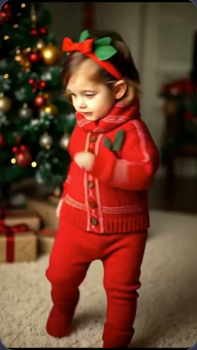
サイト内の既存作例には、二つの入力が残っています。動画を再生し、腕を上げるタイミングや足の踏み替えを比較してください。当時のモデル設定は不明のため、現在のモデルの性能比較ではなく、作業の流れを示す例です。
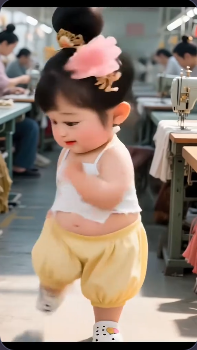
.webp)
素材を確認してからモデルを選ぶ
- Kling V2.6・V3 Motion Control
- Standard/Proと任意の動画プロンプトを使えます。まず初期選択のモデルで短い参考動画を試し、モデルを比較するときは入力をそろえます。Proを選んでも、写真に写っていない足や隠れた動きが正確に補われるとは限りません。
- DreamActor
- 同じく写真と動きの動画を使いますが、Klingのモードやプロンプト欄は表示されません。切り替えるときはクレジット見積もりを確認してください。モデルごとに費用が異なる場合があります。
- 長さ・画角・形式
- 長さは参考動画から検出し、見積もりでは秒数を切り上げます。長さや縦横比を別に選ぶ欄はありません。縦向きの構図はアップロード前に準備します。MOVをプレビューできない場合はH.264のMP4に書き出し、サイズと長さを確認してください。
Klingで使う任意の補足指示
赤い服と背景のクリスマスツリーを保つ。カメラは固定し、室内の柔らかい光にする。
写真に合う場合だけ使います。振り付けは参考動画から与えるため、長いプロンプトで動画の代わりにはできません。
チュートリアル例(プロンプトと設定付き)
作例と保存されている入力素材・設定を比較してください。
例 1
縦型ダンスクリップ(9:16)
この例の使い方
過去の事例では写真と完成動画を確認できますが、元の動作参照動画は含まれていません。試す際は写真だけでなく、ダンス動画も用意してください。
入力
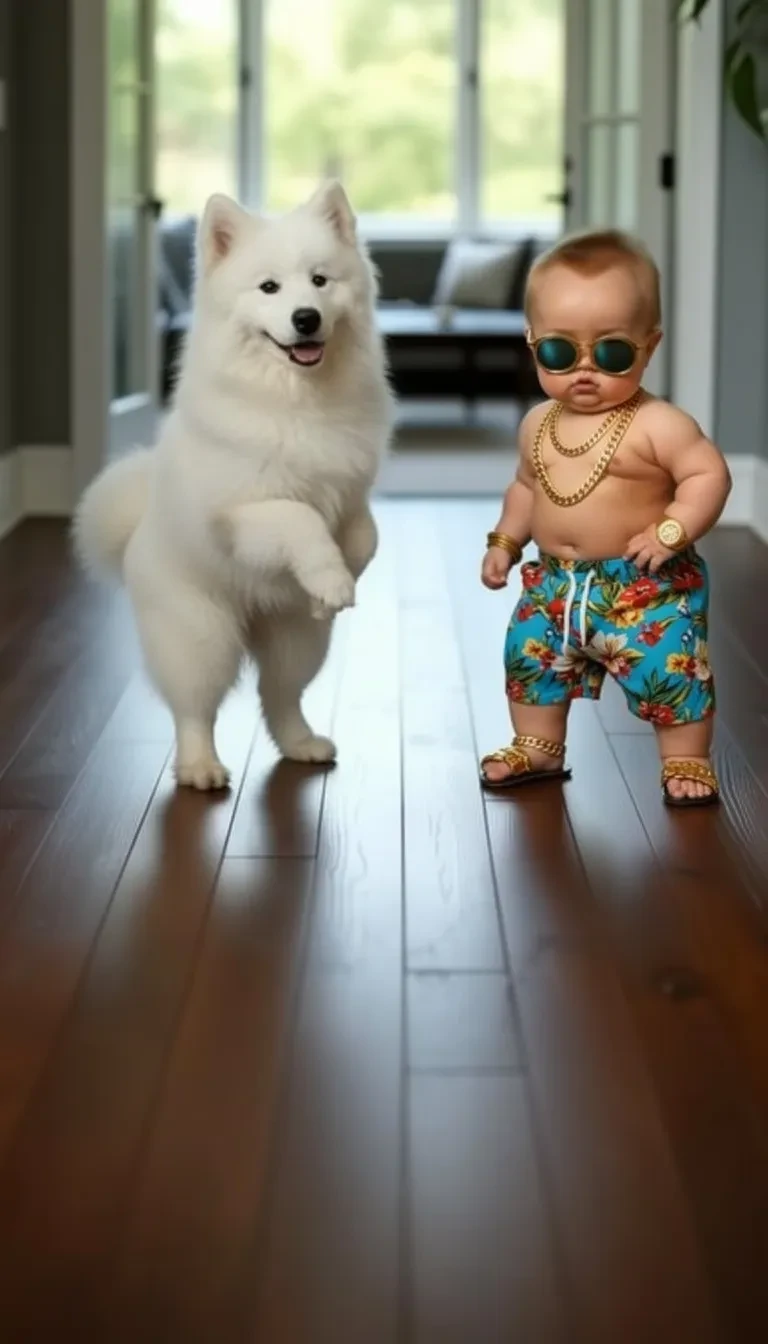
入力 1
設定(この例で使用)
アスペクト比
9:16
- 二つの被写体がある難しい例
- サングラスの赤ちゃんの隣に白い犬がいます。約10秒の動画で、互いの体が重ならないか、床との接触が自然かを見てください。初回の素材は、一人だけの写真のほうが確認しやすくなります。
例 2
ダンスバリエーション(9:16)
この例の使い方
過去の事例では写真と完成動画を確認できますが、元の動作参照動画は含まれていません。試す際は写真だけでなく、ダンス動画も用意してください。
入力
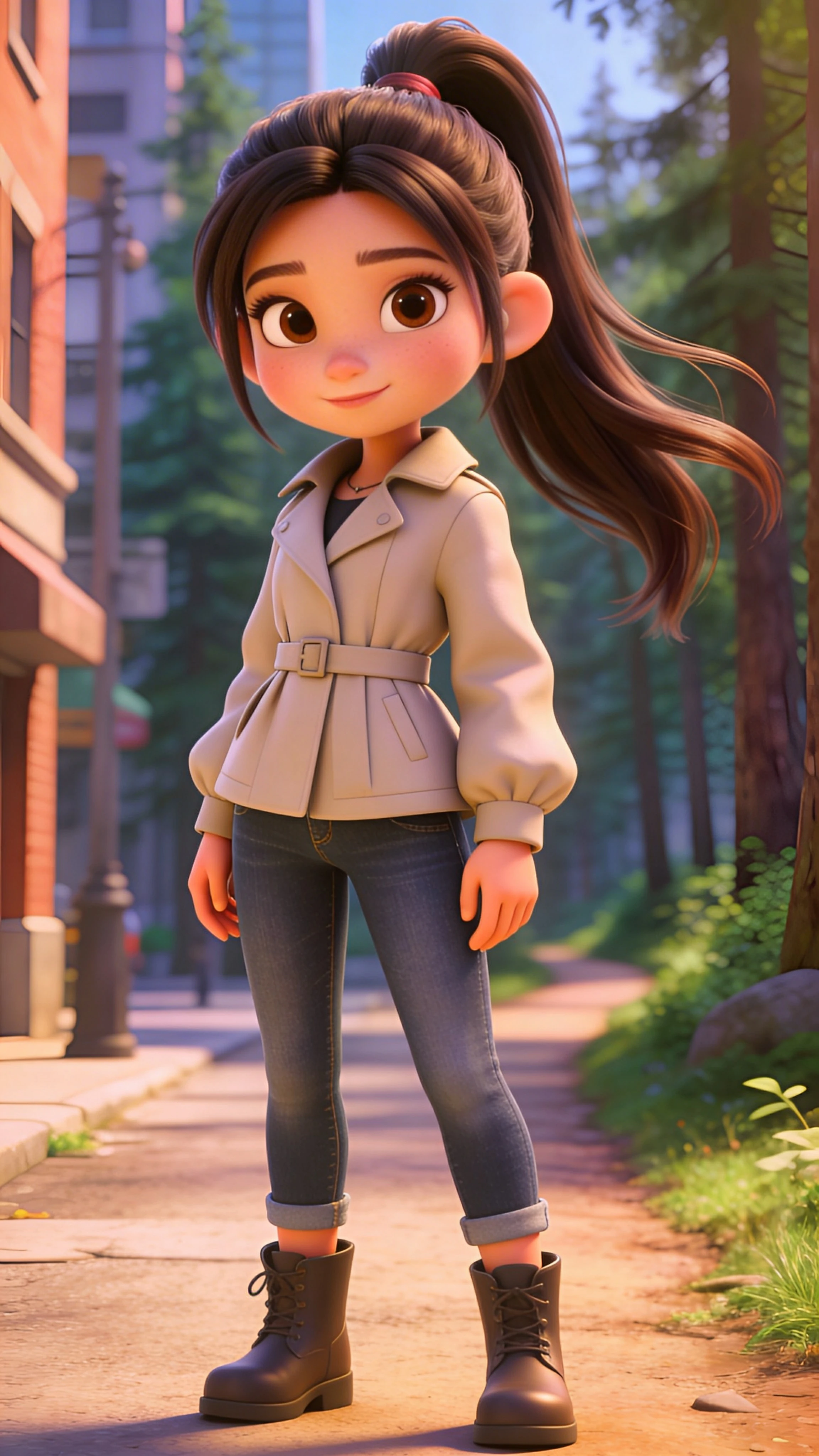
入力 1
設定(この例で使用)
アスペクト比
9:16
- ブーツと長い髪を追う
- ベージュのジャケットを着たキャラクターは、約17秒の結果で腕と脚の動きを確認できます。横へのステップ時のブーツや肩の周りの髪に注目してください。写実的な乳児ではなく、アニメ調の人物を動かした例です。
例 3
ダンスバリエーション(9:16)
この例の使い方
過去の事例では写真と完成動画を確認できますが、元の動作参照動画は含まれていません。試す際は写真だけでなく、ダンス動画も用意してください。
入力
入力 1
設定(この例で使用)
アスペクト比
9:16
- 動き以外の変化にも注目
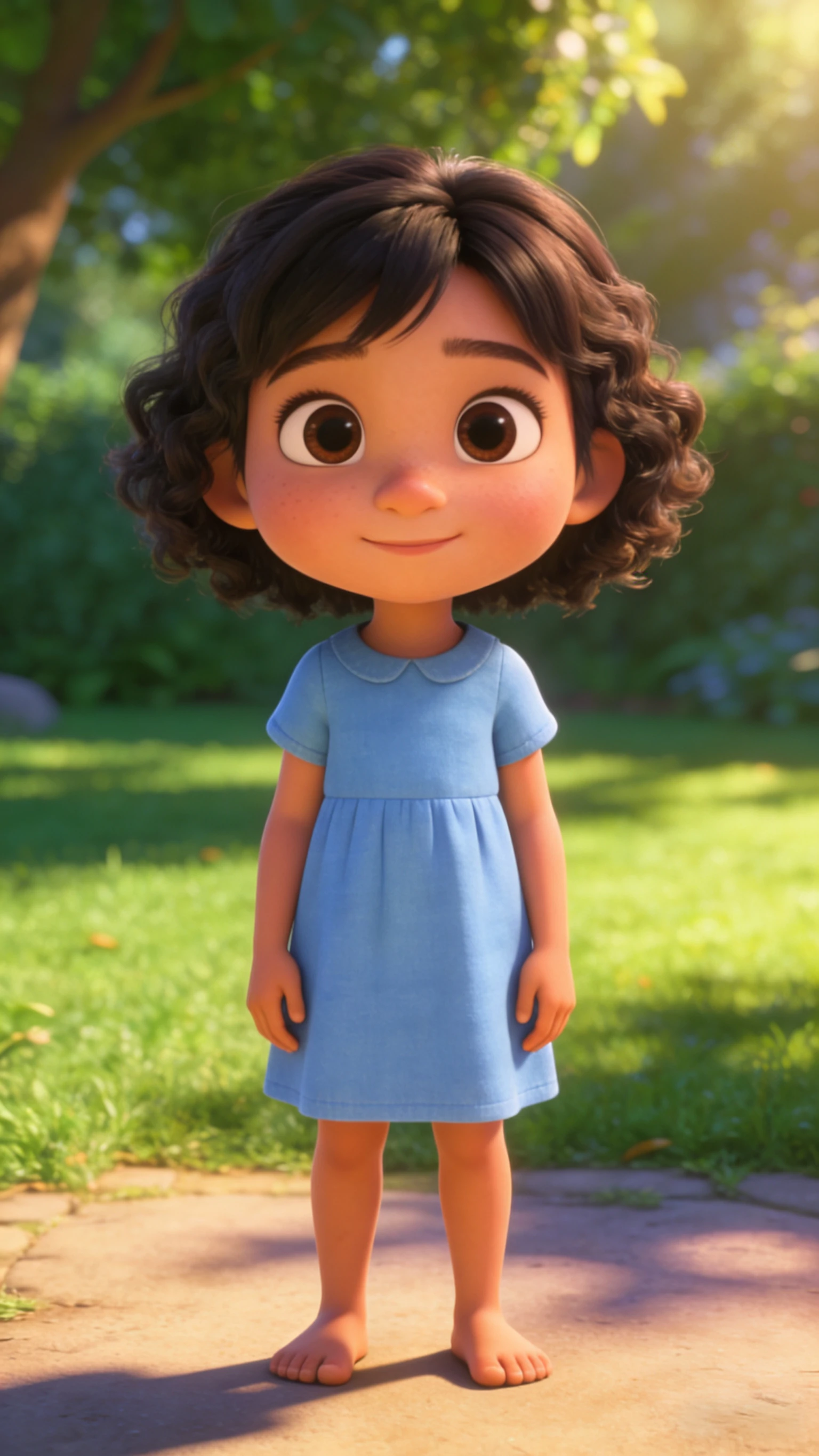
- 青いワンピースの元画像は裸足ですが、約16秒の結果では白い靴を履き、髪も変わっています。踊りが自然に見えても、元画像の細部がすべて保たれたとは限りません。服や顔も見比べましょう。
全体を再生してから気になる場面を止める
使える動画は次の試行の前に保存しましょう。ループにする場合は、編集ソフトで似た姿勢の開始点と終了点を探し、つなぎ目を何度か再生します。自動生成だけで滑らかなループになるとは限りません。
- 足が床を滑る
- 足が接地するはずの場面で止めます。歩幅の小さい参考動画と、両脚が見える写真を試してください。動きを変える間は写真を同じにすると、改善点を比べやすくなります。
- 顔や手、服が変わる
- 振り向く場面や手が顔の前を通る場面を確認します。遮られない短い動きに切り直すか、より鮮明な正面写真を使います。サムネイルだけでなく、冒頭・中盤・最後を見て判断してください。
- 音声と最終的な切り抜き
- Klingでは参考動画の元の音声を残すように処理を依頼します。ダウンロードした動画を聴いてから編集ソフトで音楽を加え、同じ音源の二重再生を避けます。足や上げた手が切れないように整え、スマートフォンでも確認します。
- 歌声に合わせて赤ちゃんを歌わせる
体の振り付けよりも、歌と口の動きを合わせたい場合はこちら。
- アニメ調の赤ちゃん画像を作る
動かす前に、全身の構図とキャラクターを確認します。
ヒント
- 動きがおかしい場合、修正は通常より良い写真とクロップ—長いプロンプトではない。
- アーティファクトを減らすために、フレーム内で顔を中央に大きく保つ。
- 短いクリップはよりクリーンに見え、ループしやすい。
よくある質問
なぜダンスの動きがおかしく見えるのですか?▼
両方の入力を確認してください。参照動画のカット切り替え、速い回転、隠れた手足は動きが崩れる原因になります。短いワンカットの動画と体が見える写真を試します。
9:16と1:1のどちらを使用すべきですか?▼
現在のツールは縦型9:16で出力され、1:1の選択肢はありません。正方形で投稿する場合は、ダウンロード後に別の編集ソフトでトリミングします。
よりバイラルにするには?▼
最初の1秒で強いフックを使用(大きな顔、明確な動き)、キャプションを追加、トレンドオーディオを使用。
写真だけで赤ちゃんを踊らせられますか?▼
このツールには動きの動画も必要です。サンプルを選ぶか、参考動画をアップロードします。ダンス名をプロンプトに書くだけでは、必要な動きの順序を指定できません。
もっと短いダンス動画にするには?▼
アップロード前に参考動画を切り、検出された長さとクレジットを確認します。独立した5秒設定はありません。完成動画を編集ソフトで短くすることもできます。
赤ちゃんの写真の細部はそのまま残りますか?▼
完全には保証できません。顔、髪、服、体を動画全体で確認してください。青いワンピースの例でも靴や髪型が変化しています。鮮明な写真と簡単な動きは役立ちますが、完全な再現を保証するものではありません。
生成する準備はできましたか?
自分の素材を選び、生成前に利用できる設定を確認しましょう。