カートゥーンベビー生成器
カートゥーン調は、写実的な表現よりも元写真の小さな欠点が目立ちにくい傾向があります。鮮明な写真から始め、2〜3種類のスタイルを試して顔に合うものを探しましょう。
赤ちゃんの写真をイラスト化するときは、アイコン、誕生日カード、後で動かすキャラクターなど、使い道を先に決めましょう。仕上がりの大きさに合う構図と画風を選びます。
ツールを開くクイックステップ
素材の準備から結果の確認まで、順番に進めます。
- 1カートゥーンベビーツールを開く。
- 2明確なベビー写真をアップロード(1つの顔、良好な照明)。
- 3スタイルを選択(アニメ/ちび/3Dなど)。
- 42-3のバリエーションを生成。
- 5最良の結果を保存し、アバターやサムネイルとして再利用。
- スタイルプリセットを選択するか、カスタムスタイルプロンプトを入力。
画風を選ぶ前に使う場所を決める
- 顔が分かるアイコン
- 頭から肩まで写った写真を使い、比率は1:1から始めます。丸く切り抜いても髪が欠けないよう、頭の周囲に余白を残しましょう。ちびキャラや柔らかな3D調を小さく表示し、目、髪の生え際、笑顔を原写真と比べます。
- カードや招待状
- 2:3や4:5の縦長で、名前と日付を置ける落ち着いた背景を試します。文字は生成後に別の編集ソフトで追加しましょう。水彩や淡いパステル調なら、文字と絵を合わせやすくなります。
- ステッカーや動画用のキャラクター
- ステッカー風なら、まとまったポーズと分かりやすい輪郭を選びます。後で全身を踊らせるなら、腕、脚、足先まで見える写真が必要です。このツールの出力は静止画です。ステッカー風を選んでも透過背景や動画になるとは限りません。
一度に一つの画風を試す
ログインし、10 MB以下のJPG、PNG、WebPを1枚アップロードします。目や口を隠さず、不要な背景は先に切り抜きましょう。表示中のスタイルか「すべてのスタイル」から選びます。現在のモデルはGPT Image 2.5 Flareです。試すたびに表示されたクレジットを確認してください。
- プリセットを比べる
- カスタムスタイル欄を空にし、同じ写真と比率で2〜3種類を別々に生成します。写真、構図、画風を一度に変えると、何が改善につながったのか比べにくくなります。
- 自分の言葉で指定する
- カスタム欄の文章は、選んだプリセットの説明を置き換えます。技法、色、背景を文章に含めましょう。プリセットが自動で追加されるわけではありません。元のプリセットに戻すには欄を空にします。
- 条件を残す
- 書いた言葉をそのまま試すなら、プロンプト改善をオフにします。オンの場合は文章が書き換えられることがあります。生成を送信すると写真と文章が消えるため、比較用に手元へ保存しておきましょう。
カード向けの水彩画
参照写真の赤ちゃんを柔らかな水彩イラストにする。暖かなクリーム色と淡い桃色、薄い紙の質感、頭の上に余白があるシンプルで明るい背景。文字は入れない。
縦長から試します。名前と日付は後で配置すると、表記、書体、位置を自分で確認できます。
アイコン向けの顔写真
参照写真の赤ちゃんを柔らかな3Dアニメ調の肖像にする。髪型と笑顔を分かるように残し、顔を中央へ。無地の明るい水色の背景で、頭の周囲に余白を設ける。小道具や文字は入れない。
比率は1:1から始めます。以下の保存例の元プロンプトではなく、試すための提案です。
チュートリアル例(プロンプトと設定付き)
作例と保存されている入力素材・設定を比較してください。
カートゥーンベビースタイル(例1)
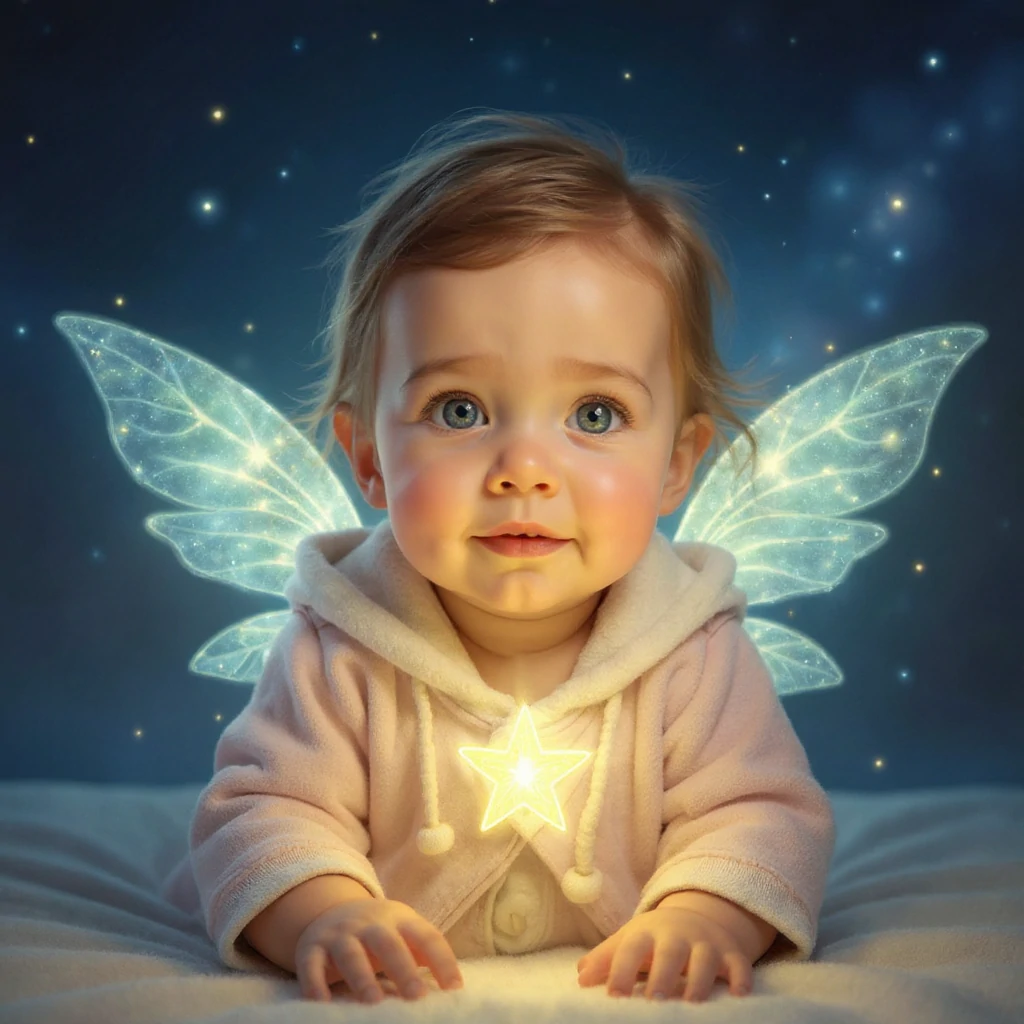
元の写真とイラストを比較します。スタイルによって描き方だけでなく顔の細部も変わることがあります。アイコンや作品の用途に合う結果を選びます。
- 星の妖精:光と背景の変化
- 薄いピンクのフード付きの服は分かる形で残り、光る羽、星、暗い青の背景が加わっています。顔を比べてから羽の輪郭を確認しましょう。小さな丸型アイコンに切り抜くと、羽の効果はかなり隠れます。
カートゥーンベビースタイル(例2)
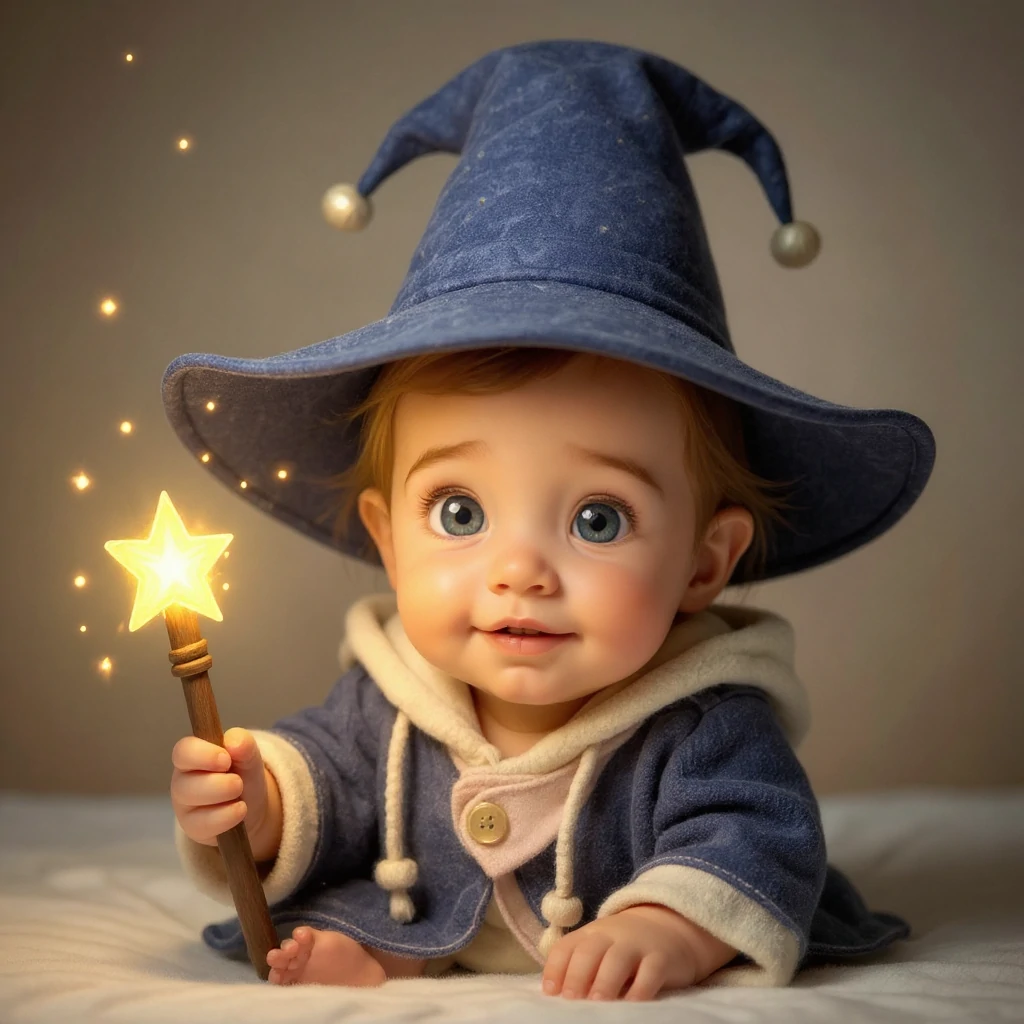
元の写真とイラストを比較します。スタイルによって描き方だけでなく顔の細部も変わることがあります。アイコンや作品の用途に合う結果を選びます。
- 魔法使いの見習い:衣装とポーズ
- 同じ写真に大きな青い帽子と星の杖が加わります。杖を持つ手、見える足指、帽子の縁も確認しましょう。色を変えるだけの加工ではないため、帽子が収まる余白も必要です。
カートゥーンベビースタイル(例3)
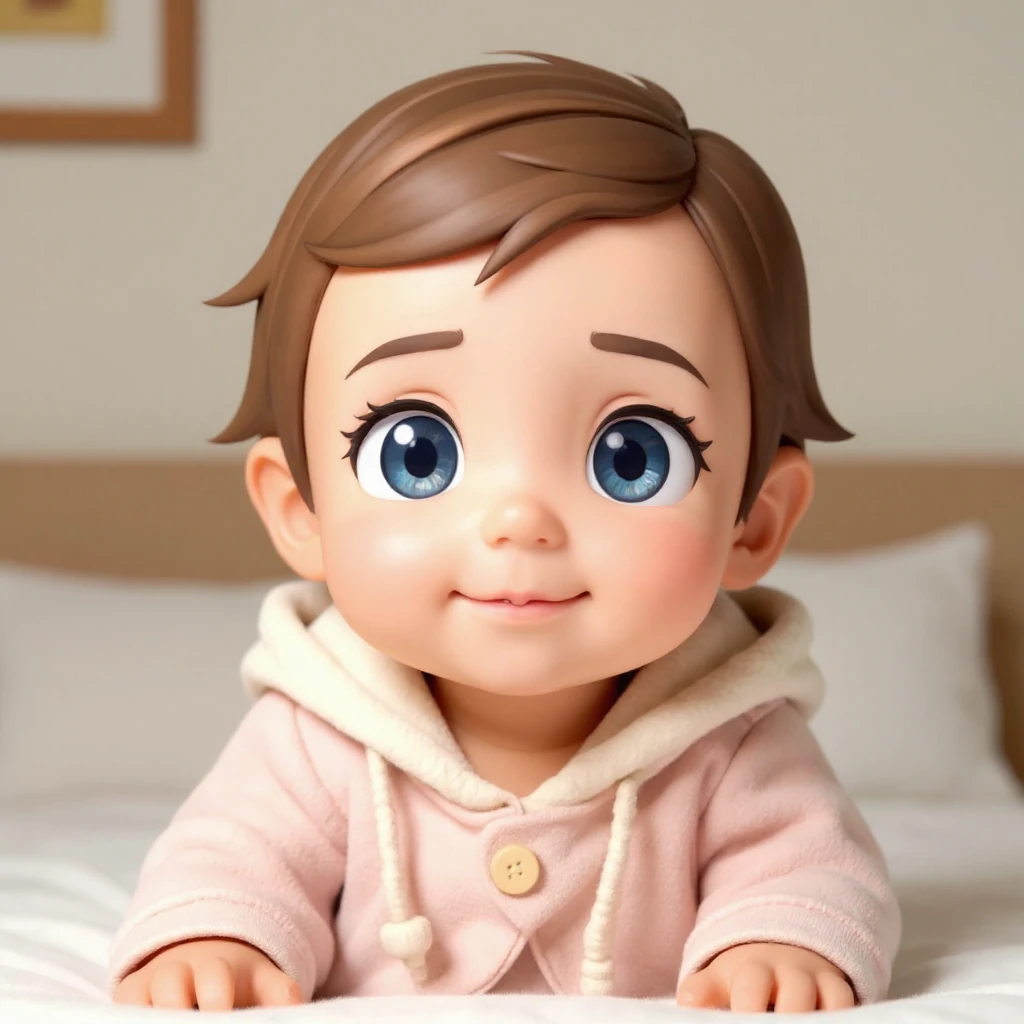
元の写真とイラストを比較します。スタイルによって描き方だけでなく顔の細部も変わることがあります。アイコンや作品の用途に合う結果を選びます。
- ちびキャラ3D:単純な構図と大きな目
- ピンクの服と室内の背景は原写真に近く、目は大きく、髪と肌は滑らかになっています。小さなアイコンとして、二つの幻想的な場面と比べてください。目が大きいほど本人らしさが残るわけではありません。
拡大表示と実際の使用サイズで確認する
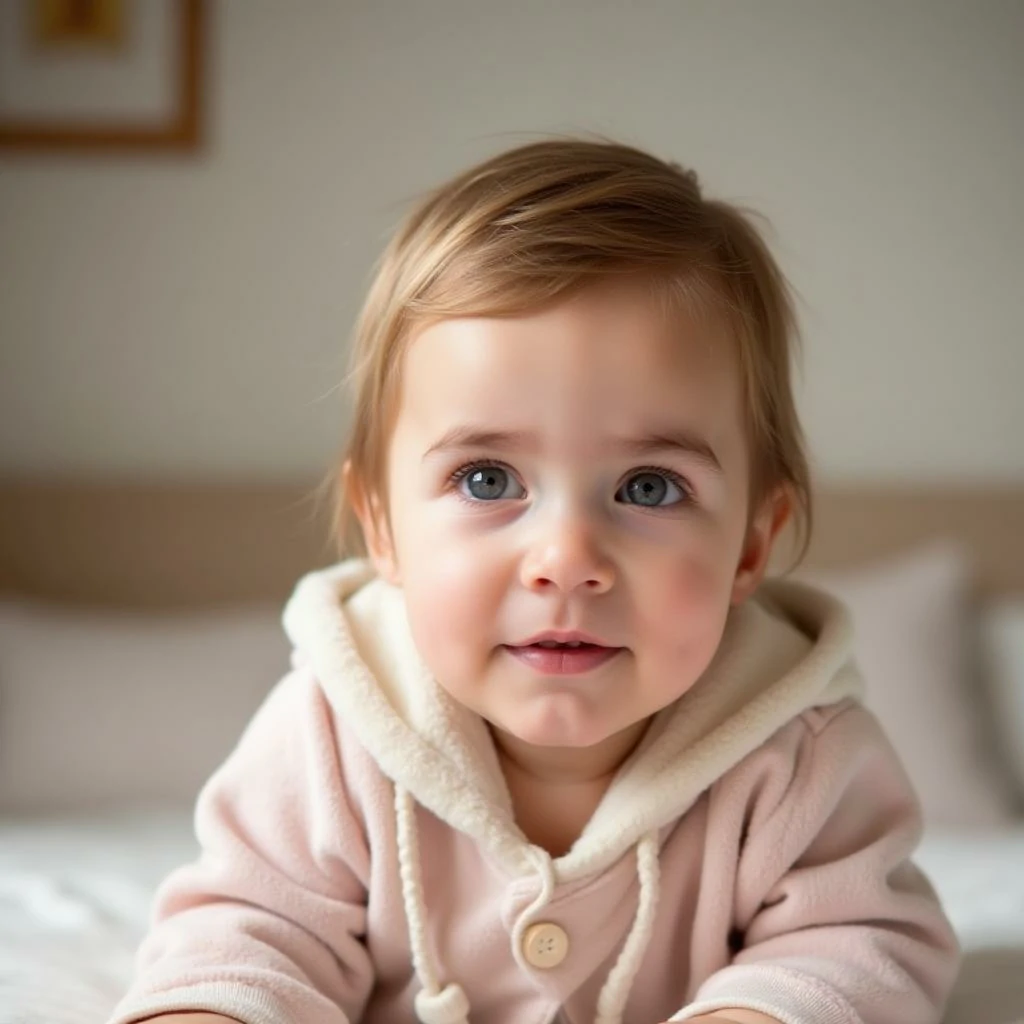
三つの保存例は同じ入力写真を使っています。当時のプロンプトとモデル設定は残っていないため、上の文章は完全に再現する手順ではありません。
- 誰にでも似た顔になった
- 元の写真に戻り、誇張が少ない画風を試しましょう。写真で見える髪型や表情を残すよう指定します。本人らしさを比べるときは、生成済みのイラストを何度も加工し直さない方が比較しやすくなります。
- 手や輪郭が不自然
- 指、帽子、背景に接する髪の縁を見ます。文章を簡単にし、小道具を減らすか、より鮮明な写真を試してください。写真に隠れている手は、モデルが補う必要があります。
- 切り抜きで大事な部分が欠ける
- 用途に合う比率と余白を選びます。アイコンは小さな円、カードは長方形の全体で確認しましょう。別の編集ソフトで切り抜く前に、元の結果を保存します。
使い道に合わせてファイルを仕上げる
完成した結果を開いてダウンロードします。PNGでも背景が不透明な場合があります。透過ステッカーが必要なら画像編集ソフトで背景を取り除き、髪や服の縁を確認してください。印刷では「HD」という表記だけで判断せず、画像のピクセル数と印刷サービスの必要サイズを照合します。
文字や枠を入れる前の画像も残しましょう。動かす場合は保存した画像を動画ツールへ入れ、小さな動作から試します。Cartoon Baby自体はダンス、GIF、動画を出力しません。
- イラストの赤ちゃんを動かす
保存した画像を見た目の出発点にします。
- 全身のキャラクターを踊らせる
画像に加えて動きの参考動画も準備します。
ヒント
- シンプルな背景は通常、よりクリーンなカートゥーンエッジを生成します。
- 複数のスタイルを試す—一部の顔は特定の美学でより良く見えます。
- 結果が乱雑に見える場合は、顔に焦点を当てるためにクロップを締める。
- カスタムスタイルでは画法・色・背景を指定します。同じ写真でスタイルを比べ、ダウンロード前に顔や輪郭を確認します。
よくある質問
出力をプロフィール画像として使用できますか?▼
どの写真が最適ですか?▼
より一貫したスタイルを得るには?▼
カスタム文章とプリセットは組み合わせられますか?▼
ステッカー風なら背景が透明になりますか?▼
同じ赤ちゃんのイラストをシリーズにできますか?▼
生成する準備はできましたか?
自分の素材を選び、生成前に利用できる設定を確認しましょう。