赤ちゃんの写真を喋らせる動画の作り方
音声が声と話すタイミングを決めます。ここでメッセージを録音するか、用意した音声ファイルを追加してください。 モデルと解像度を選び、消費クレジットを確認します。
1枚の写真に短いメッセージを話させます。顔は写真、言葉・言語・声はアップロードまたは録音した音声で決まります。モデルを選ぶ前に、この2つを用意しましょう。
ツールを開くクイックステップ
素材の準備から結果の確認まで、順番に進めます。
- 1AI赤ちゃんが話すツールを開く。
- 2明確な赤ちゃんの写真をアップロード(正面、良好な照明、最小限の遮蔽)。
- 3音声ファイルをアップロードするか、画面で自分の声を録音します。
- 4モデルと解像度を選び、エディターに表示される1秒あたりの料金を確認します。
- 5生成してリップシンクの結果を確認。
- 6エクスポートして共有(より良いエンゲージメントのためにキャプションを追加)。
短い原稿を書いて、声に出して録音する
現在のエディターは音声入力です。原稿を貼り付けて読み上げさせる機能はありません。次の例を実際に読み、最後まで聞き直してから使ってください。
静かな場所で、マイクとの距離を一定にして録音します。ツールでは録音ボタンを使うか、作成済みの音声をアップロードしてください。最初と最後の言葉を確認し、長い無音は音声編集ソフトで切ってからアップロードし直します。
家族へのあいさつ
おじいちゃん、こんにちは!とびきりの笑顔を送るね。また会おうね。
相手の名前をはっきり読み、あいさつの後に間を置きます。名前の変更は録音前に。後から原稿だけを直しても、音声ファイルは変わりません。
ちょっとした言い訳
寝たくなかったんじゃないよ。次のお話を待ってただけ。
2つの文の間に短い間を置きます。最初はBGMなしで1人の声だけを録音し、音楽は完成動画の編集時に追加します。
録音に合うモデルを選ぶ
- Pruna AI Avatar
- 現在の初期選択モデルです。720pに対応し、音声は最大180秒です。長い録音を使う前に、短い一言で顔と口のタイミングを確認しましょう。
- Kling Avatar
- 720pまたは1080pを選べ、音声は最大60秒です。Prunaから切り替えても録音は自動で短くなりません。元の音声をカットして、読み取られた長さを再確認してください。
- ファイルと必要クレジット
- アップロード上限は20 MBです。MP3、WAV、M4A、AAC、OGGなどに対応しています。長さの読み取りを待ち、モデルと解像度を選んだ後に必要クレジットを確認します。長さを読み取れない場合は、一般的な音声形式で書き出し直してください。
- 写真の切り取り方
- 唇が見える鮮明な顔を1人だけ写し、頭の周りに余白を残します。おしゃぶりや手で口を隠さない写真を選びましょう。このエディターには独立した縦横比設定がないため、写真を希望の構図に整えておきます。
チュートリアル例(プロンプトと設定付き)
作例と保存されている入力素材・設定を比較してください。
AI赤ちゃんトーキング品質比較
写真とアップロード・録音した音声を使います。比較動画は閲覧用で、追加の必須入力ではありません。過去の事例の元音声ファイルは掲載されていません。
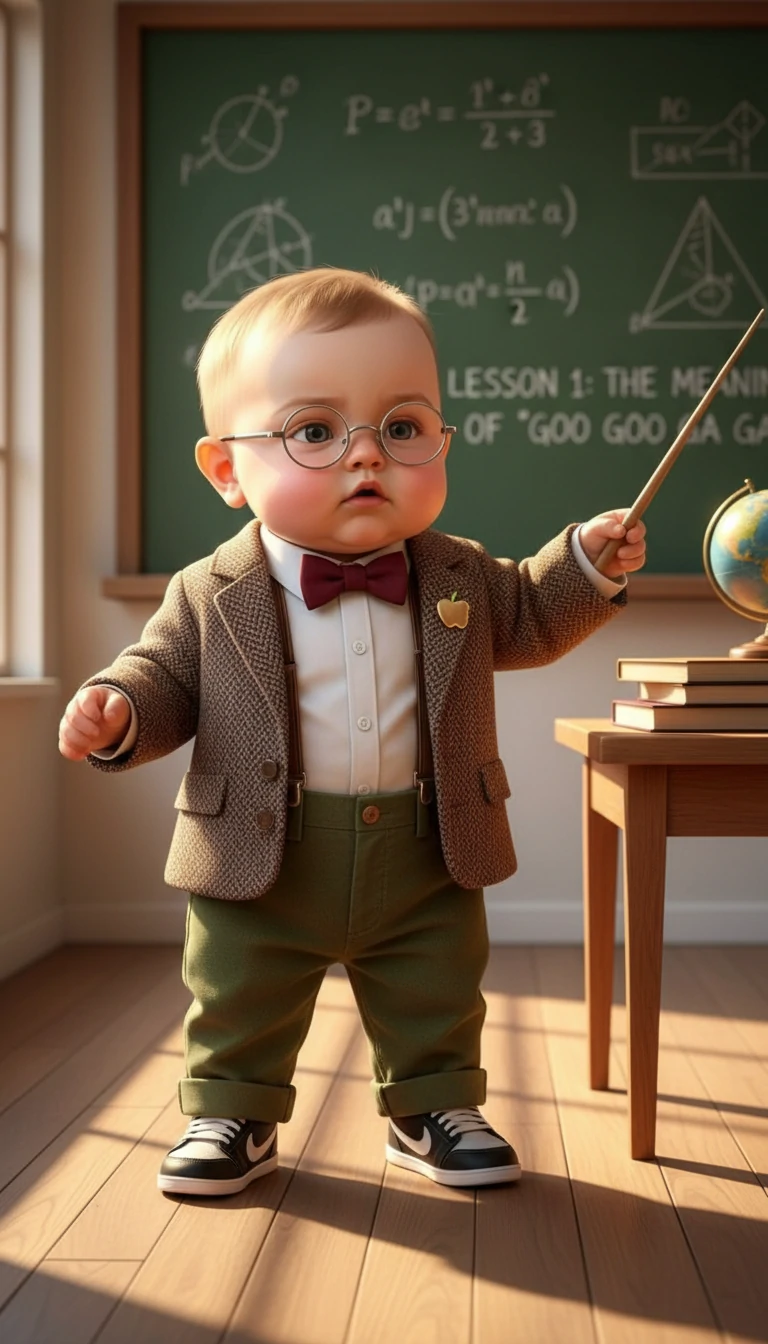
Quality comparison: original image + competitor output vs our output.
- 同じ写真を見比べる
- 元画像は、教室に立つ眼鏡と蝶ネクタイ姿の小さな先生です。唇、眼鏡、頭の動きを見てください。追加の動画は見比べるための参考で、自分の動画生成に必要な2つ目の入力ではありません。
- 比較から分かる範囲
- 出力は480 × 864で約6.9秒、参考動画は616 × 1080です。元音声や条件をそろえた設定記録がないため、モデル性能を公平に比較するテストではありません。
AI赤ちゃんトーキング例
写真とアップロード・録音した音声を使います。比較動画は閲覧用で、追加の必須入力ではありません。過去の事例の元音声ファイルは掲載されていません。
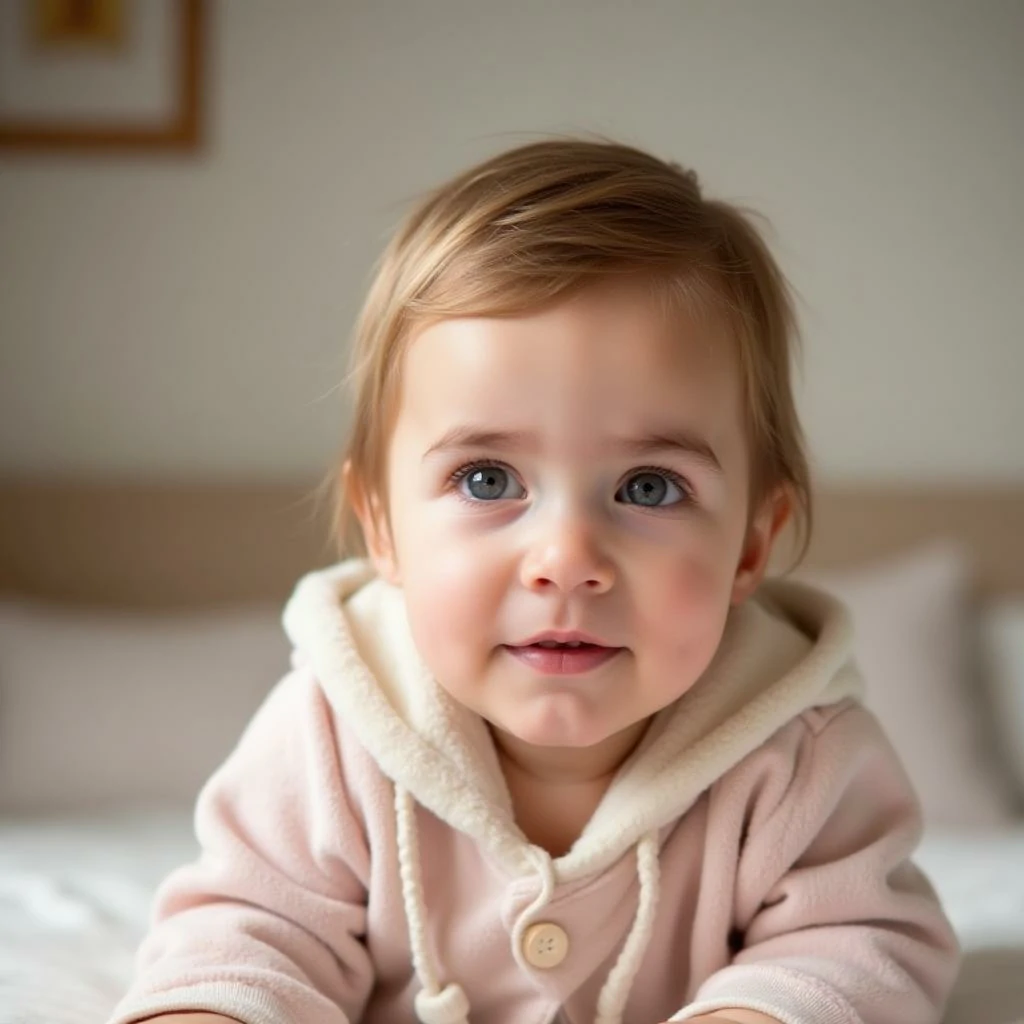
- 顔が大きく写る構図
- 淡い色のフードに囲まれた顔が大きく見えます。1088 × 1088、6秒の動画全体で、頬と口を元写真と見比べてください。近い構図は小さな口の動きを確認しやすくなります。
- 音声は自分で用意する
- この事例の元の音声は残っていません。過去の事例名が文字読み上げ機能の証拠になるわけではなく、現在のツールにはアップロードまたは録音した音声が必要です。
AI赤ちゃんトーキング例
写真とアップロード・録音した音声を使います。比較動画は閲覧用で、追加の必須入力ではありません。過去の事例の元音声ファイルは掲載されていません。
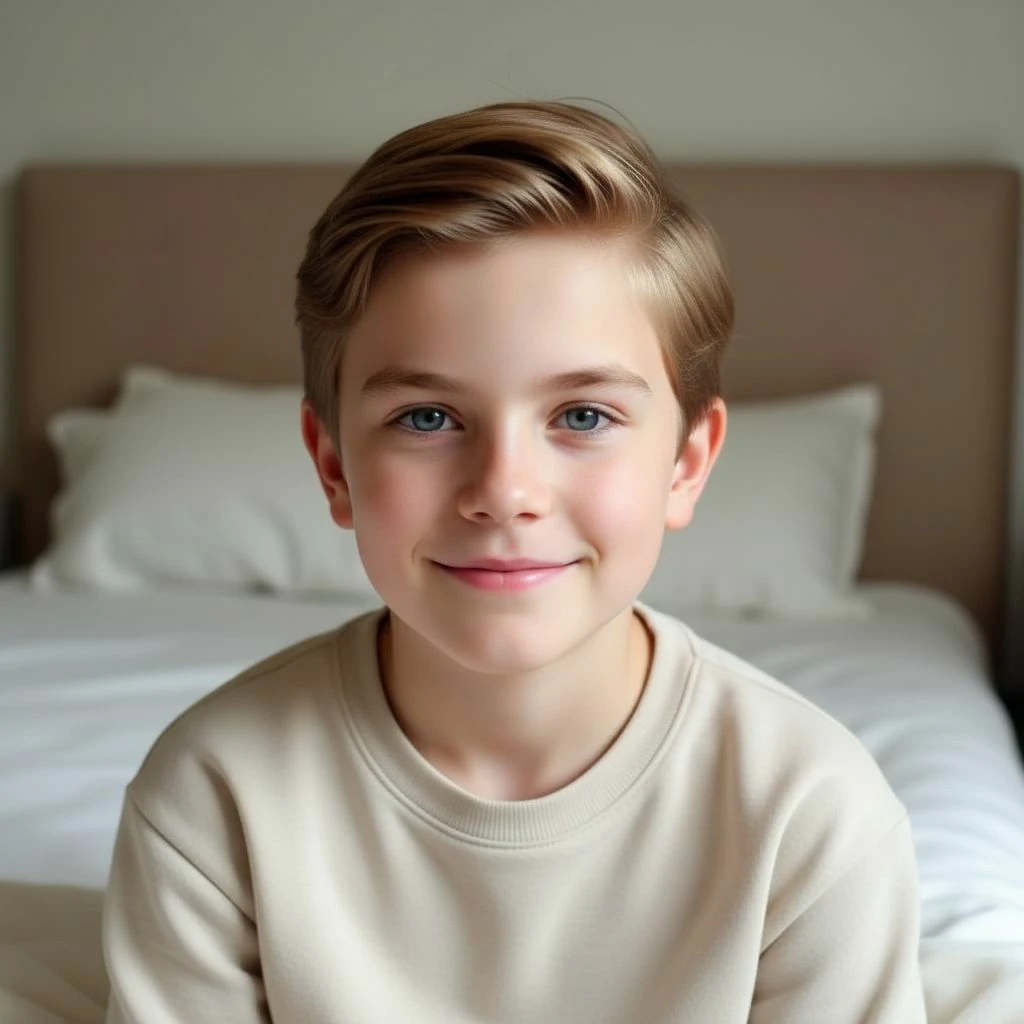
- 短い人物写真の発話例
- この1088 × 1088、約3.5秒の動画は、赤ちゃんより年上の子どもの写真を使っています。写真と音声の流れを示す事例で、赤ちゃんへの若返り例ではありません。赤ちゃんを登場させたい場合は、赤ちゃんの写真から始めます。
話し始め・途中・話し終わりを確認する
- 最初の言葉
- 音を出して再生し、口が動き始める時点を見ます。元音声の開始が遅い場合は冒頭の無音をカットします。元から言葉が切れている場合は、その一文を録り直してください。
- 文の途中
- 録音に「ま」「ば」「ぱ」などの音があれば、その付近の唇の閉じ方を見ます。頬、目、眼鏡も安定しているか確認してください。これは実用的な見直し方法で、すべての音が完全に一致する保証ではありません。
- 最後の言葉
- サムネイルだけで判断せず、最後まで再生します。頭を回すと顔が変わる場合は、より正面向きの写真と短いメッセージを試してください。変更は1つずつ行うと、違いを判断できます。
ダウンロードして共有用に仕上げる
使える結果は次の試行前に保存します。ダウンロードしたファイルを開き、映像と音の両方を確認してください。字幕、カット、BGMは動画編集ソフトで追加し、口を隠さず、人名の誤字を直します。別の音声トラックを重ねる場合は、元動画の音との二重再生に注意してください。
- 赤ちゃんポッドキャストを作る
複数の話題や、別々に作った会話を編集する場合。
- 赤ちゃんが歌う動画を作る
録音した歌声に合わせて動かす場合。
ヒント
- 最高のリップシンク結果のために、明確な顔の特徴を持つシャープな正面写真を使用。
- 静かな場所で、一定のペースで話して録音しましょう。
- まずは短い音声で結果を確認し、長い動画を作る前に比較しましょう。
- より短いクリップ(5-15秒)はより自然な結果を生成。
- プレビューでは最初の言葉と録音の終わりを確認します。声が途切れている場合は元の音声を編集し、新しい必要クレジットを確認して再生成します。
よくある質問
モデルと解像度でAI Baby Talkingの料金はどう変わりますか?▼
文章を入力して読み上げ音声を作れますか?▼
なぜリップシンクがずれているように見えるのですか?▼
AI赤ちゃんが話すに最適な写真は?▼
赤ちゃんがしゃべる動画を無料で作れますか?▼
サイトの言語を変えると、録音も翻訳されますか?▼
赤ちゃんの写真を使うと大人の声も赤ちゃん声になりますか?▼
生成する準備はできましたか?
自分の素材を選び、生成前に利用できる設定を確認しましょう。