すべてのガイドに戻る
2026-10-10
未来のベビー生成器
2枚の親の写真をアップロードし、角度を一致させ、明確な照明を使用。親の写真の品質が最も重要です。
将来の赤ちゃんがどんな顔か、両親の写真から想像のポートレートを作ってみましょう。鮮明な写真は自然な画像を作る手がかりになりますが、遺伝や実際の容姿を予測できるわけではありません。
ツールを開くクイックステップ
素材の準備から結果の確認まで、順番に進めます。
- 1未来のベビーツールを開く。
- 2明確な父親の写真と母親の写真をアップロード(正面が望ましい)。
- 3両方の写真に同様の照明と角度を使用。
- 4生成後、結果がずれる場合はより鮮明な写真で再試行。
- 5最良の結果を保存して共有。
選択可能なツールオプション
アスペクト比:1:1
比べやすい二枚のポートレートを用意する
- 一つのファイルに一人の顔
- 両目、鼻、唇、あごが見える正面写真を選びます。二人で写った写真しかない場合は、一人ずつ切り出して二つのファイルにします。遠くから撮った集合写真の小さな顔を拡大しても、細部は戻りません。
- 構図と明るさをそろえる
- 頭から肩までを、顔の大きさが近くなるように切り出します。柔らかく均一な光が向いています。強い加工をした自撮りと無加工の写真、暗い横顔と明るい正面写真を組み合わせるのは避けましょう。
- 一人分の写真でも使える
- クイックステップは二枚を使う流れです。現在のホーム画面では、一人分の親の写真でも生成できます。一枚からの想像画像になるため、二枚目は空欄にし、同じ人物を重複して入れる必要はありません。
種類を選び、静止画を生成する
比較するときは同じ二枚を使い、男の子・女の子の選択か、一方の写真の切り抜きだけを変えます。送信後に入力欄が空になっても再選択できるよう、元のファイルを保存しておきましょう。再生成は別の試行となり、追加のクレジットを使う場合があります。
- 自分のファイルを選ぶ
- ホーム画面の二つの写真欄を使います。アップロード前から見える顔は説明用の画像であり、入力済みの素材ではありません。JPG・PNG・WebPを使い、プレビューを確認してください。
- 男の子・女の子・おまかせ
- 作りたい画像の種類を選びます。おまかせは見た目の選択を生成側に任せるもので、妊娠中の胎児の性別を予測する機能ではありません。現在のフォームに双子、年齢、親ごとの似せる割合の設定はありません。
- クレジットを確認する
- ログインして表示された費用を確認し、一度送信します。現在は1K設定の正方形画像を作ります。このフォームではモデルや縦横比を選びません。結果の状態を確認してから次の生成を始めてください。
チュートリアル例(プロンプトと設定付き)
作例と保存されている入力素材・設定を比較してください。
例 1
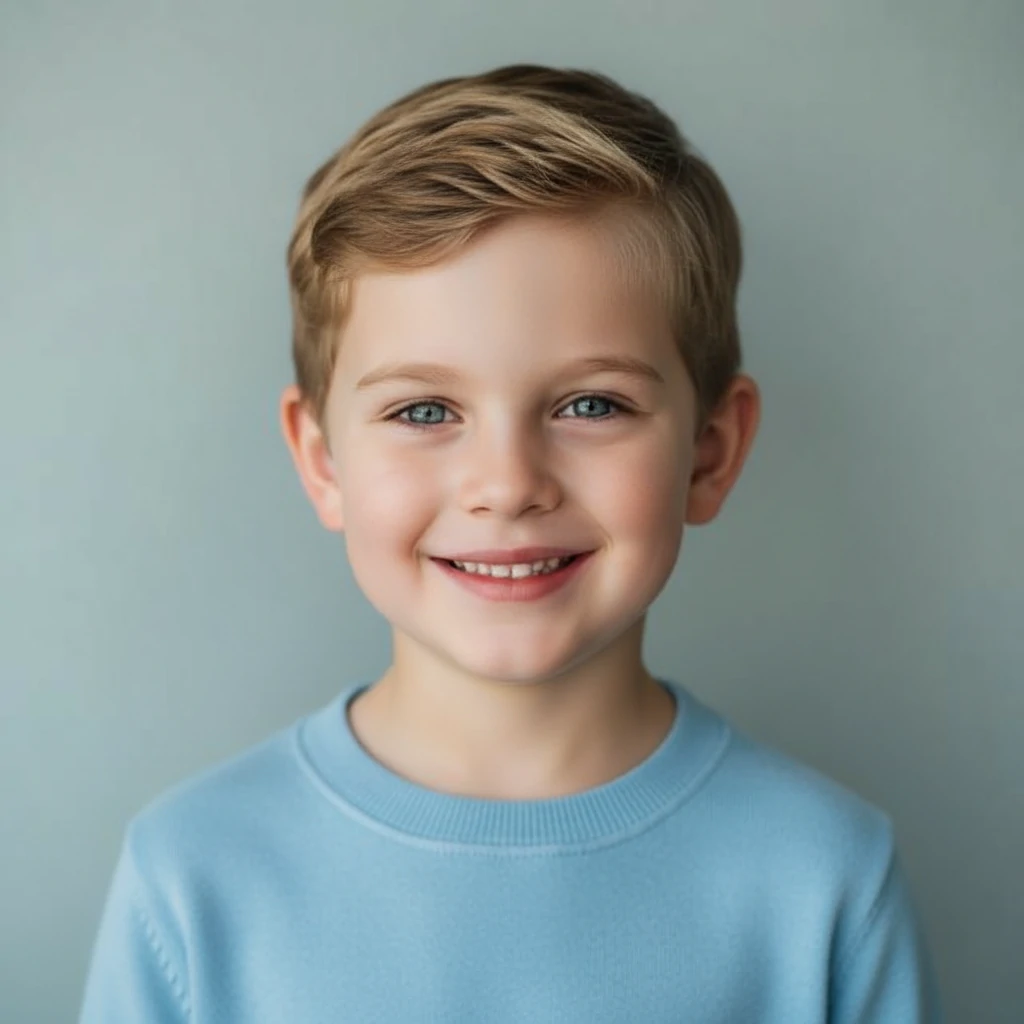
未来の赤ちゃん(息子)例
この例の使い方
両親の写真2枚と結果を並べて見ます。比較するときは同じ写真を使ってください。別の結果は別の解釈であり、予測の精度が上がったことを示すものではありません。
入力

入力 1
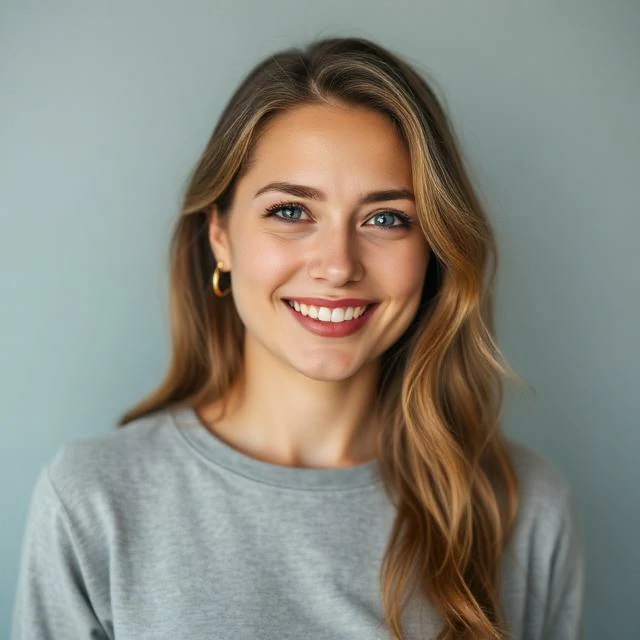
入力 2
設定(この例で使用)
アスペクト比
1:1
- 想像上の息子のポートレートとして見る
- 正方形の結果には、短い髪で青い服を着た笑顔の子どもが写っています。横にある二枚の入力と顔の形、光、表情を比べましょう。似ている割合や、特定の特徴をどちらの親から受け継いだかは判断できません。
- 保存されている情報
- 結果は1024 × 1024、入力はそれぞれ640 × 640です。当時の正確なモデルと年齢設定は不明です。新生児より年上に見える作例ですが、現在のフォームに年齢選択があることを示すものではありません。
例 2
未来の赤ちゃん(娘)例

この例の使い方
両親の写真2枚と結果を並べて見ます。比較するときは同じ写真を使ってください。別の結果は別の解釈であり、予測の精度が上がったことを示すものではありません。
入力
入力 1
入力 2
設定(この例で使用)
アスペクト比
1:1
- 同じ写真から別の解釈
- 女の子の例も同じ二枚を使い、長めの髪と明るいセーターの1024 × 1024画像になっています。二つ目の創作画像として比べてください。きょうだいの予測や、どちらかがより正確である証拠にはなりません。
再生成の前に画像を確認する
- 片方の写真に強く似て見える
- もう一枚が暗い、小さい、横向きになっていないか確認し、その写真だけを替えてみます。遺伝の混ざり方を測る機能ではないため、見た目の印象を検証可能な割合にすることはできません。
- 目・歯・髪が不自然
- 画像を大きく開き、目の位置、笑顔、髪の輪郭を確認します。顔が隠れていない鮮明な原本を試してください。ぼやけた写真を拡大しても、顔の情報は復元されません。
- 毎回違う顔になる
- 同じ二枚を使い、選んだ種類を記録します。顔や構図が自然にまとまった画像を選びましょう。試行回数を増やしても、生物学的な予測の確かさは上がりません。
動画を作る前にポートレートを保存する
完成した結果を開いて確認し、ダウンロードします。別の編集ツールで枠や文字を足す前に、正方形の原本を残しておきましょう。共有時はAIで想像した画像だと説明すると、実在の子どもの写真と混同されにくくなります。
完成画像のアニメーション操作から、その画像を使う写真から動画への作成画面を開けます。別の生成なので、設定とクレジットをあらためて確認します。年上の姿を試したい場合は、選んだ画像を年齢変化ツールで使います。
- 保存した赤ちゃん画像を動かす
小さな動きから始め、動画全体で顔を確認します。
- 別の年齢の姿を試す
ホーム画面には年齢スライダーがないため、専用ツールを使います。
ヒント
- サングラス、強い影、極端な角度を避ける。
- 写真ごとに1つの顔を使用(グループ写真なし)。
- より良い一貫性のために顔 + 肩を含むようにクロップ。
よくある質問
高解像度の写真が必要ですか?▼
高解像度は役立ちますが、一貫した照明と明確な顔が最も重要です。
なぜ結果が非現実的に見えるのですか?▼
同様の角度と照明でより明確な親の写真を試してください。入力で強いフィルターや濃いメイクを避けてください。
複数回試すことはできますか?▼
はい—小さな入力変更(クロップ/照明)は結果を改善することがよくあります。
科学的な予測ですか?▼
いいえ。2枚の写真をもとに想像上の顔を作ります。DNAを分析したり、将来の子どもの容姿を予測したりするものではありません。
二枚の代わりに、二人で写った写真を使えますか?▼
一人ずつ切り出して二つのファイルにし、別々にアップロードすると分かりやすくなります。顔が小さい、または隠れている場合は別の写真を選びましょう。一人分の親の写真だけでも利用できます。
双子や正確な年齢、似せる割合を50対50に設定できますか?▼
現在のフォームにはその設定はありません。男の子、女の子、おまかせを選べます。画像は創作であり、遺伝の計算結果ではありません。年齢変化は別のツールで行います。
本物らしい画像なら、実際の子どもの顔に近いですか?▼
そうとはいえません。写実性は画像の表現であり、遺伝的な正確さの証拠ではありません。DNA解析、親子関係の判定、将来の子どもの健康や容姿の予測は行いません。
生成する準備はできましたか?
自分の素材を選び、生成前に利用できる設定を確認しましょう。