Generador de Bebé Cartoon
Los estilos de caricatura toleran mejor las pequeñas imperfecciones que el fotorrealismo. Empieza con una foto nítida y prueba dos o tres estilos para encontrar el que mejor encaje con el rostro del bebé.
Convierte una foto de tu bebé en caricatura pensando en su uso: una imagen de perfil, una invitación de cumpleaños o un personaje para animar después. El encuadre y el estilo deben servir a ese resultado.
Abrir herramientaPasos rápidos
Sigue los pasos desde preparar las entradas hasta revisar el resultado.
- 1Abre la herramienta Bebé Cartoon.
- 2Sube una foto clara de bebé (una cara, buena iluminación).
- 3Elige un estilo (anime/chibi/3D/etc.).
- 4Genera 2-3 variaciones.
- 5Guarda el mejor resultado y reutilízalo como avatar o miniatura.
- Elige un estilo predefinido o escribe un prompt de estilo personalizado.
Decide dónde usarás la ilustración
- Una imagen de perfil reconocible
- Usa un retrato de cabeza y hombros con proporción 1:1. Deja margen alrededor del pelo para el recorte circular. Prueba chibi o 3D suave y compara ojos, nacimiento del pelo y sonrisa a tamaño pequeño.
- Una tarjeta o invitación
- Prueba 2:3 o 4:5 con un fondo tranquilo y espacio para el nombre y la fecha. Añade el texto después en un editor de diseño. Una dirección de acuarela o pastel puede acompañar las letras sin competir con ellas.
- Una pegatina o personaje animable
- Para una pegatina, busca una pose compacta y una silueta clara. Para un baile posterior, la foto debe mostrar brazos, piernas y pies. Esta herramienta crea una imagen fija; un estilo de pegatina no garantiza fondo transparente ni animación.
Compara un estilo cada vez
Inicia sesión y sube una foto JPG, PNG o WebP de hasta 10 MB. Mantén ojos y boca despejados y recorta el fondo innecesario antes de subirla. Elige un estilo visible o abre Ver todos los estilos. El modelo actual es GPT Image 2.5 Flare; revisa los créditos de cada intento.
- Comparar estilos predefinidos
- Deja vacío el campo de estilo personalizado y conserva la misma foto y proporción. Prueba dos o tres estilos en generaciones separadas. Si también cambias la foto y el recorte, será difícil saber qué mejoró.
- Escribir un estilo personalizado
- El texto personalizado sustituye la descripción del estilo seleccionado. Incluye técnica de dibujo, colores y fondo; no cuentes con que el preajuste se añada automáticamente. Borra el texto para volver al estilo predefinido.
- Repetir una comparación
- Desactiva Mejorar prompt si quieres usar exactamente tus palabras. Al activarlo, la descripción puede reescribirse. Guarda la foto y el texto fuera del formulario: ambos se borran al enviar la generación.
Ilustración para una tarjeta
Ilustración suave en acuarela del bebé de la foto, tonos crema y melocotón apagado, textura ligera de papel, fondo claro sencillo con espacio libre sobre la cabeza, sin letras.
Empieza con un formato vertical. Añade el nombre y la fecha en otro editor para controlar ortografía, fuente y posición.
Retrato para el perfil
Retrato del bebé de la foto en estilo de dibujo 3D suave, peinado y sonrisa reconocibles, cara centrada, fondo azul claro limpio, margen alrededor de la cabeza, sin accesorios ni letras.
Empieza en 1:1. Son propuestas para probar, no los prompts originales de los ejemplos guardados.
Ejemplos del tutorial (con prompts y configuración)
Compara los ejemplos, sus entradas disponibles y los ajustes registrados.
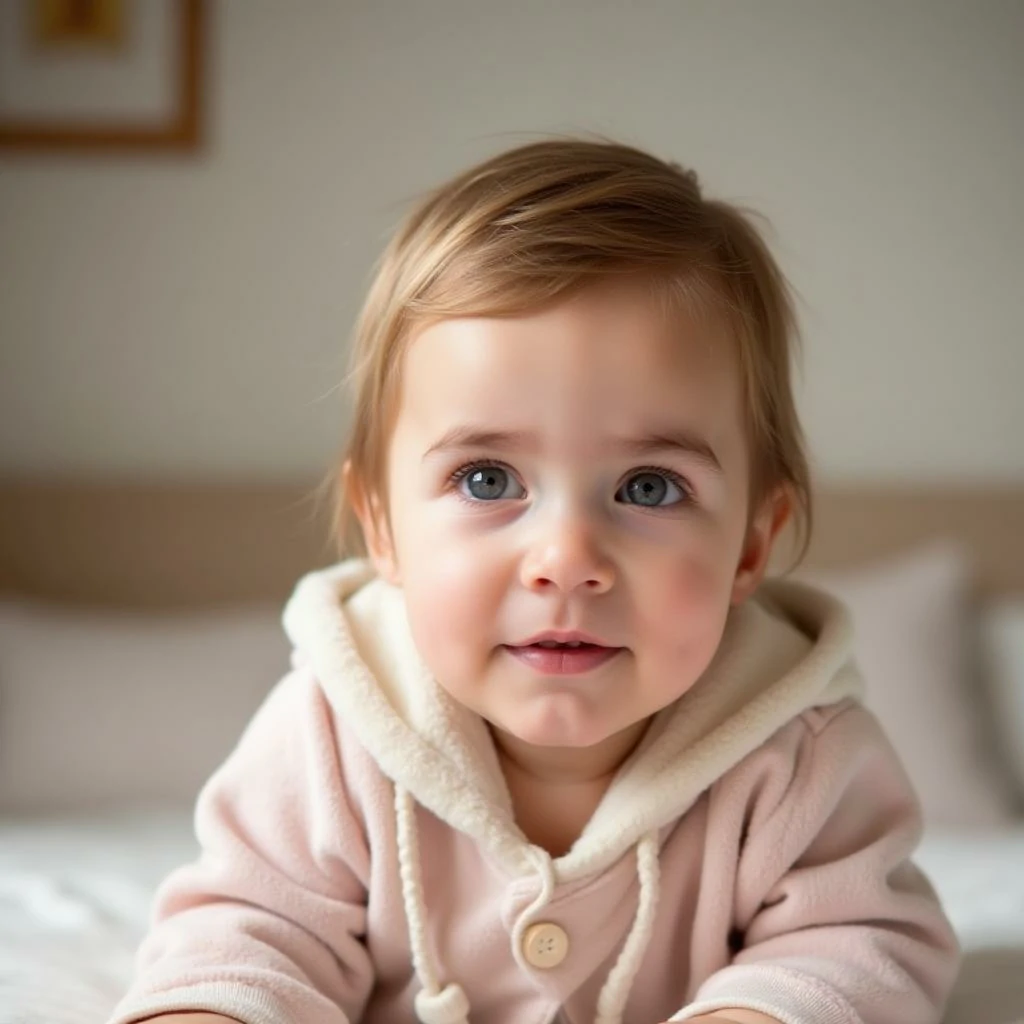
Estilo bebé caricatura (ejemplo 1)
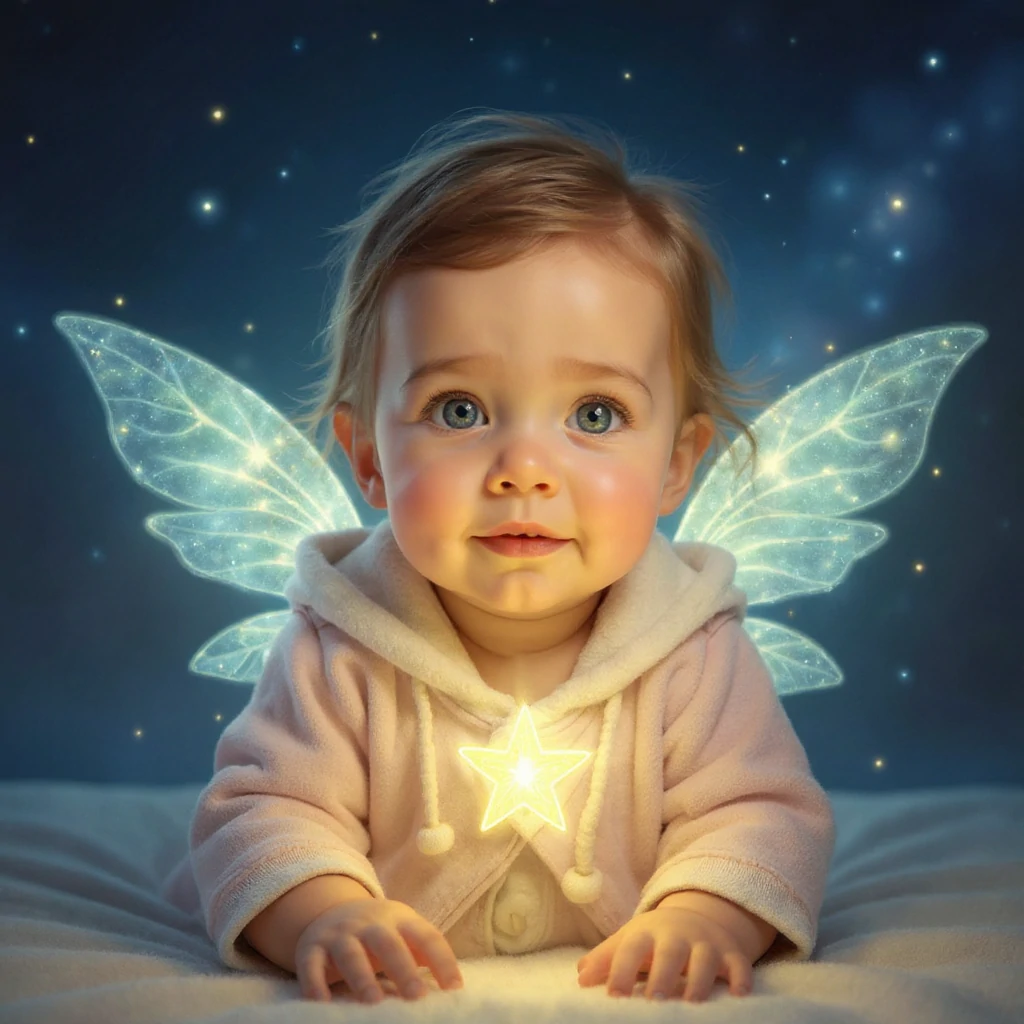
Compara la foto original con cada ilustración. El estilo cambia el acabado y puede alterar rasgos; elige la versión adecuada para tu avatar o diseño.
- Duende estelar: luz y fantasía
- Se reconoce la ropa rosa clara con capucha, pero las alas luminosas, la estrella y el fondo azul oscuro cambian la escena. Compara primero el rostro y después los bordes de las alas. Un recorte circular cerrado perdería gran parte del efecto.
Estilo bebé caricatura (ejemplo 2)
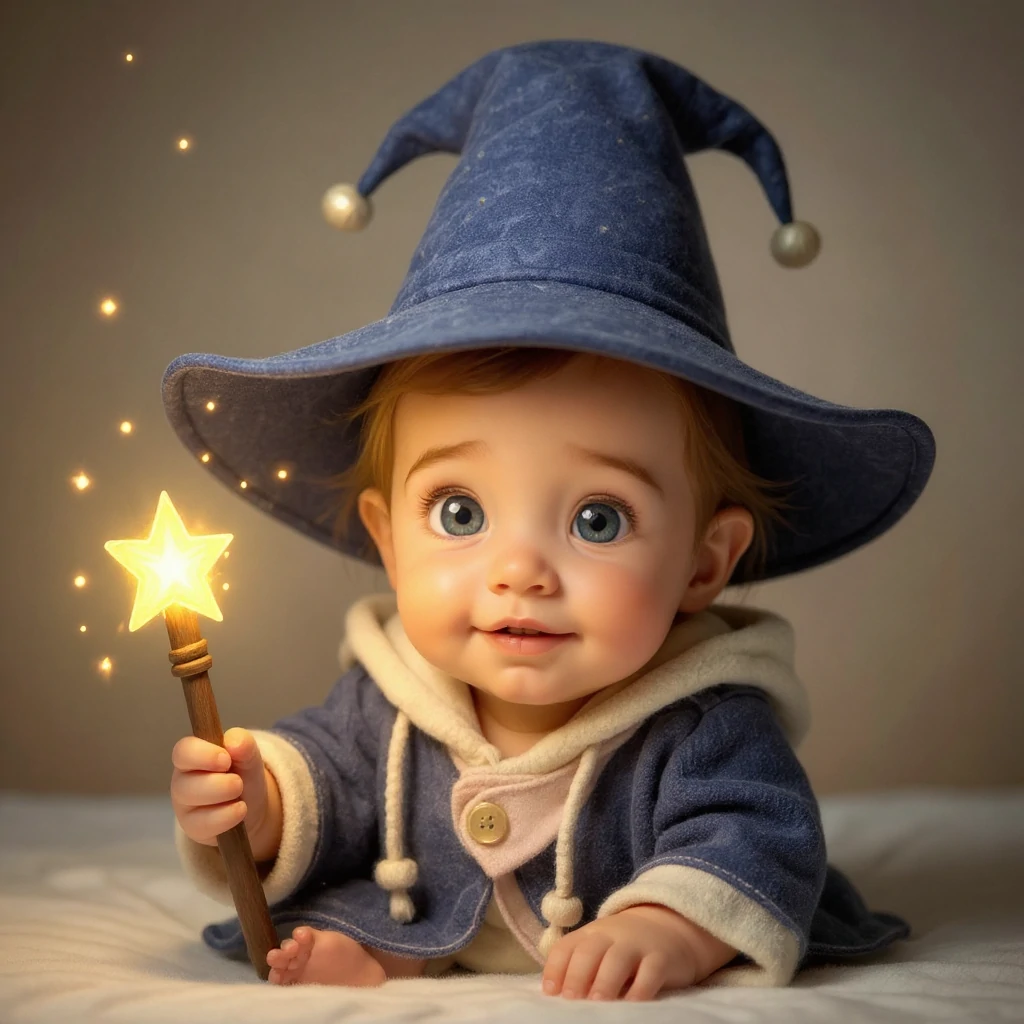
Compara la foto original con cada ilustración. El estilo cambia el acabado y puede alterar rasgos; elige la versión adecuada para tu avatar o diseño.
- Aprendiz de magia: traje y pose nuevos
- El sombrero azul y la varita añaden una historia a la misma foto. Revisa la mano que sostiene la varita, los dedos del pie y el contorno del sombrero. Deja espacio para el sombrero al recortar: el cambio va más allá del color.
Estilo bebé caricatura (ejemplo 3)
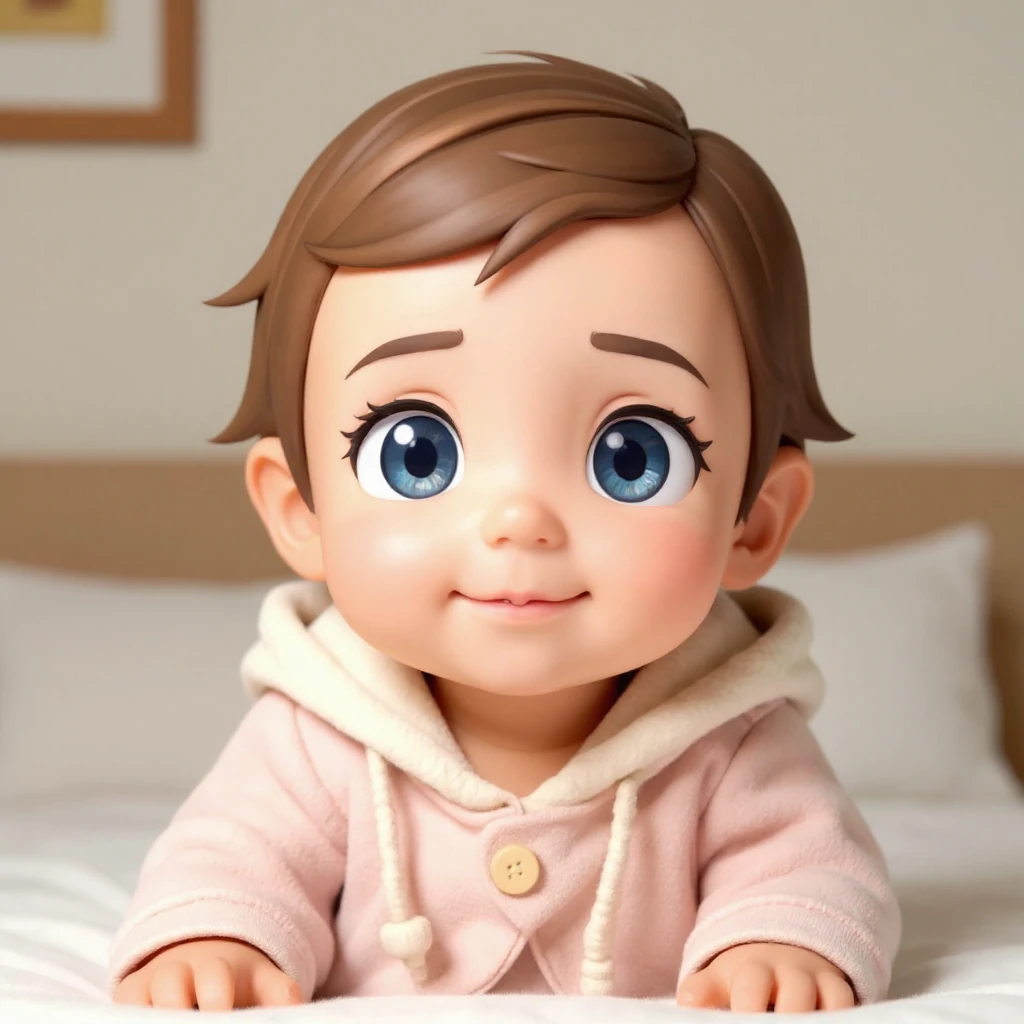
Compara la foto original con cada ilustración. El estilo cambia el acabado y puede alterar rasgos; elige la versión adecuada para tu avatar o diseño.
- Chibi 3D: ojos grandes y escena sencilla
- La ropa rosa y el interior se mantienen más cerca del original, mientras los ojos crecen y el pelo y la piel se suavizan. Sirve para comparar un avatar compacto con las escenas de fantasía. Ojos más grandes no significan mayor parecido.
Revisa la imagen grande y en su tamaño final
Los tres ejemplos usan la misma foto de entrada. Sus prompts y ajustes originales no están registrados; las propuestas anteriores son puntos de partida, no instrucciones para reproducirlos exactamente.
- El rostro resulta genérico
- Vuelve a la foto original, prueba un estilo menos exagerado y pide conservar el peinado y la expresión visibles. Para comparar el parecido, evita transformar una y otra vez una caricatura ya generada.
- Manos o bordes extraños
- Mira dedos, sombrero y pelo sobre el fondo. Simplifica la descripción, elimina accesorios innecesarios o usa una foto más clara. Si una mano está oculta en la entrada, el modelo debe inventar esa parte.
- El recorte elimina detalles
- Elige una proporción adecuada y deja margen. Prueba un recorte circular pequeño para el perfil y una composición rectangular para la tarjeta. Guarda primero el resultado completo y haz esos recortes en un editor.
Prepara el archivo para su destino
Abre el resultado terminado y descárgalo. Un PNG puede tener fondo opaco: si necesitas una pegatina transparente, retira el fondo en un editor y revisa pelo y ropa. Para imprimir una tarjeta, compara los píxeles del archivo con el tamaño que pide la imprenta; la etiqueta HD no garantiza cualquier tamaño de impresión.
Conserva el original antes de añadir texto o un marco. Para animarlo, sube la imagen elegida a una herramienta de vídeo y empieza con un movimiento pequeño. Cartoon Baby no exporta un baile, GIF o vídeo.
- Animar el retrato de caricatura
Usa la imagen guardada como aspecto inicial.
- Hacer bailar un personaje de cuerpo entero
Prepara también un vídeo de referencia del movimiento.
Consejos
- Los fondos simples suelen producir bordes cartoon más limpios.
- Prueba múltiples estilos—algunas caras se ven mejor en ciertas estéticas.
- Si los resultados se ven desordenados, ajusta el recorte para enfocarte en la cara.
- Para un estilo personalizado, describe la técnica, los colores y el fondo. Mantén la foto al comparar estilos y revisa la cara y los bordes antes de descargar.
Preguntas frecuentes
¿Puedo usar el resultado como foto de perfil?▼
¿Qué foto funciona mejor?▼
¿Cómo obtengo un estilo más consistente?▼
¿El texto personalizado se combina con el estilo seleccionado?▼
¿El estilo de pegatina incluye fondo transparente?▼
¿Puedo crear varias caricaturas consistentes del mismo bebé?▼
¿Listo para generar?
Elige tus propias entradas y revisa los ajustes disponibles antes de generar.