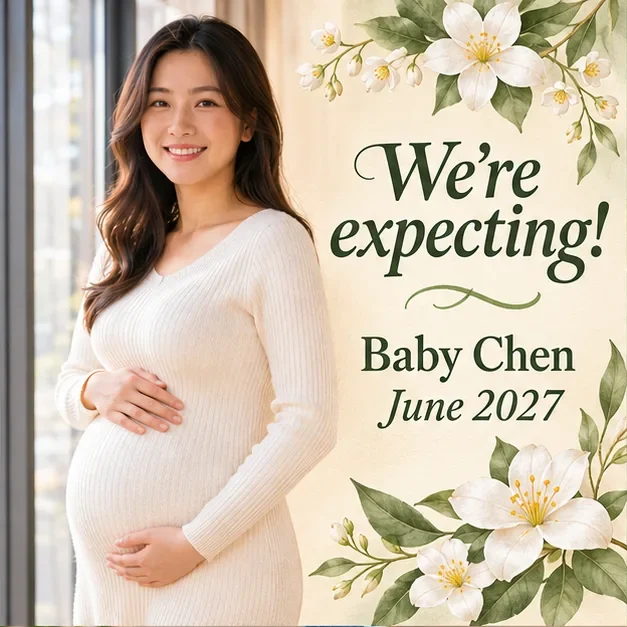
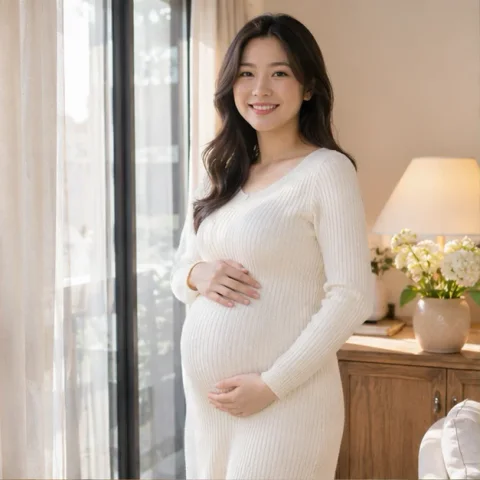
Maternity photo
Your maternity portrait, your happy news
“We're expecting!”
Baby Chen · June 2027
From your photo to your announcement
A maternity portrait, a couple's photo or a proud big sibling: your picture belongs in the design. Add your words and a due month, then let AI create the artwork and lettering together.
“We're expecting!”
Baby Chen · June 2027

“You're going to be grandparents!”
Maya & James · September 2027
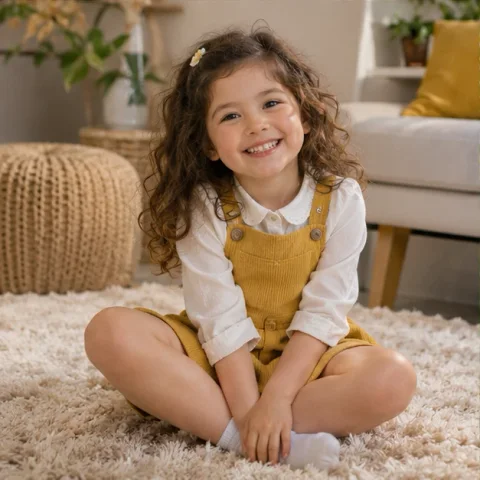
“Promoted to big sister!”
Ellie · October 2027
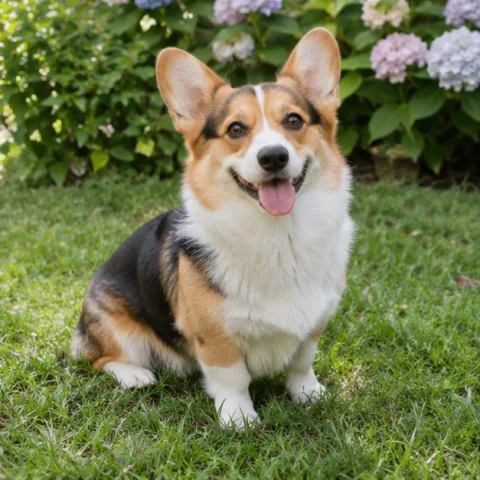
“Guard dog duty starts soon”
Milo · August 2027
“A little love is on the way”
The Chen family · June 2027
“Our family is growing”
Maya & James · September 2027
“My new best friend arrives soon”
Ellie · October 2027
“A new human is joining the pack”
August 2027
“Our next chapter”
Baby Chen · December 2027
“Our next adventure begins”
Maya & James · September 2027
“One more stocking this year”
The Parker family · December 2027
“Our little pumpkin is on the way”
October 2027
“A little love is on the way”
Baby Morgan · May 2027
“Our table is growing”
The Wilson family · July 2027
“Player three is joining”
November 2027
“Something lovely is hatching”
Baby Rose · April 2027
AI design examples created in ChatGPT using the photos and inputs shown. Your generation creates a new image.
Your story, your style
Find a look that feels like you, then bring your own words and optional photo. Each design is a starting point for a new announcement.
Tiny knits, soft linen and a quiet little reveal.
Sunlit wicker, soft knits and a terracotta glow.
Cherry red, pink gingham and a playful little reveal.
A bright, illustrated beginning, in your own words.
Two little rabbits under a beautiful paper moon.
Two coffees and one very small place at the table.
Give your first little one a starring role.
Let your four-legged family member tell the news.
Design inspiration. Your words and optional photo guide a new AI-generated image.
Start with what matters
You don't need a baby's photo to announce a pregnancy. Begin with a few words, or include the people and little details that make this moment yours.
Let them in on the secret
A new role for a big sibling, a surprise for the grandparents, or a reveal from the family pet. Make the message personal to the people you're telling.
Make a sibling's new role the happy headline.
A playful announcement with your favorite companion.
A personal little surprise for the grandparents-to-be.
Bright daisies for someone with a brand-new role.
A season to remember
A cozy Christmas surprise, a little pumpkin or a bright summer beginning. Bring the season into your design without losing the news at its heart.
A cozy holiday reveal with room for someone new.
An autumn reveal with a tiny addition to the patch.
Fresh spring greenery and a watercolor beginning.
A bright seaside reveal for your next chapter.
Midnight sparkle for a beautiful new beginning.
Your words set the mood
Start with a line you love, or write something only your family would say.
Or keep it simple
Made for your moment
A square post for the family chat, a portrait for your feed, or a tall reveal for your story. Choose the shape before generating, then download your finished image when you're ready.
Choose my image shapeWrite your announcement. Include a name or due month if you want them in the design, and add an optional photo.
Pick a visual idea or describe your own. Leave it to the pregnancy announcement generator if you'd like a fresh direction.
Check the credit price and generate your image. Review wording and photo details, then download and share.
Your photo becomes part of the finished announcement. Choose Feature photo to make it the main image, or Framed photo to place it inside a designed photo area with your message around it. A maternity portrait, couple, sibling or pet photo can be used; a baby's photo is not required. Ultrasounds stay in a framed inset. Review the result for photo accuracy before sharing.
No. Start with just your message. You can also add a photo of the parents-to-be, a big sibling, a pet or an ultrasound. Photos are optional; you do not need a picture of a baby who has not been born yet.
The examples suggest a look for an AI-generated design. Your wording, optional photo and design idea guide the complete image, including its artwork and lettering. You are not limited to replacing text in one fixed template.
Yes. Enter the exact announcement message you want. Add a name and due month if you want them shown. You can write in your own language. Check spelling, dates and photo details in the finished image before sharing; AI lettering can contain mistakes. An updated design requires a new generation.
The current 1K image costs 2 credits per generation, shown before you start. Browsing designs and filling in your information do not use credits. Downloading a saved result again does not start or charge for another generation. See credit packs
Choose square (1:1) for a post or family chat, portrait (4:5) for a feed, or story (9:16) for a full-screen reveal. Each generation creates one 1K image. The result is a finished image, not separately editable text layers or a print-delivery service.
Your generated images are available in My Creations. This browser keeps your written draft when local storage is available. Selecting a photo only previews it on this device; it uploads after you click Generate and your account and credits are checked. If saving a completed generation fails, use Retry save instead of generating again.
A pregnancy announcement shares the news that you are expecting. A baby shower invitation includes a celebration's date, time and location. Use the Baby Shower Invitation Maker when you are ready to invite guests. Make a baby shower invitation
For the next part of your story
Add your message and create an announcement that feels like your family.
Create my announcement