Back to all guides
2026-01-12
AI Fruit Baby Video Generator
AI Fruit Baby turns one clear baby photo and a chosen fruit into a playful character video. Pick the fruit, aspect ratio, resolution, and duration; the tool handles the transformation automatically.
Quick Steps
A fast checklist you can follow in under a minute.
- 1Open the AI Fruit Baby tool.
- 2Upload a clear baby photo (the pose will be preserved).
- 3Choose a fruit (durian, apple, strawberry, watermelon, orange, banana, mango, grape, peach, cherry, pineapple, kiwi).
- 4Set aspect ratio, resolution (480p or 720p), and duration (5s or 10s).
- 5Generate — the AI creates the fruit character image, then animates it into a video.
- 6Download and share on social media.
Tutorial Examples (with prompts & settings)
Each example below is pre-selected for this guide (not random).
Example 1
Durian fruit baby (two-model pipeline)
How to use this example
- 1.Open the tool.
- 2.Follow the inputs & settings below.
- 3.Upload the input shown below.
- 4.Review the inputs and choose the settings shown below.
- 5.Generate and iterate (crop/lighting/prompt) if needed.
Inputs
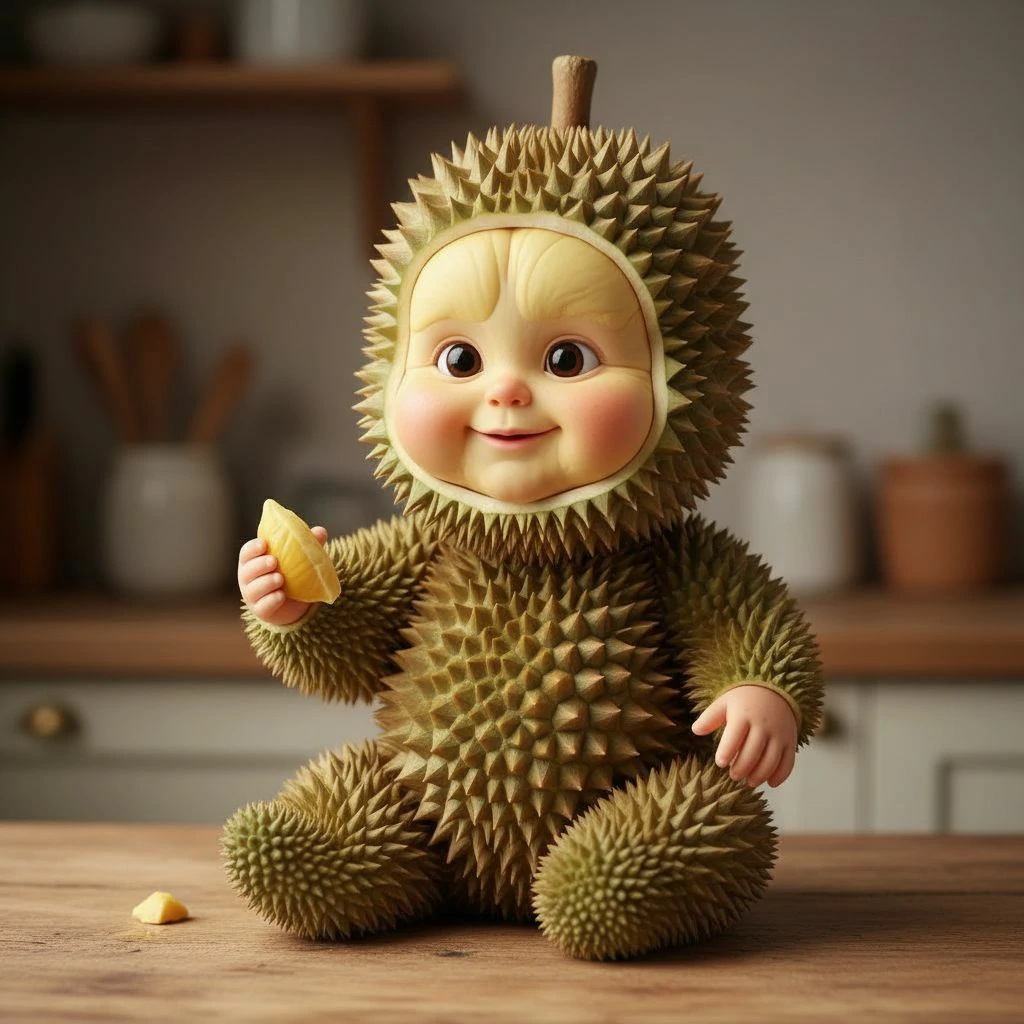
Inputs 1
Settings (used in this example)
Aspect ratio
9:16
Tips
- The baby's pose matters — a front-facing photo with visible hands works best since the fruit baby will hold and eat the fruit.
- Try different fruits to find the most visually striking character (durian and watermelon are popular).
- Start with 480p and 5 seconds for a quick test, then upgrade to 720p and 10 seconds for the final version.
- Simple backgrounds in the input photo produce cleaner fruit baby transformations.
- The fruit baby inherits the pose from your photo but NOT the face — the entire body becomes a fruit character.
FAQ
How does AI Fruit Baby work?▼
Upload a clear baby photo, choose a fruit, and generate. The tool creates the fruit character and motion automatically, and there is no separate image-generation charge.
What's the difference between 480p and 720p?▼
480p is useful for quick drafts. 720p gives clearer detail for a final clip. The editor shows the exact video credit cost before you generate.
Why does the result look different from my baby?▼
That's by design. The AI uses your baby's pose and proportions but transforms the entire body into a fruit character. It won't preserve the original face or skin.
Which fruit looks best?▼
Fruits with distinctive textures work best — durian, watermelon, strawberry, and pineapple are popular choices. Try a few and pick your favorite.
Can I change the aspect ratio?▼
Yes — you can choose from multiple ratios (1:1, 9:16, 16:9, etc.) or match the input image's ratio. Use 9:16 for TikTok/Shorts.
Ready to generate?
Open the tool and reuse the prompts/settings above.